
Note: The transaction can only be modified if all of the following conditions are met:
- The transaction has not undergone the end-of-day process.
- The reverse service has not been executed.
- A sales return has not been processed.
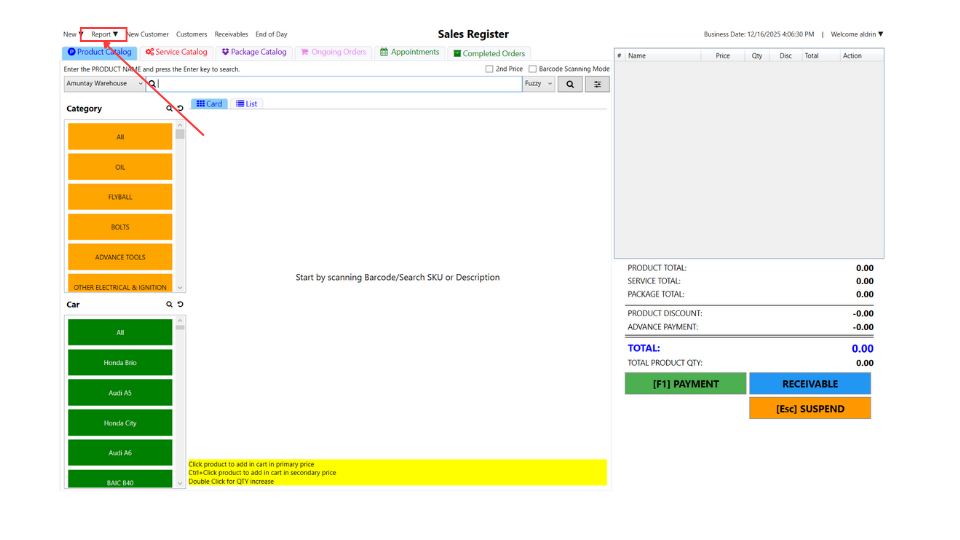
- Open the Motodisk application and login
- Click the Report > Daily Transaction Report
- Note: If the end-of-day process has already been executed, please perform a rollback by following this link
- How to Rollback in the end of the day
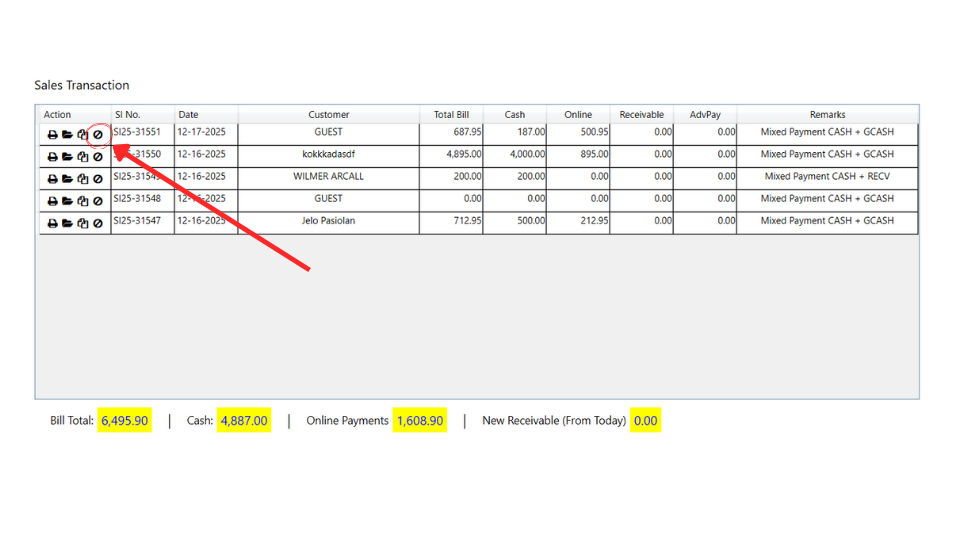
3. In the Sales Transaction section, on the left side, you will see a circle. Click it to void a transaction.
4. After clicking the void circle, you will receive a confirmation. Click Yes to void the transaction
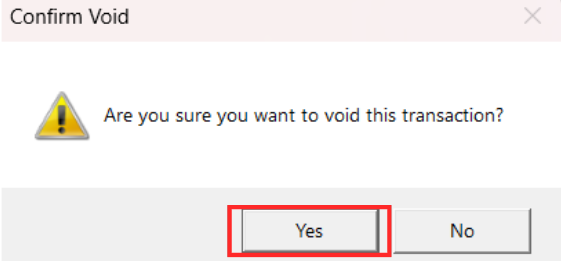
After you click Yes, it will say that the transaction is successfully voided.
Here’s the video guide