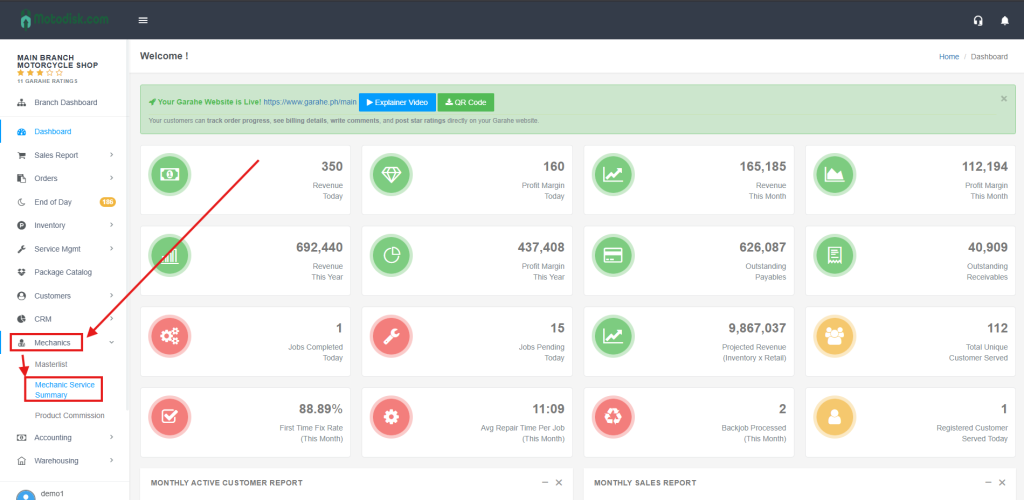
- Go to https://portal.motodisk.com and log in.
- In the side bar, select Mechanics> Commission History
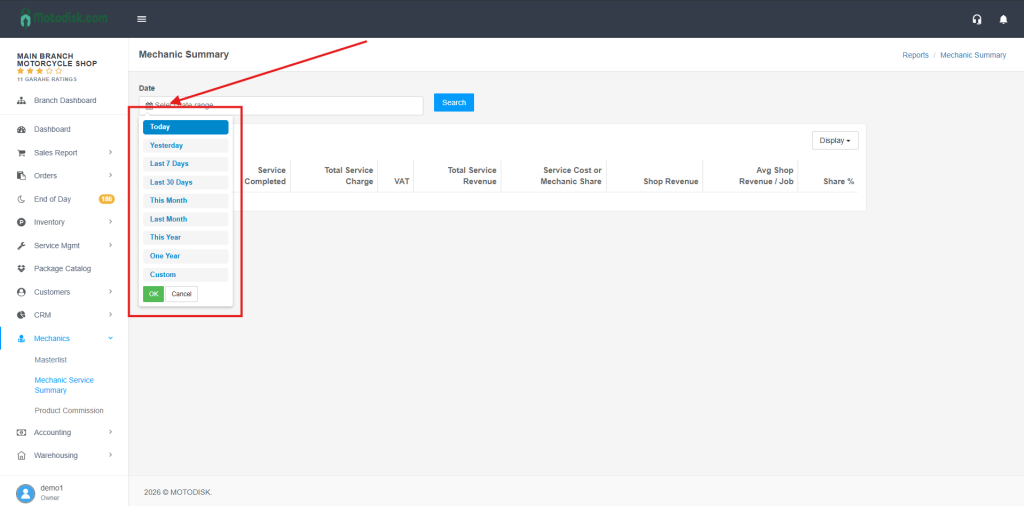
3. Click the Date icon to select the date range of the service sumamry
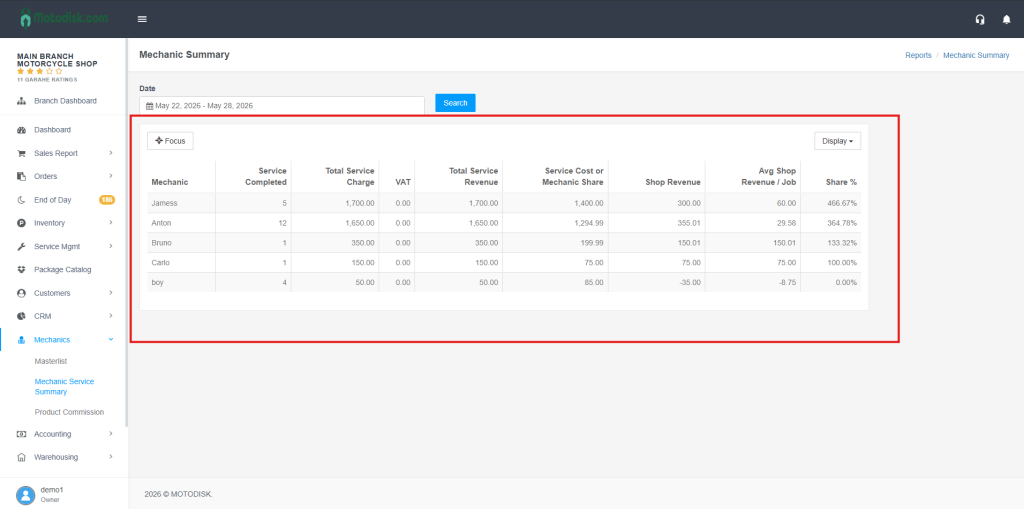
4. now you can see the mechanic service summary
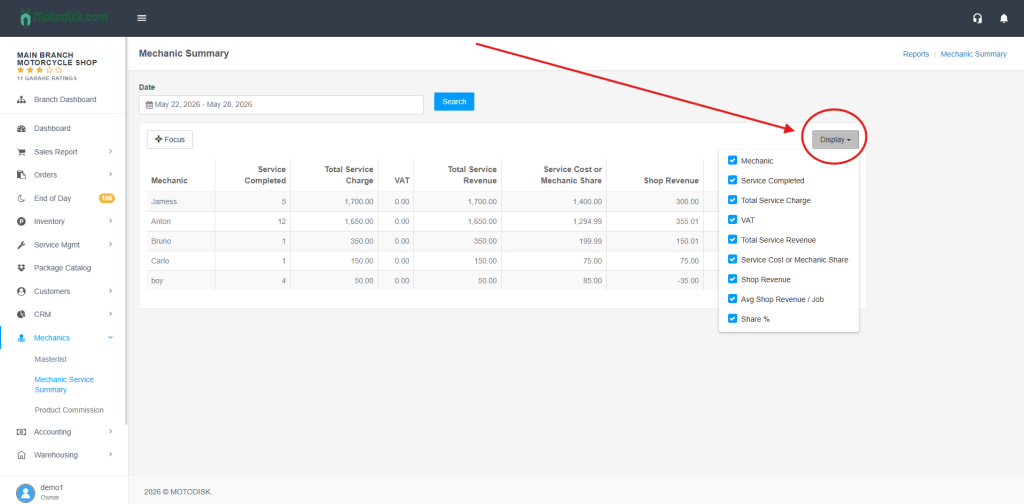
5. Click the Display icon and tick the checkboxes to choose how you want the service summary to be shown.