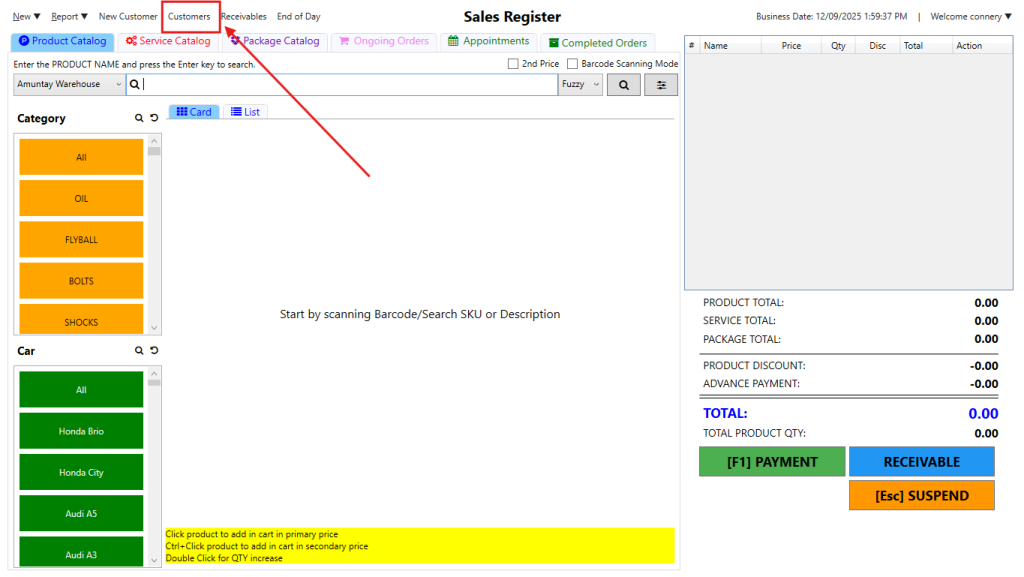
Step 1: On the top bar menu, click Customers
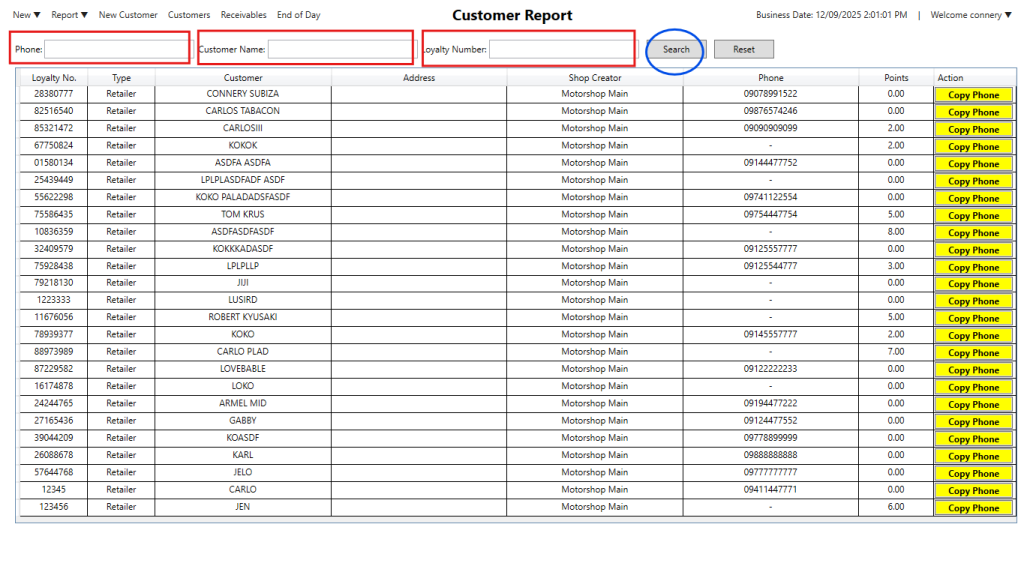
Step 2: You can search either:
- Phone
- Customer Name
- Loyalty Number
Note (It’s not necessary to fill in all three search bars,any one of them is enough.)
Step 3: click Search
Here’s the video guide:

Step 1: On the top bar menu, click Customers
Step 2: You can search either:
Note (It’s not necessary to fill in all three search bars,any one of them is enough.)
Step 3: click Search
Here’s the video guide: