
- Go to https://portal.motodisk.com and log in.
- In the side bar, select Settings> Role
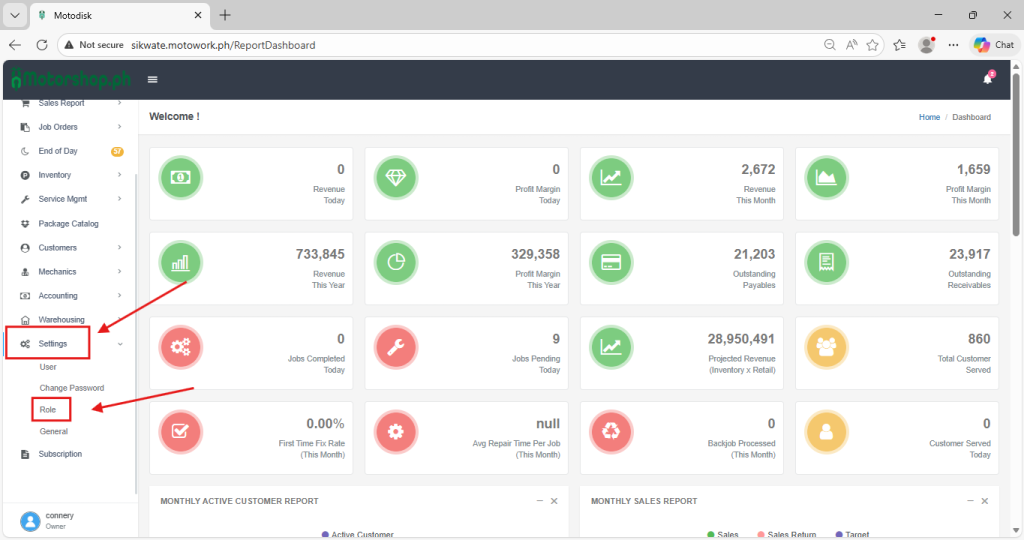
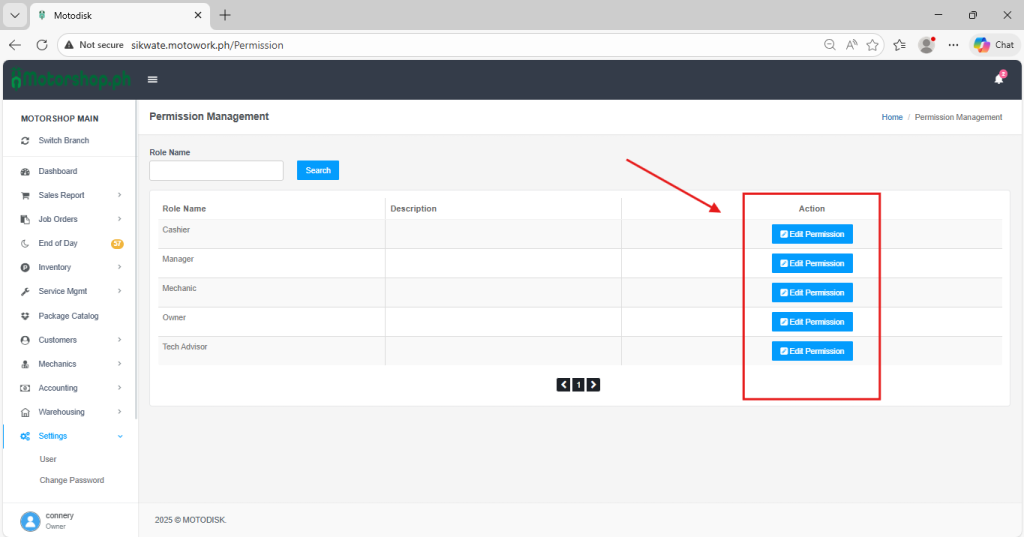
3. Select a specific Role to update and click Edit Permission
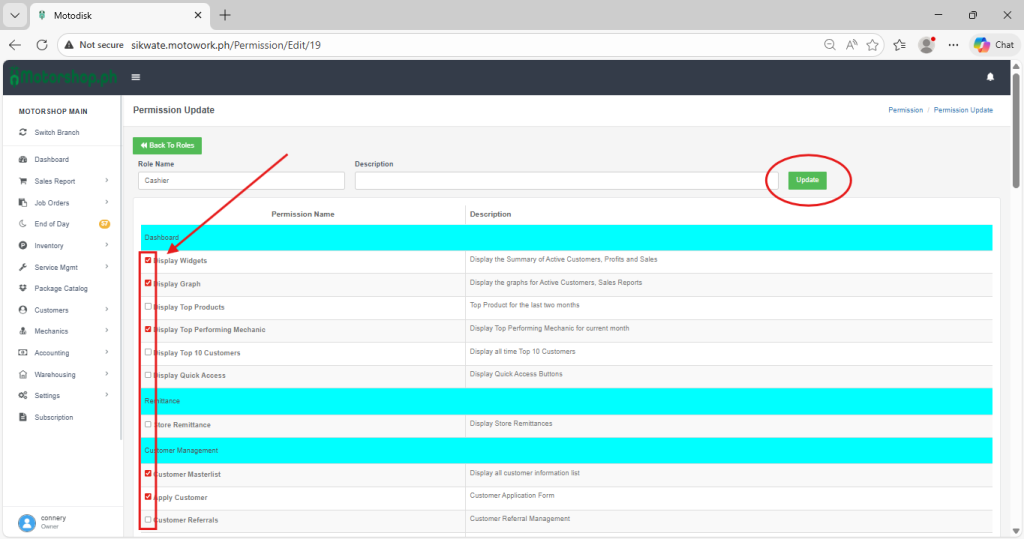
4. After clicking Edit Permission, you can tick the checkboxes for the permissions you want the user to access, and click update to save.
5. Here’s the video guide: