- Go to POS/Front office and log in.
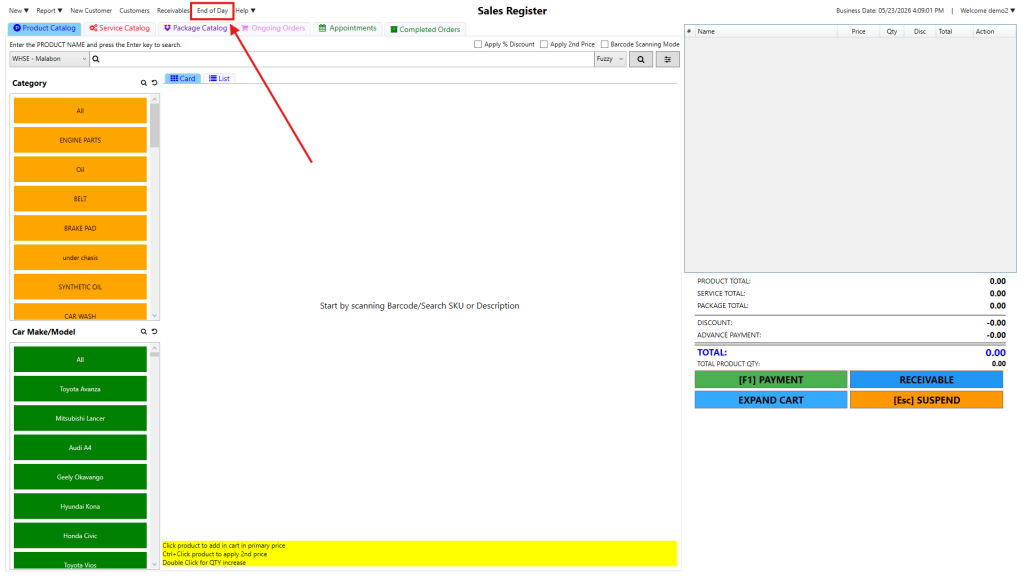
- In the top bar, select End of Day
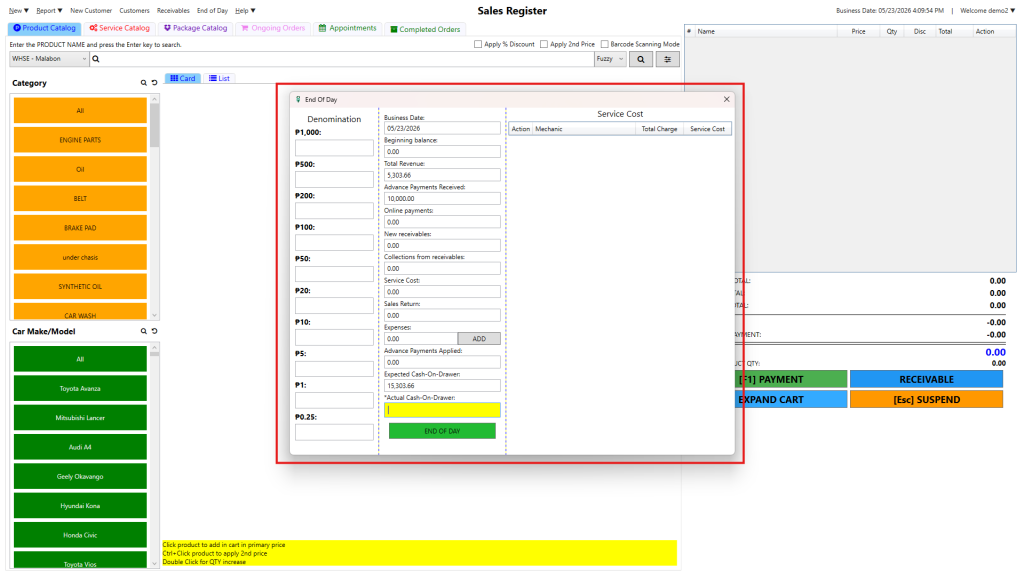
3. After clicking, a window will appear
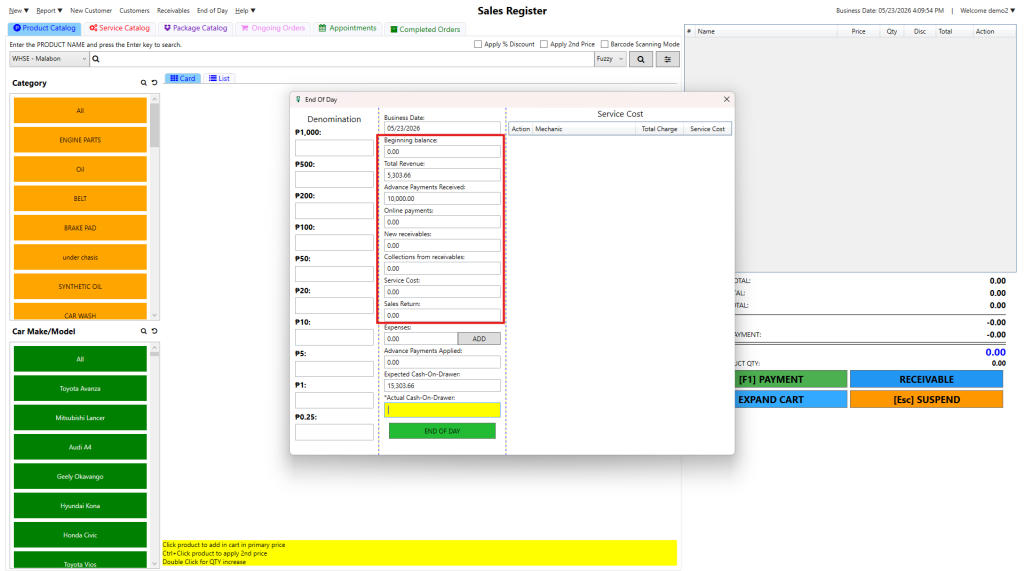
4.inside the End of Day window you can see
*Beggining balance
*Total Revenue
*Advance Payment Received
*Online Payments
*New Receivable
*Collection from Recievables
*Service Cost
*Sales Return
5. You can add expenses in the End of day report.
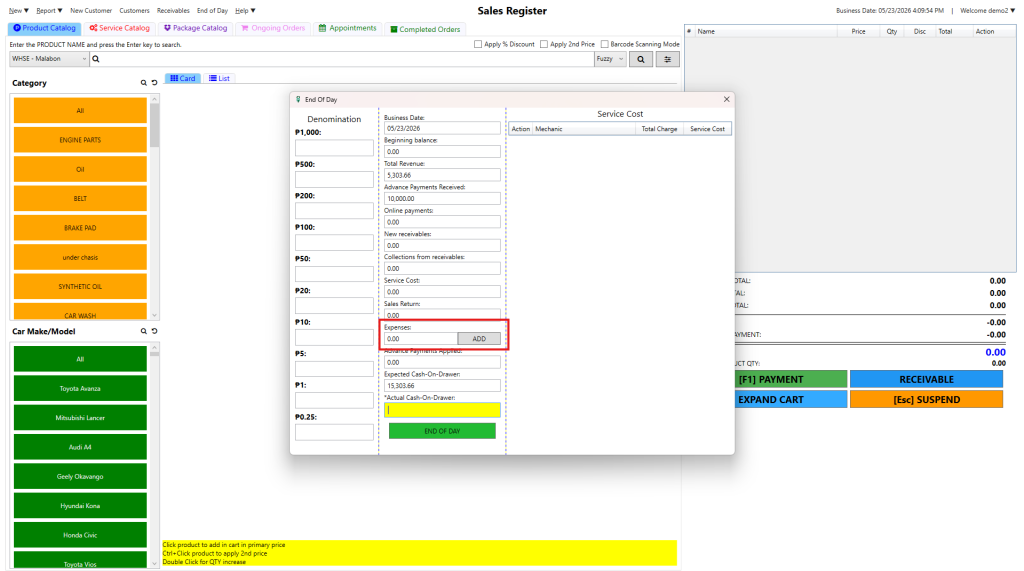
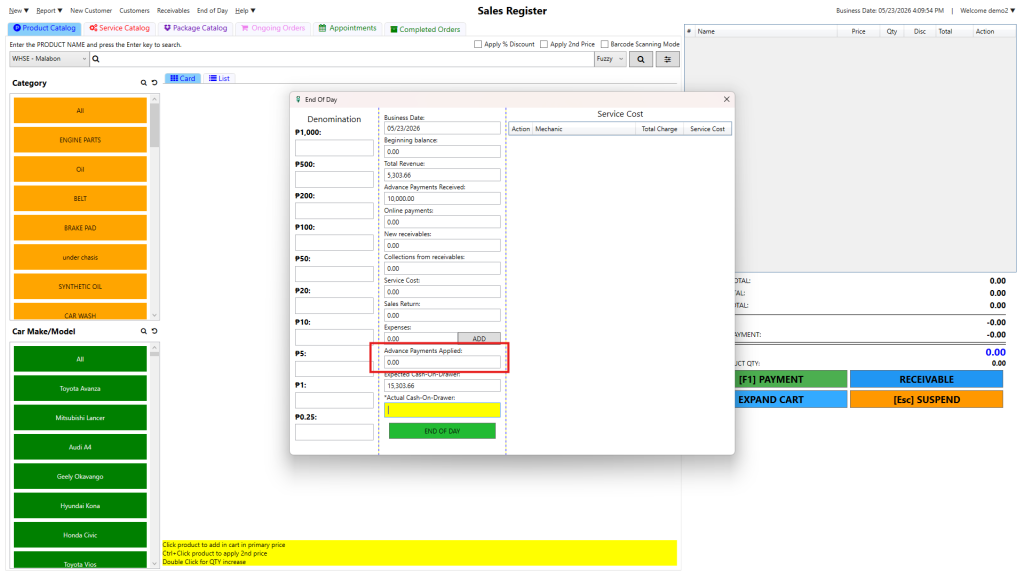
6. Advance payment applied
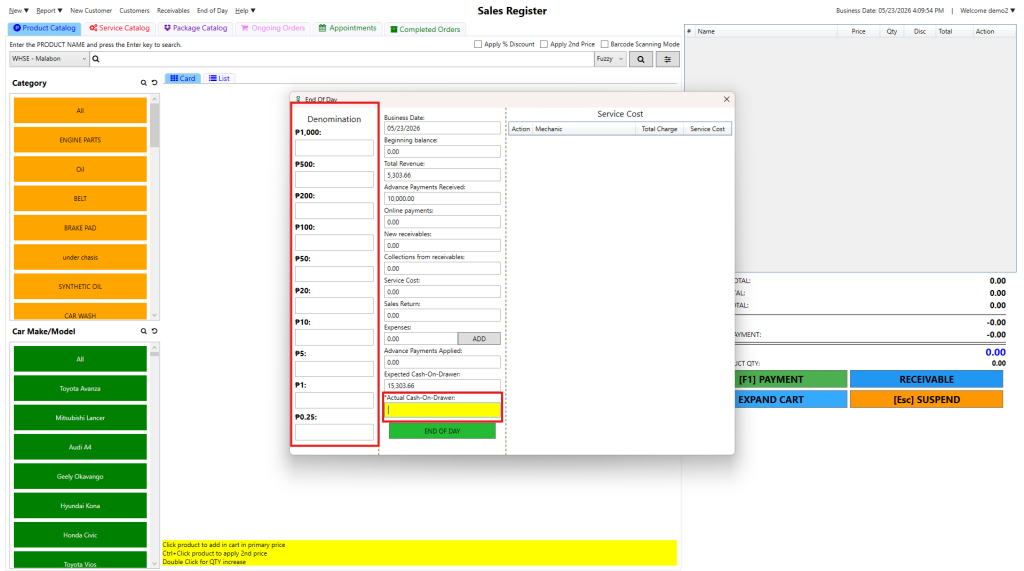
7.Denomination – How many bills of 1000, 500,200,100,50,20,10,5,1 are there. you can put the quantity of each bill in the denomination section and it will automatically calculate your Actual Cash on Drawer
8. Expected cash on drawer MUST be matched with Actual Cash-On-Drawer. so that the report will be equal and no short/over
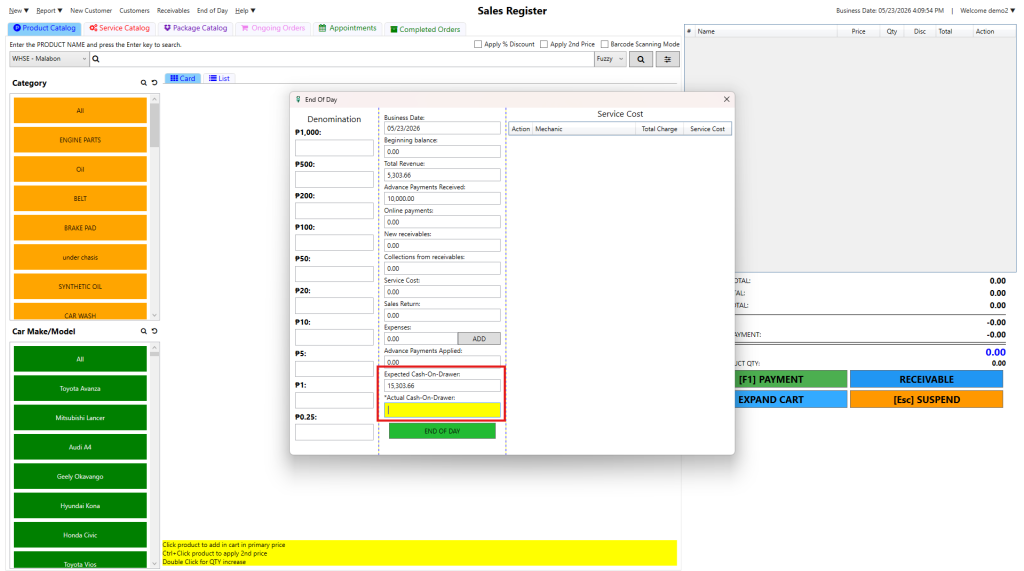
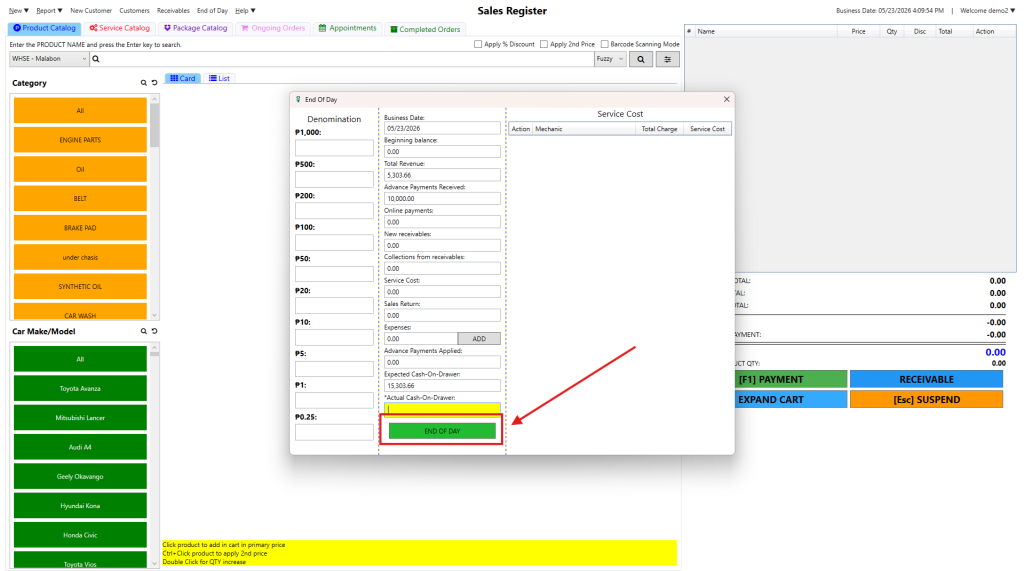
9. Click END OF DAY button . to submit the end of day report.
the POS/Frontoffice will automatically logout