
Step 1: Go to https://portal.motodisk.com
Step 2: Enter your credentials to log in.
Step 3: From the sidebar, go to Settings> General
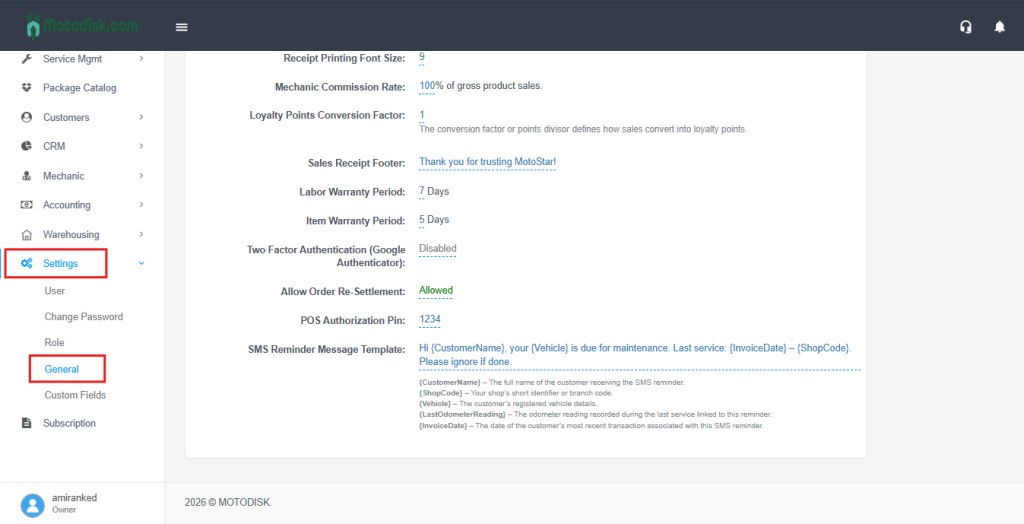
Step 3: Locate Two-Factor Authentication (Google Authenticator), then toggle it to Enabled.
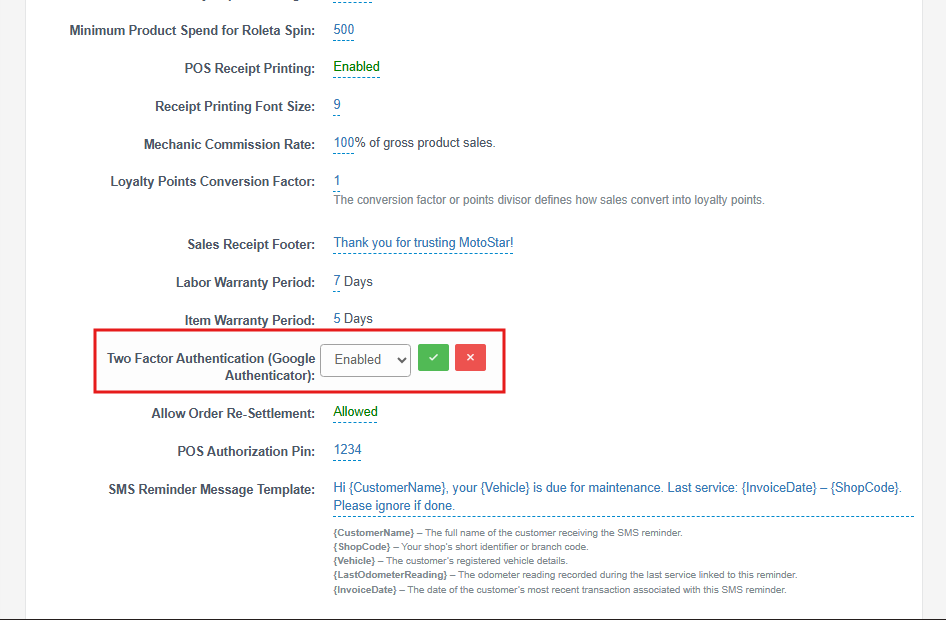
NOTE!: Once Enabled, Two-Factor Authentication will be required starting from your next login.
Step 4: On your next login, scan the QR code with Google Authenticator (or enter the setup key manually), then enter the 6-digit code and click Done.
If you do not have the Google Authenticator app, download it from the Play Store (Android) or App Store (iOS).
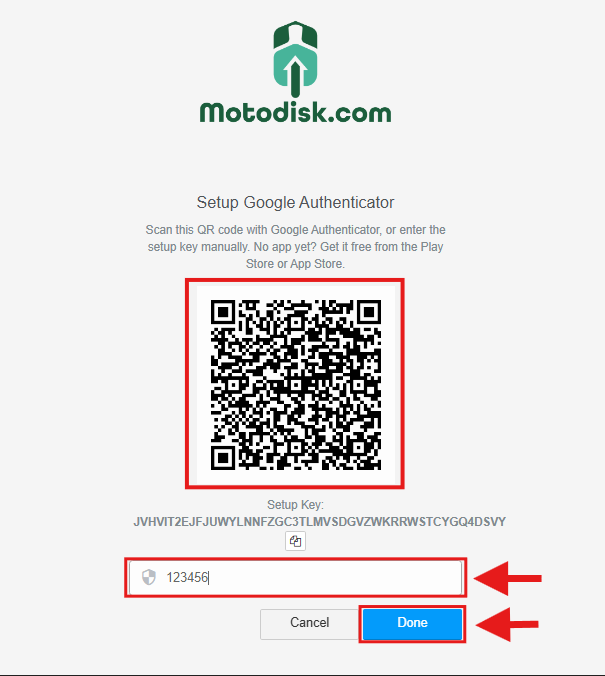
Once confirmed, 2FA is now active on your account.
The next time you log in (or if your session expires), you’ll be asked for your password and the 6-digit code from Google Authenticator.