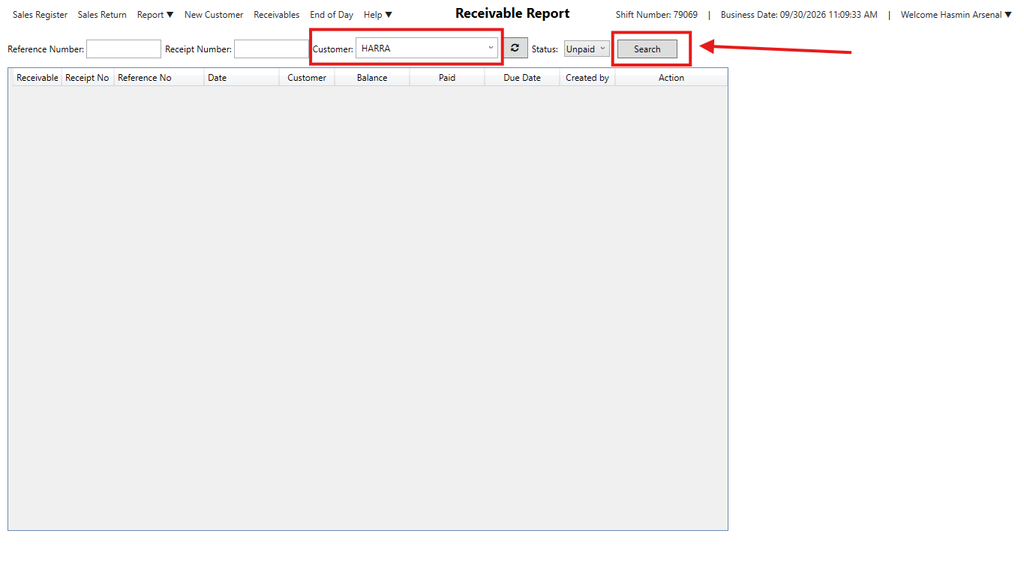
How to Set-Up Receivable
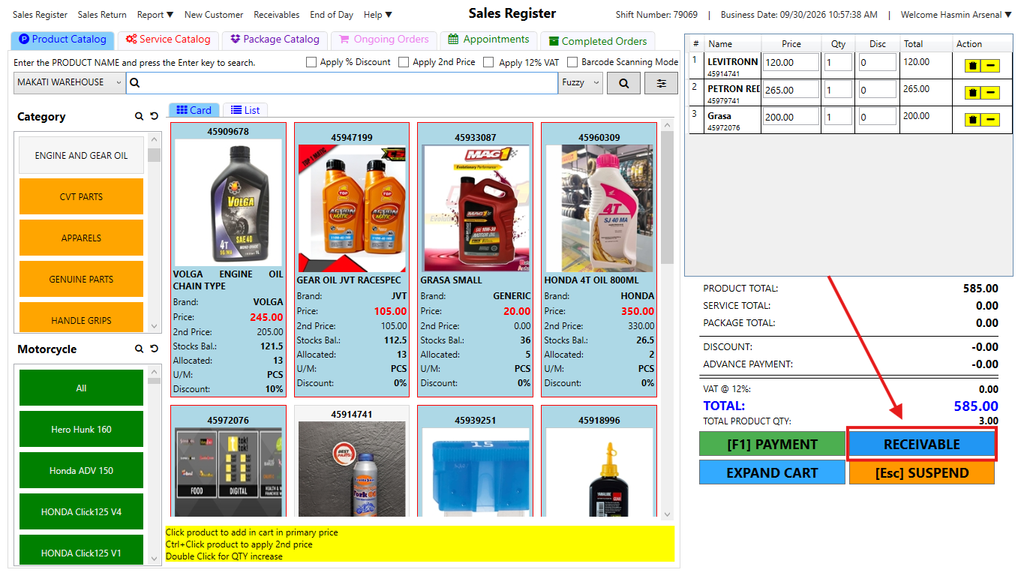
Step 1:Click the RECEIVABLE button in the Sales Register after adding items to the cart. Initiate
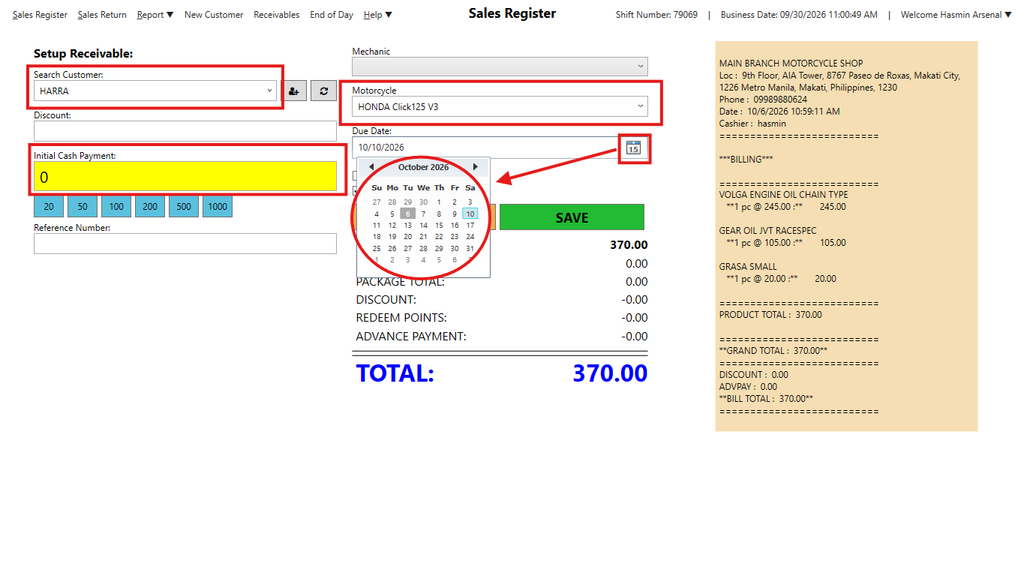
Step 2: Setup the Recievable. Select the Customer, Vehicle, and Due Date, then enter any Initial Payment(if any) then click save.
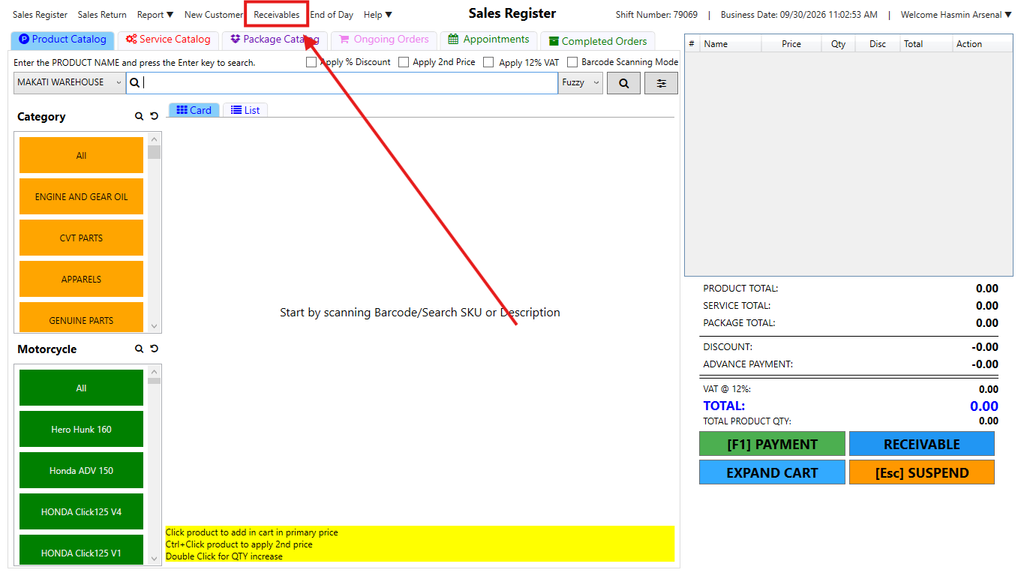
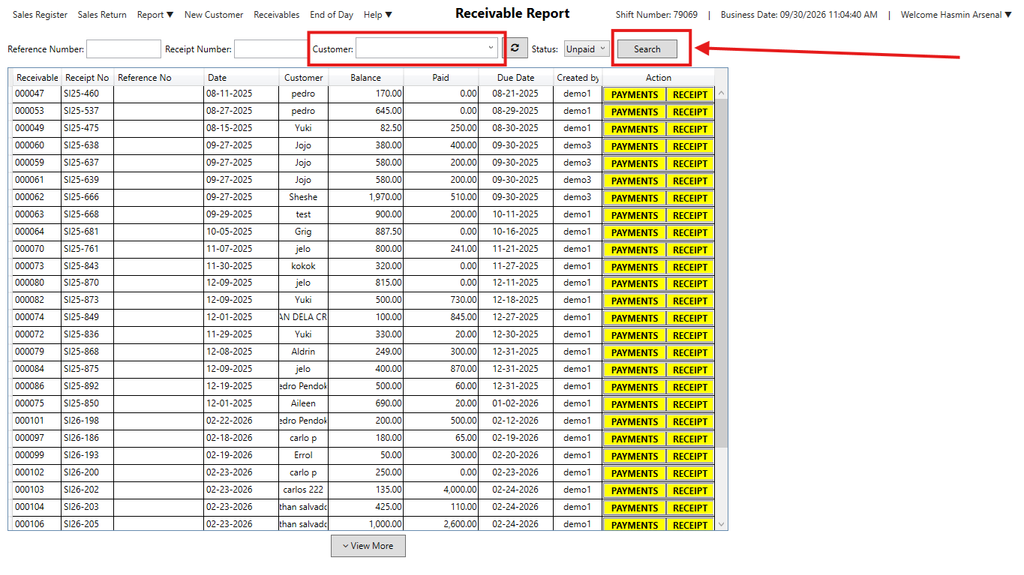
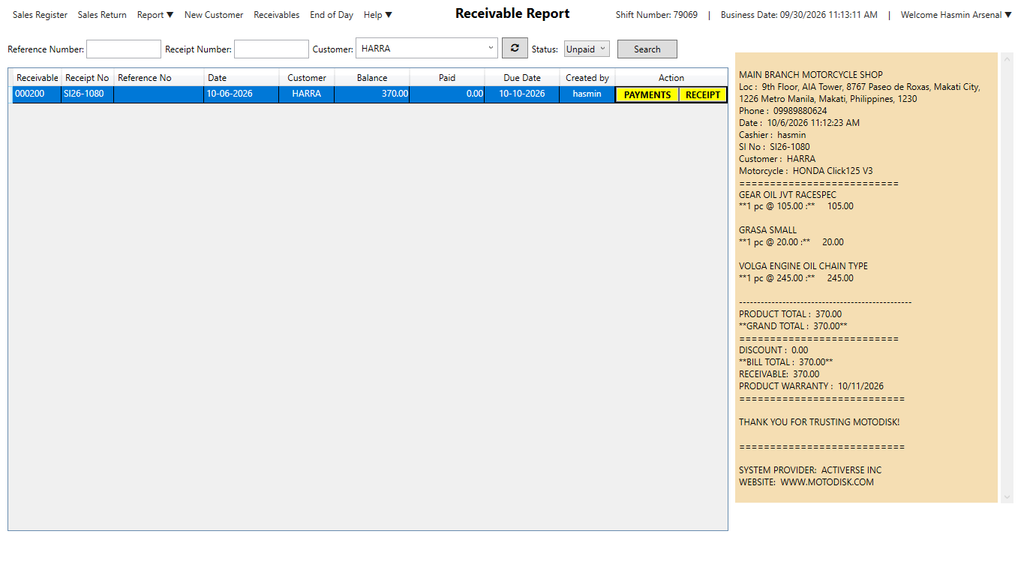
Step 3: Go to the Receivables tab. Search the customers name who wants to settle their balance, find their record and click the yellow PAYMENTS button.
Step 4: Process Payment. Choose the Payment Method, enter the Amount Received, and click SAVE to update the balance and print the updated receipt.
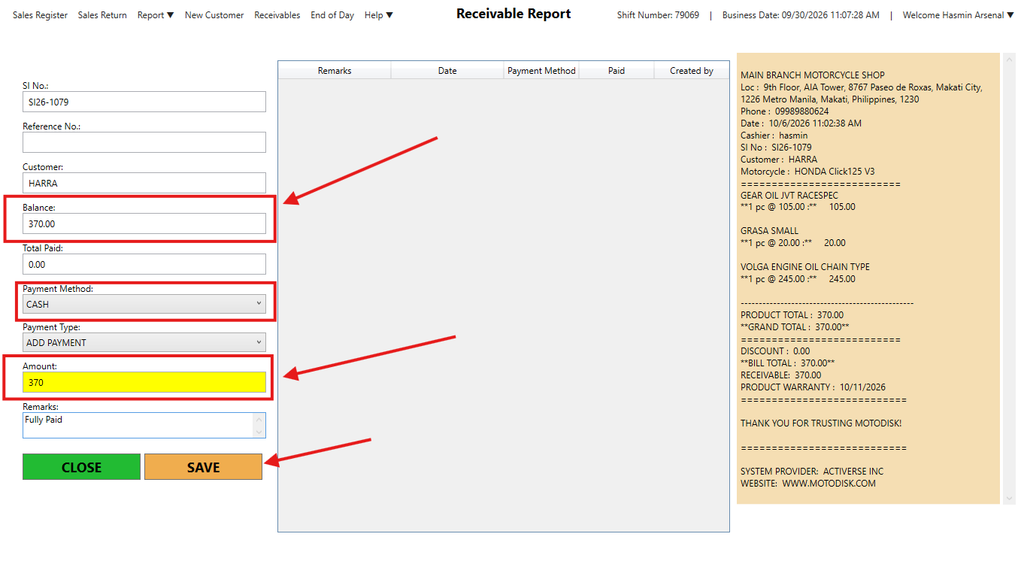
If the customer fully paid their receivable, it will now be removed from the receivable tab. But if its initial payment, then they will not be removed in Receivable tab.