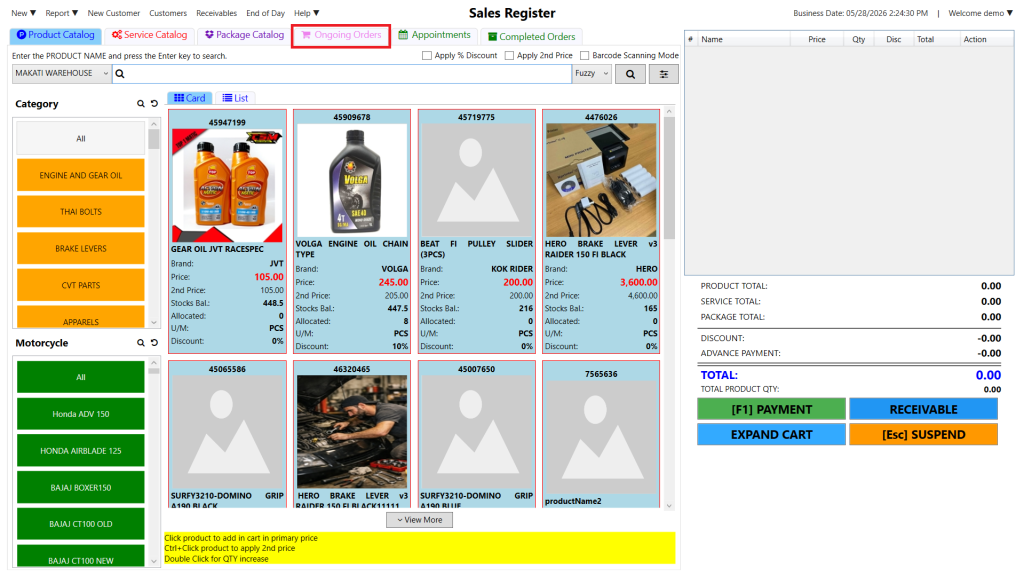
Step 1: Click Ongoing Orders (the pink tab).
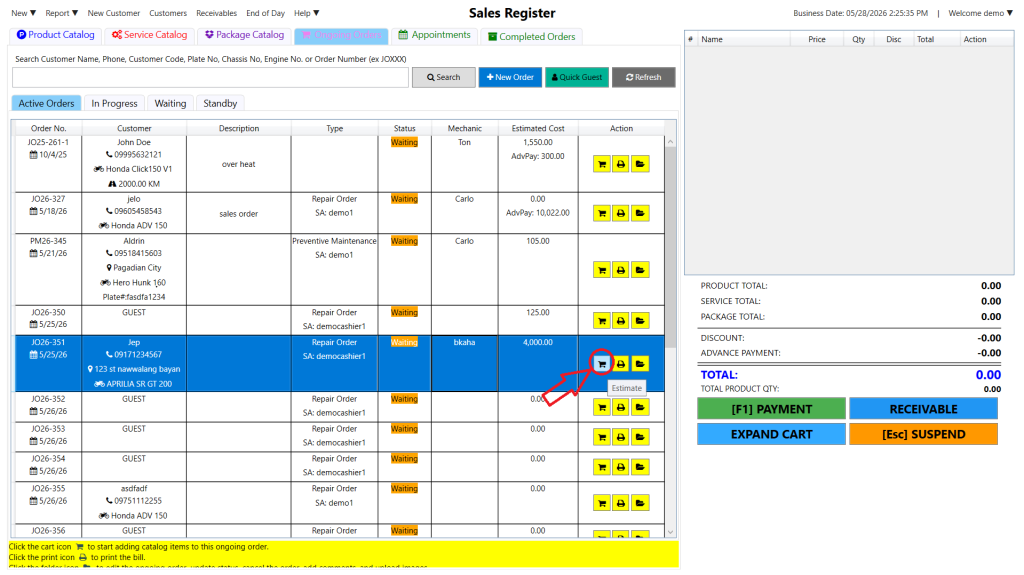
Step 2: Click the cart icon for the specific order to open the Order Cost Estimate.
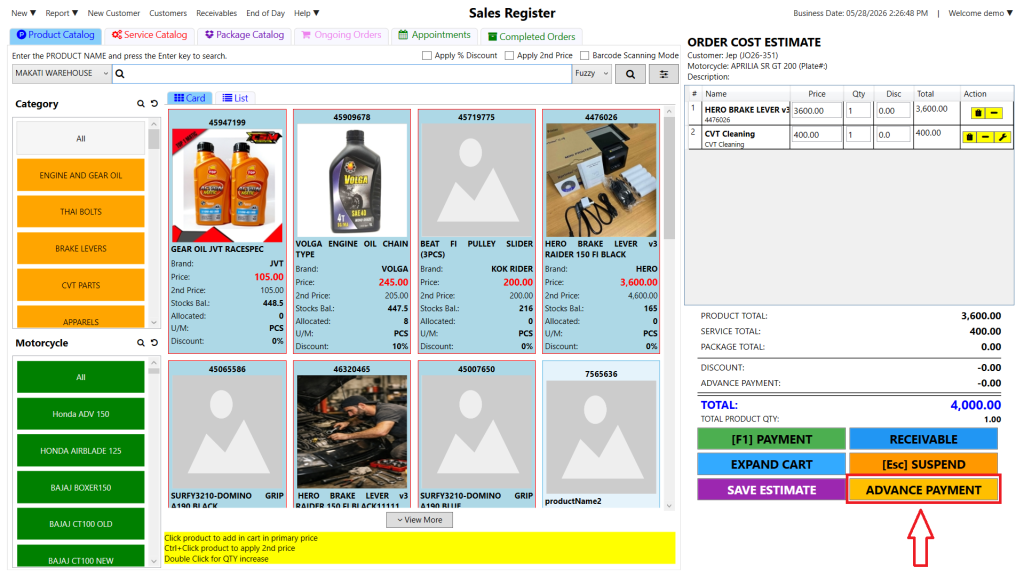
Step 3: Click the Advance Payment button at the bottom of the screen.
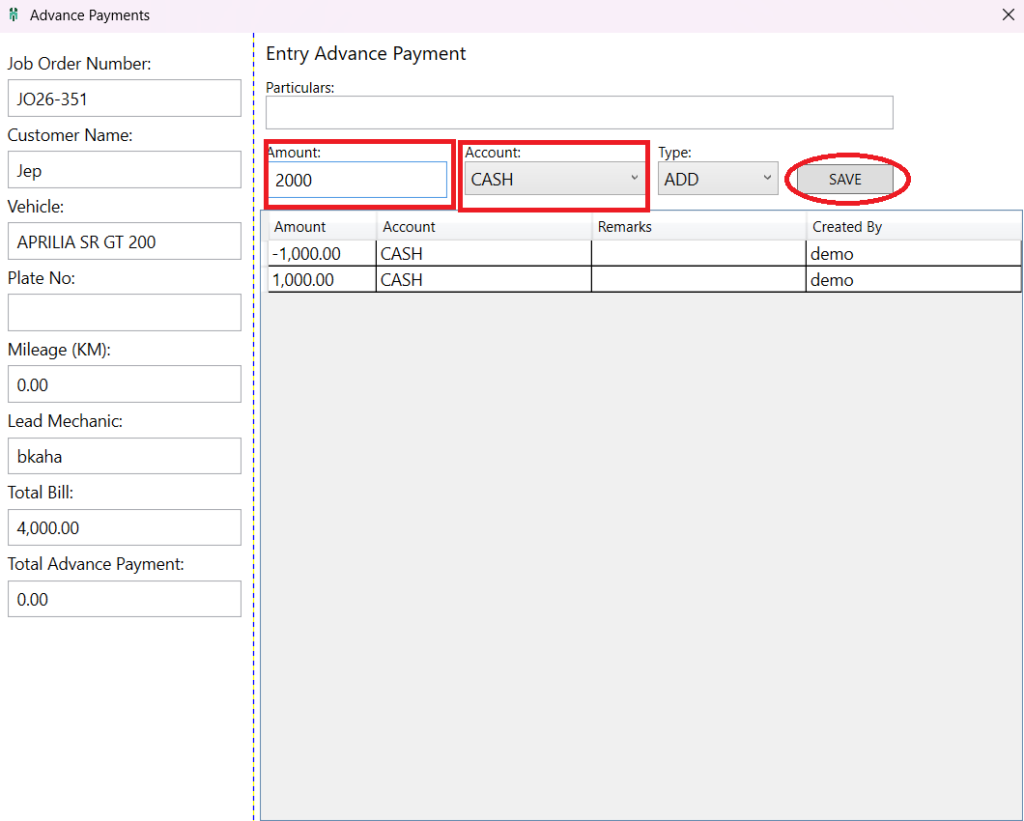
Step 4: Enter the Amount, select the Account, and click Save.
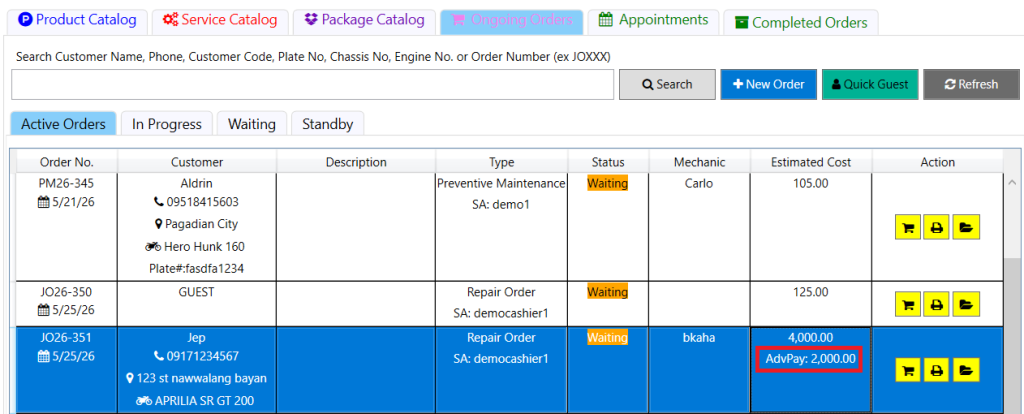
Go back to the Ongoing Orders page, where you can view the advance payment amount made by the customer.
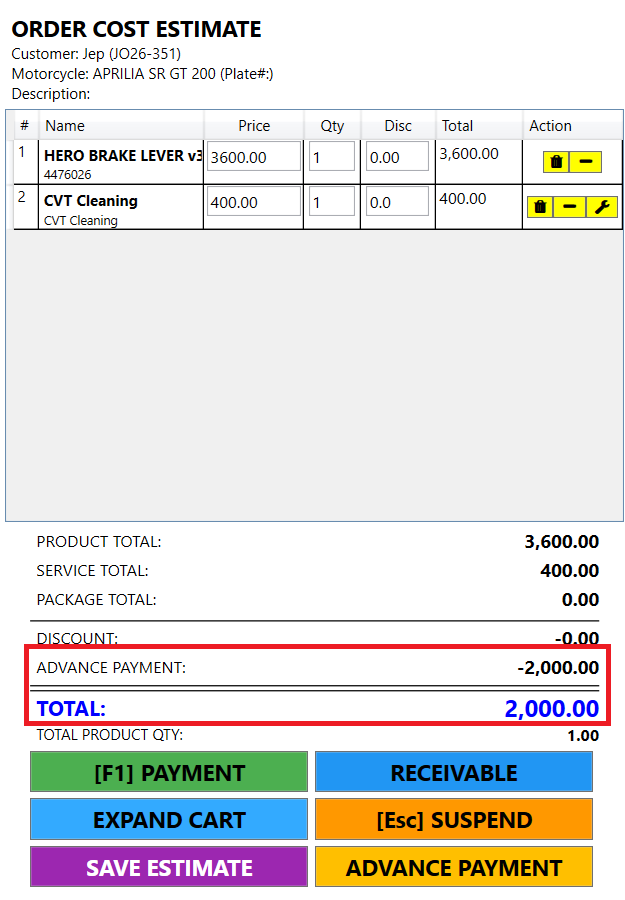
Click the Add to Cart button again to view the total advance payment, which will be automatically deducted from the order total.