
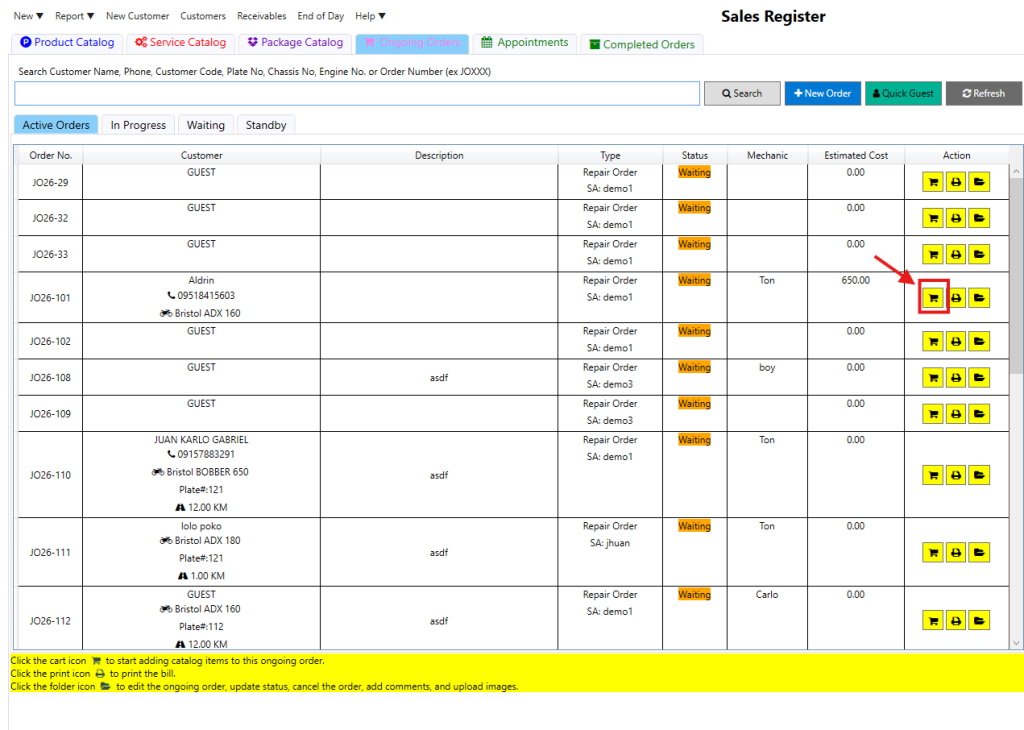
Step 1: Click Ongoing Orders (the pink tab).

Step 2: Click the cart icon for the specific order to open the Order Cost Estimate.
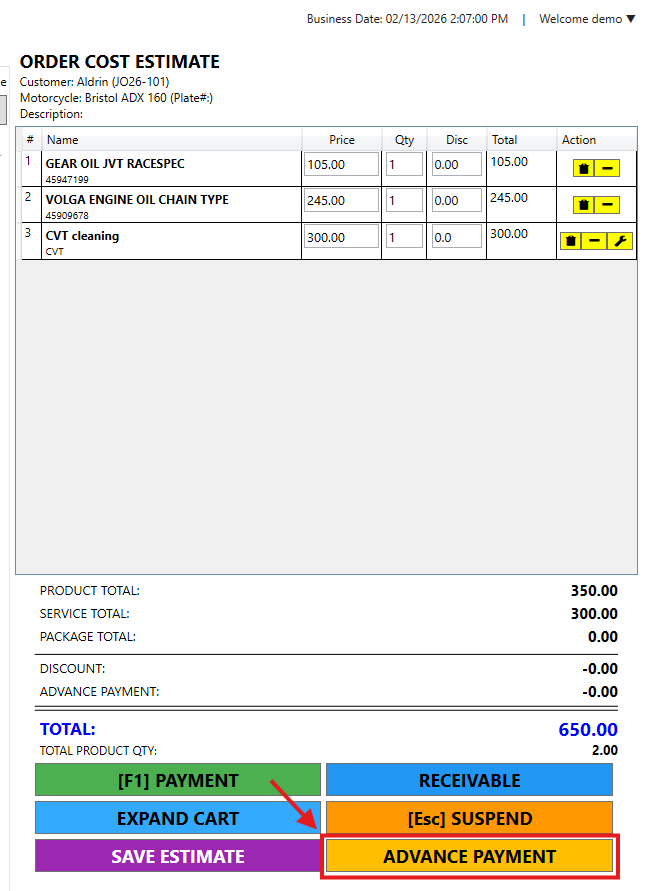
Step 3: Click the Advance Payment button at the bottom of the screen.
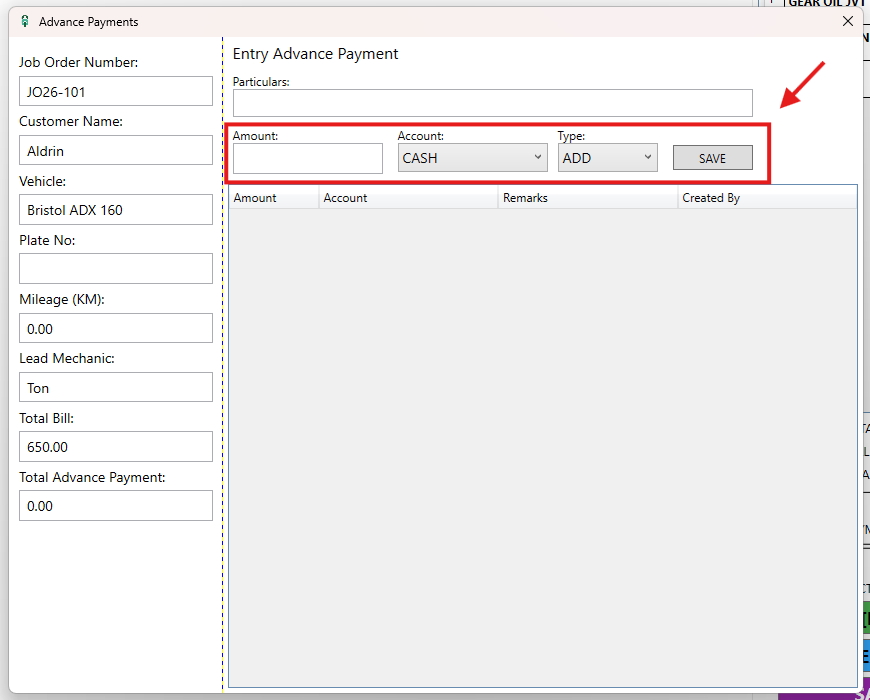
Step 4: Enter the Amount, select the Account, and click Save.
Video Title: How to Record an Advance Payment