
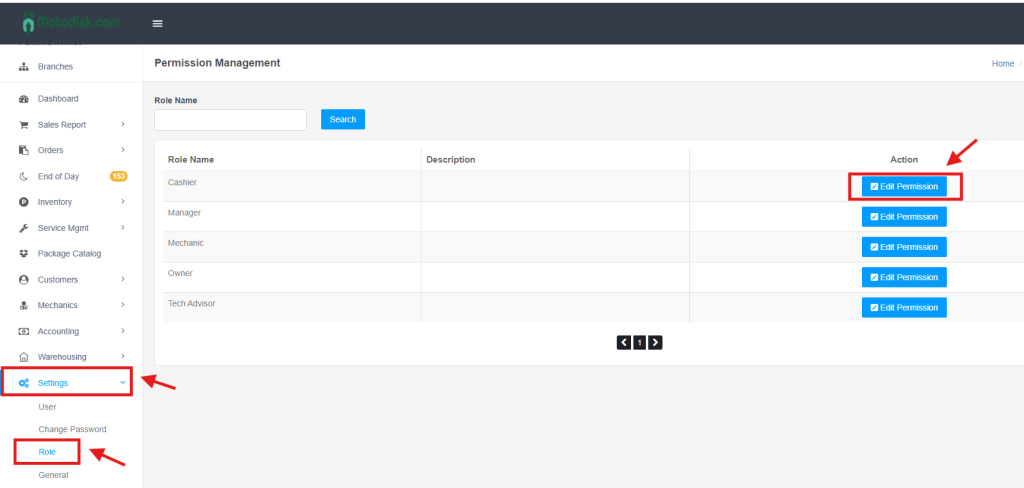
Step 1: Go to Settings > Role and click Edit Permission for the specific user role.
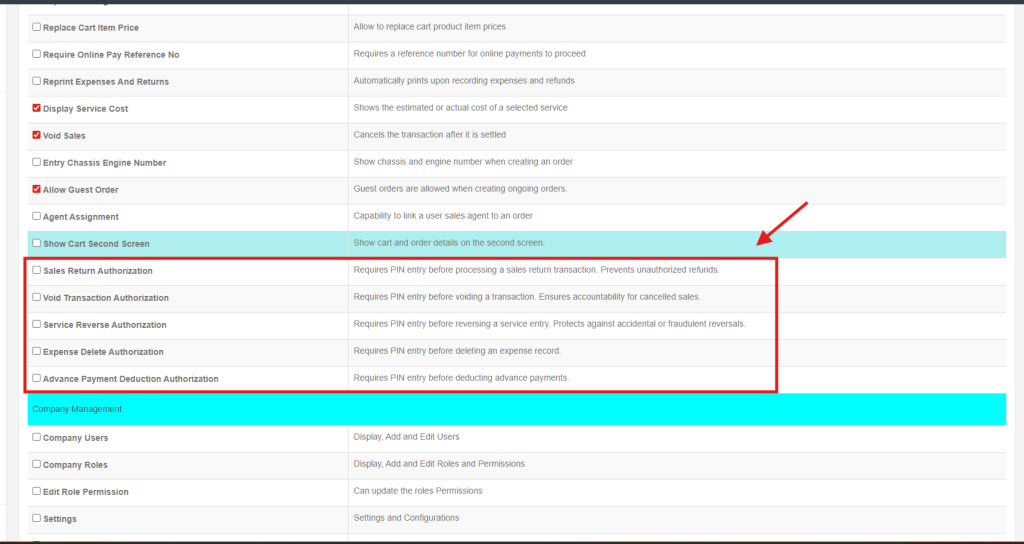
Step 2: Check the boxes for the actions that require a PIN (e.g., Sales Return Authorization or Void Transaction Authorization).
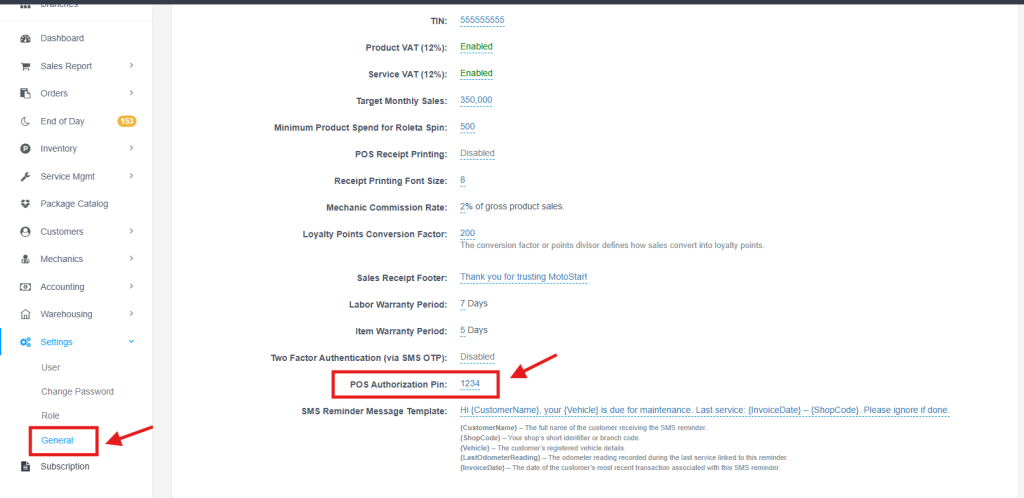
Step 3: Go to Settings > General and locate POS Authorization Pin to see or update the current code.
Video: Set and Enable POS Authorization PIN