
Step 1: Go to https://portal.motodisk.com and log in
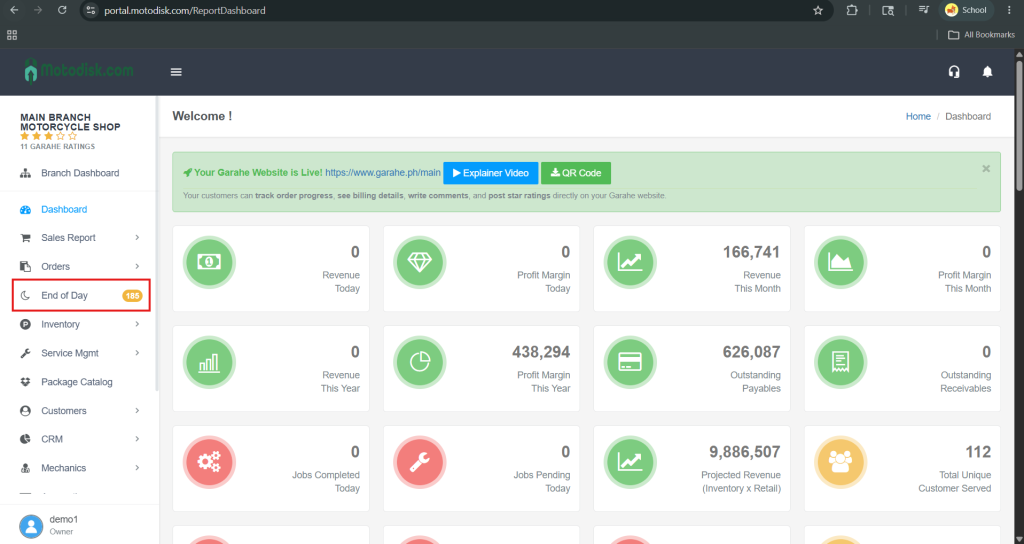
Step 2: In the side bar, select End of Day
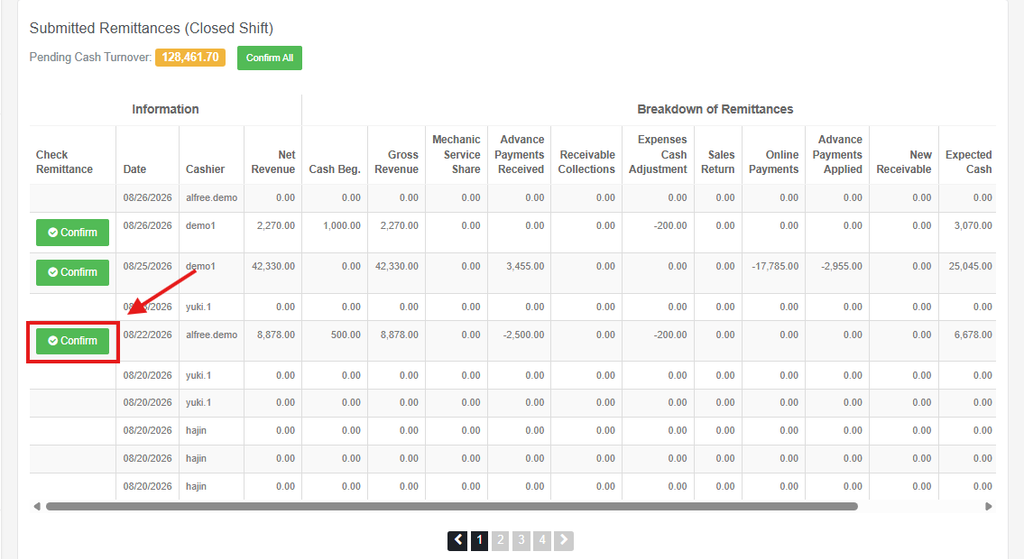
Step 3: Scroll down and click the Confirm Now button.
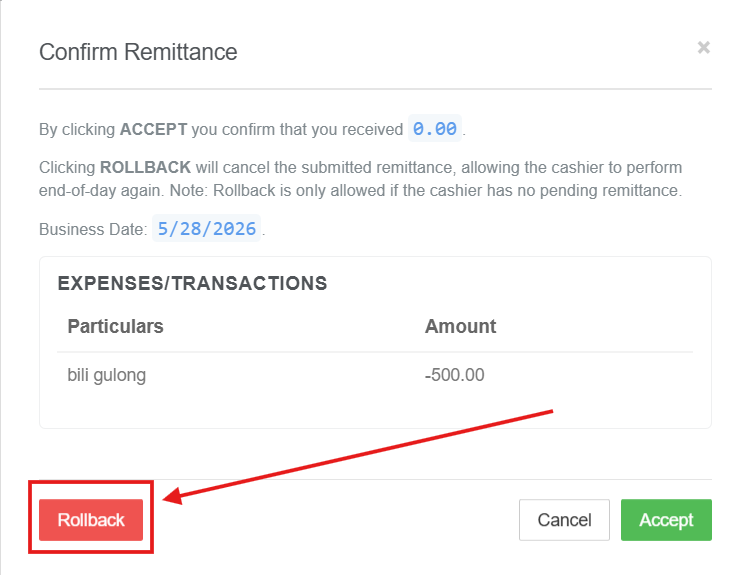
Step 4: Click Rollback
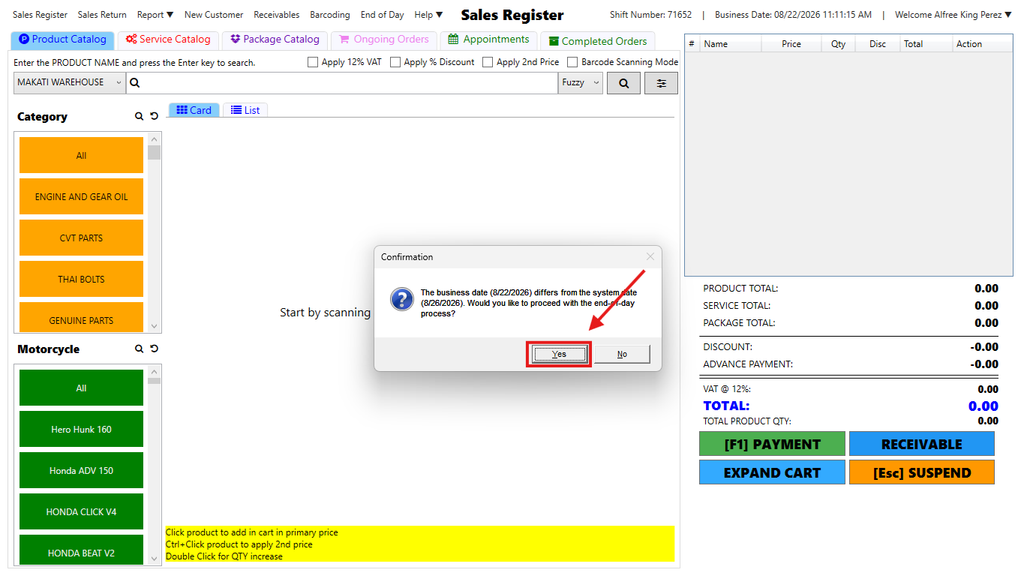
Step 5: Go to POS and Relogin.
Even if the date is far from today, you can still perform a rollback by clicking Yes
Step 6: Correct the Cash on Drawer.
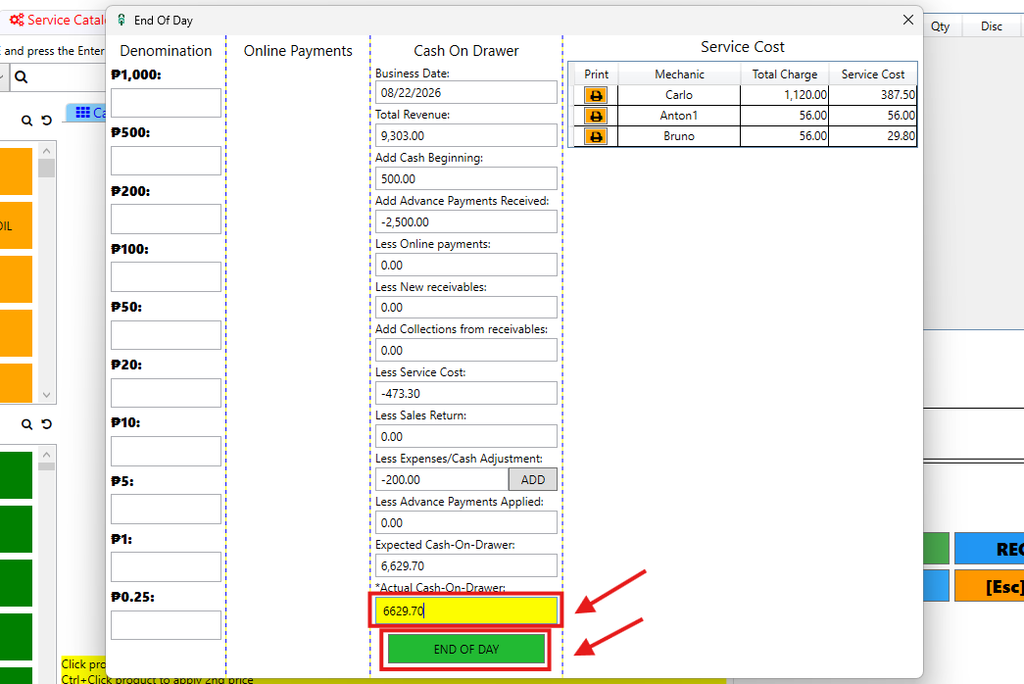
Step 7: Re-verify Remittance — the Owner/Manager checks the back office again to confirm the numbers now align then, Click Confirm
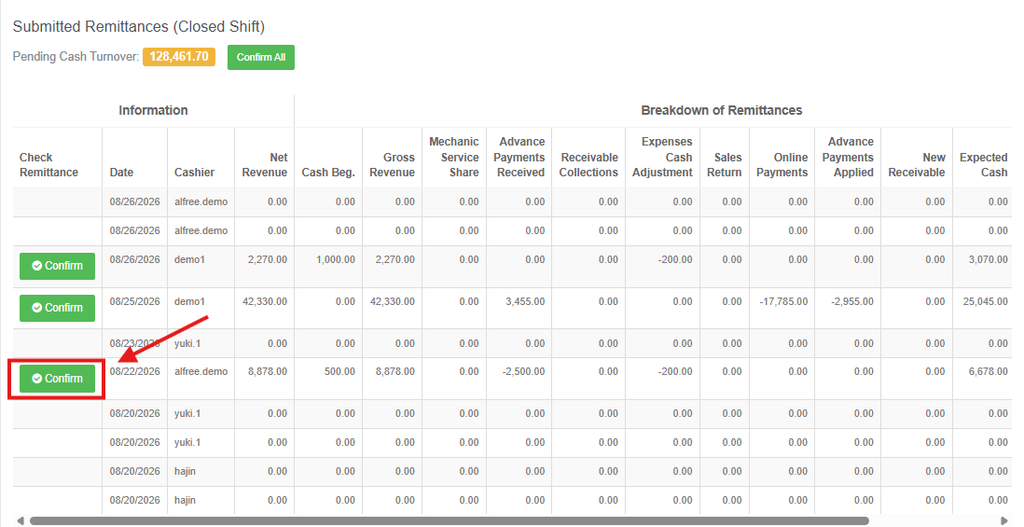
The main purpose of Rollback is to correct a past transaction, allowing the cashier to also perform the end-of-day process again.
Important Note: You cannot rollback if the user has pending remittances.