
How to Reverse a Service
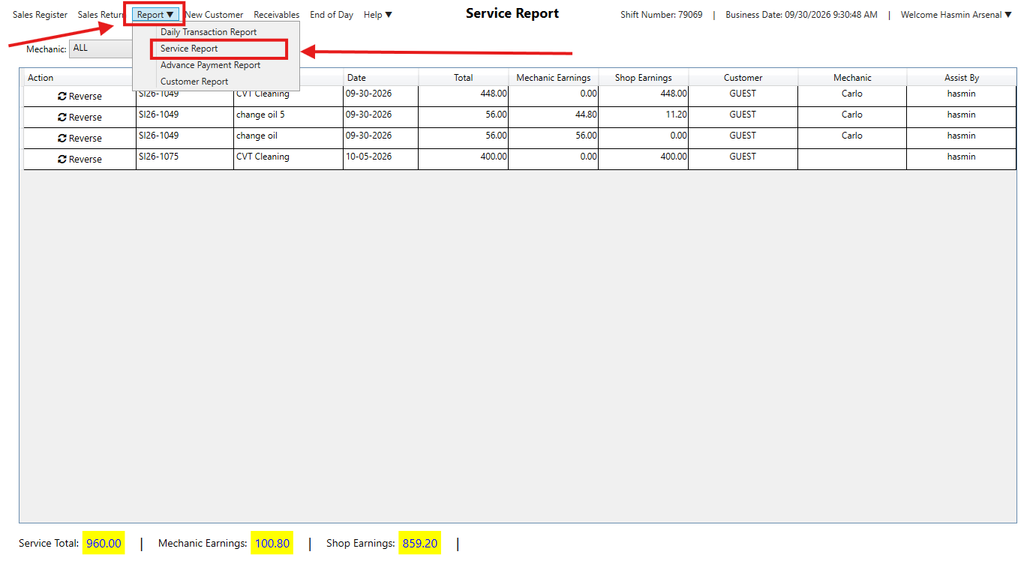
Step 1: Go to Report > Service Report
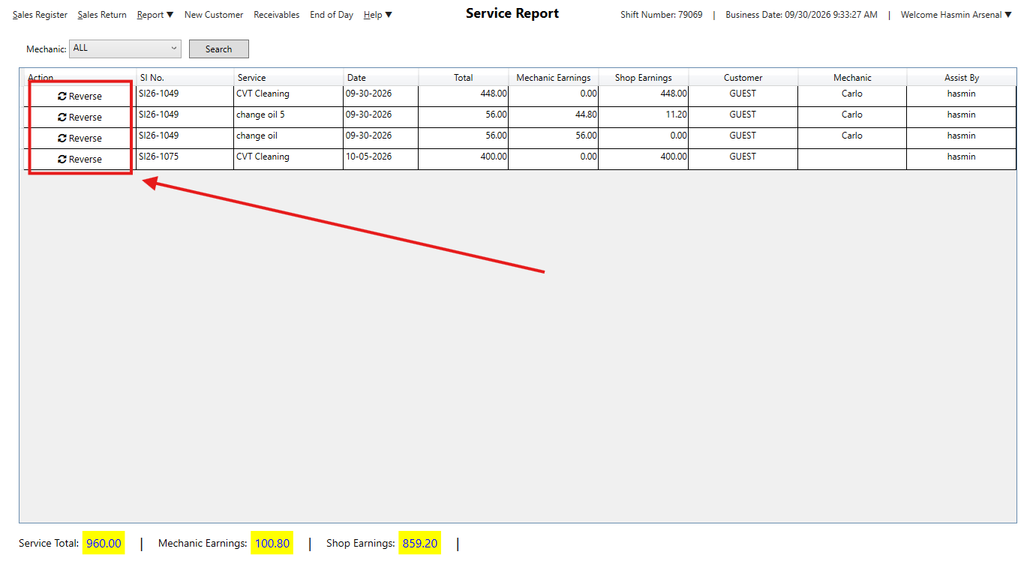
Step 2: Select the transaction which you want to reverse the Service, click Reverse
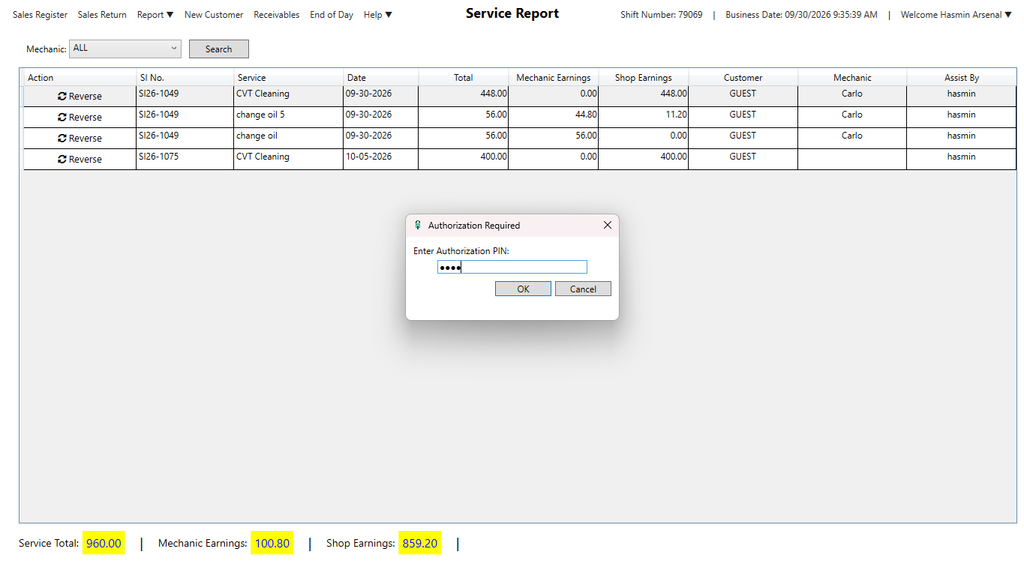
Enter the Authorization Pin
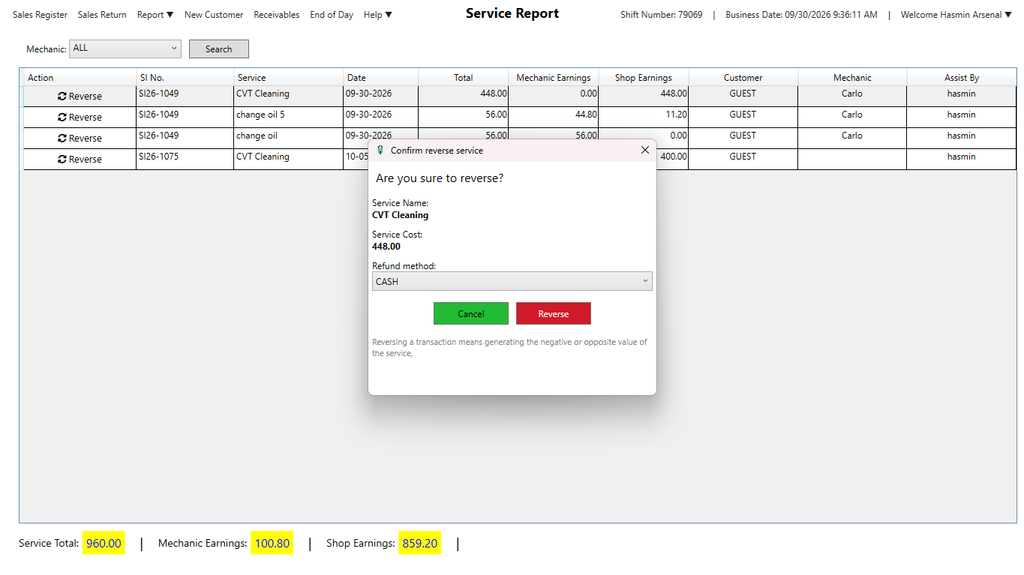
Step 3: Select a Refund Method, then click Reverse
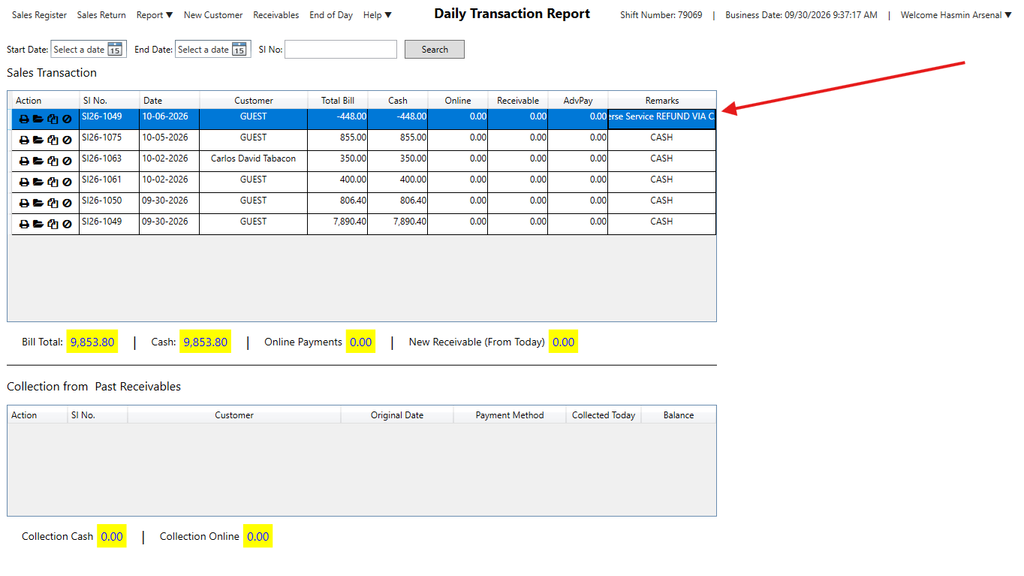
Step 4:To check if you’ve successfully reversed the Service, go to Report > Daily Transaction Report, you will see at the top the reversed service
Here’s the video guide: