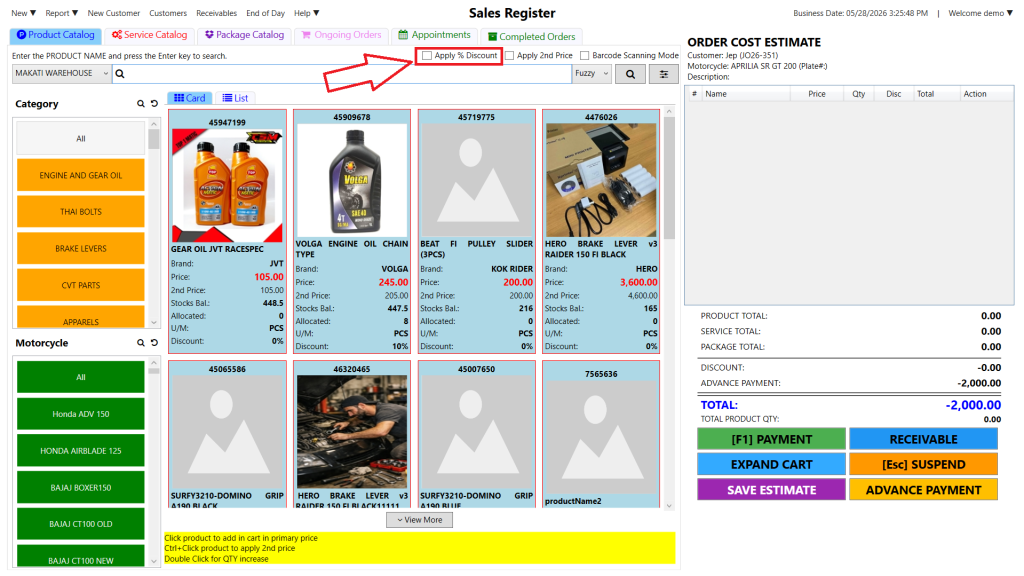
Step 1: At the top, check the “Apply % Discount” box to enable a percentage discount.
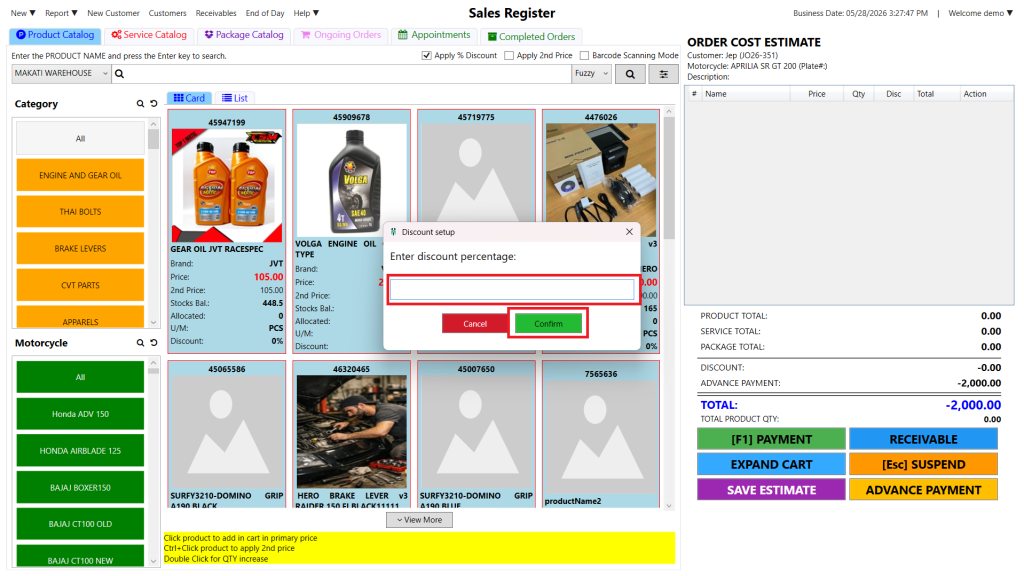
Step 2: Select a product, then enter the discount percentage to apply the discount.
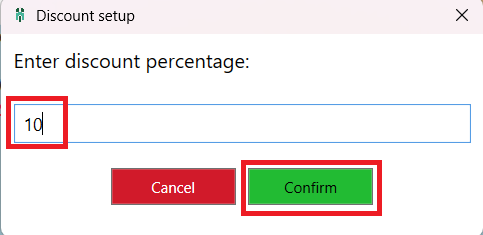
Step 3: Then click the Confirm button to apply the percentage discount.
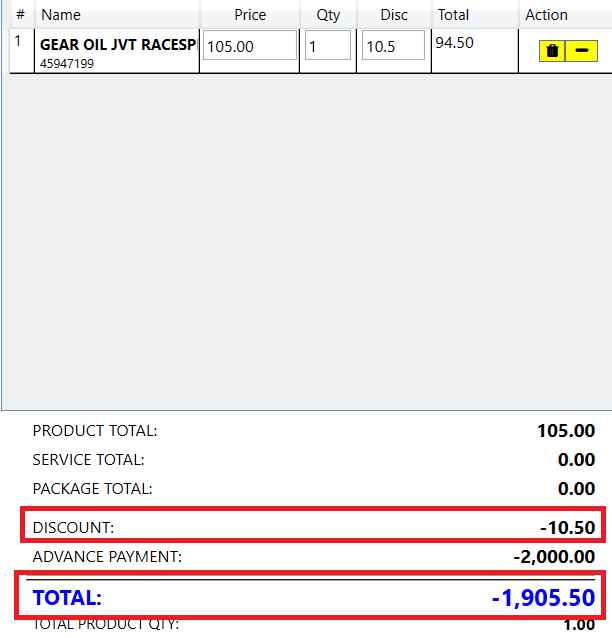
After the percentage discount is applied, it will be automatically deducted from the total amount.