
Step 1:Go to https://portal.motodisk.com
Step 2:Enter your credentials to log in.
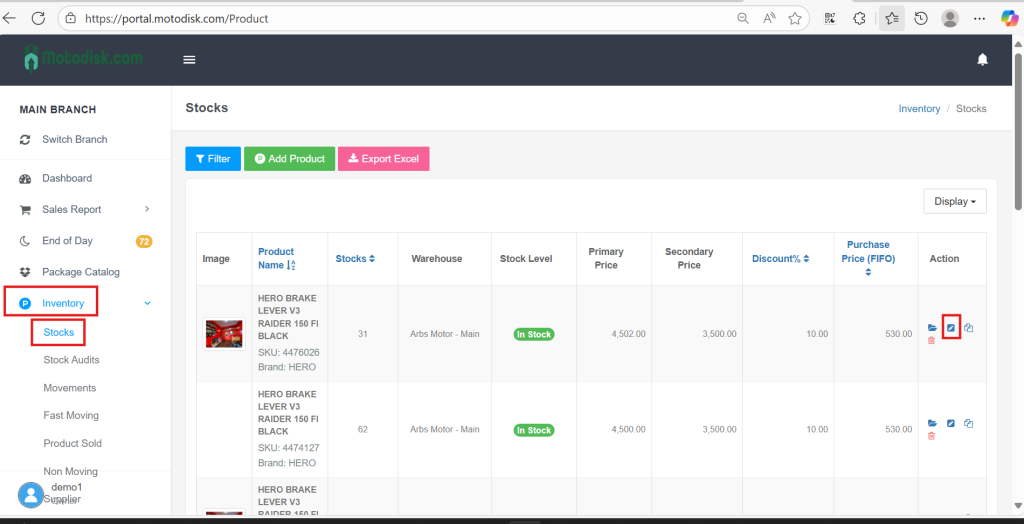
Step 3:From the sidebar, go to Inventory > Stocks, then click the Pencil icon
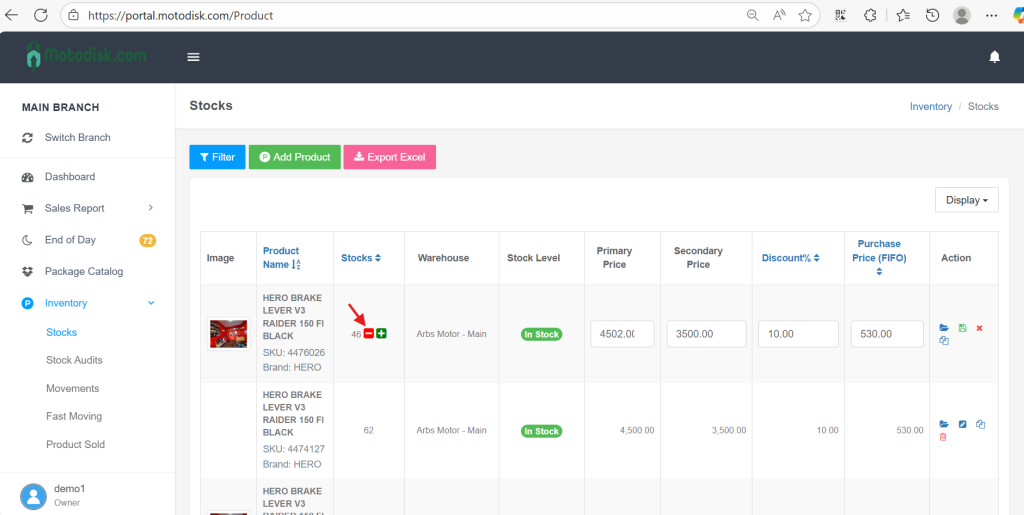
Step 4:Then click– to minus quantity
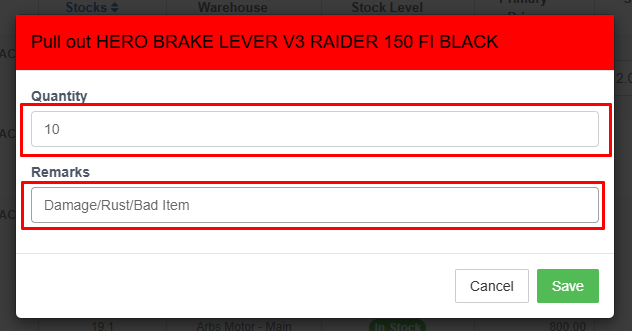
Step 5:Input quantity for pull out, and input Remarks of the Pull-Out. Then click Save.
You should be able to see the pulled out quantity through Inventory > Stocks or click the Folder icon under Action
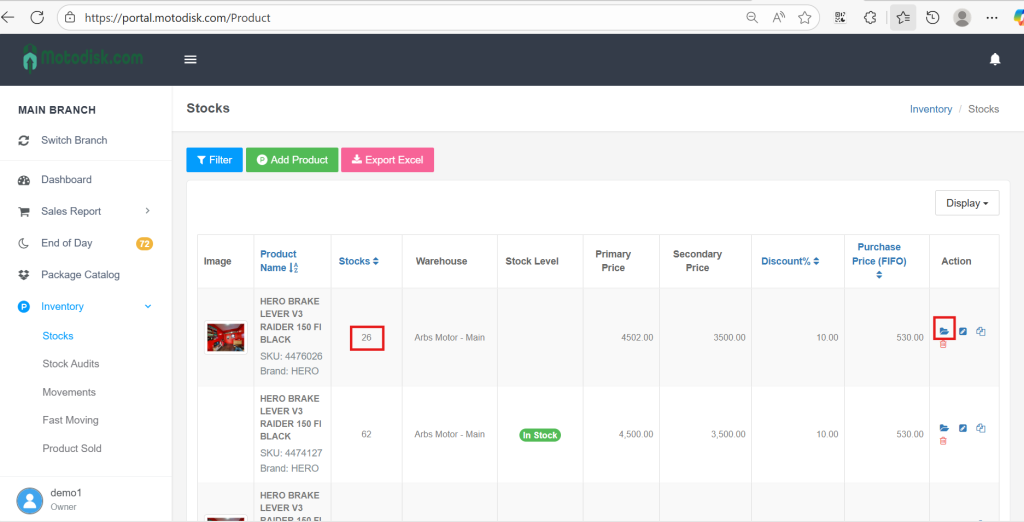
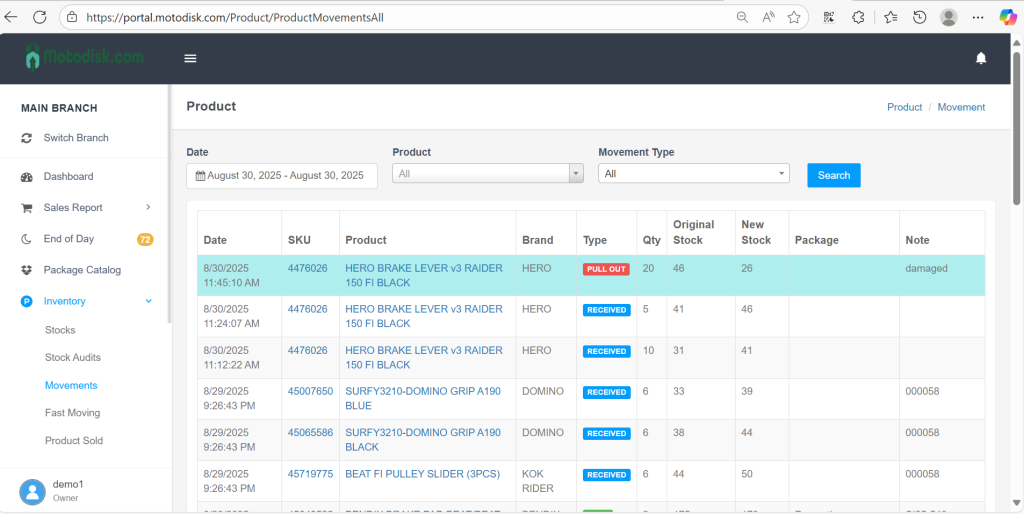
OR go to Inventory > Movements
You will see at the top the most recent inventory movement (additional stocks)
Here’s your video guide: