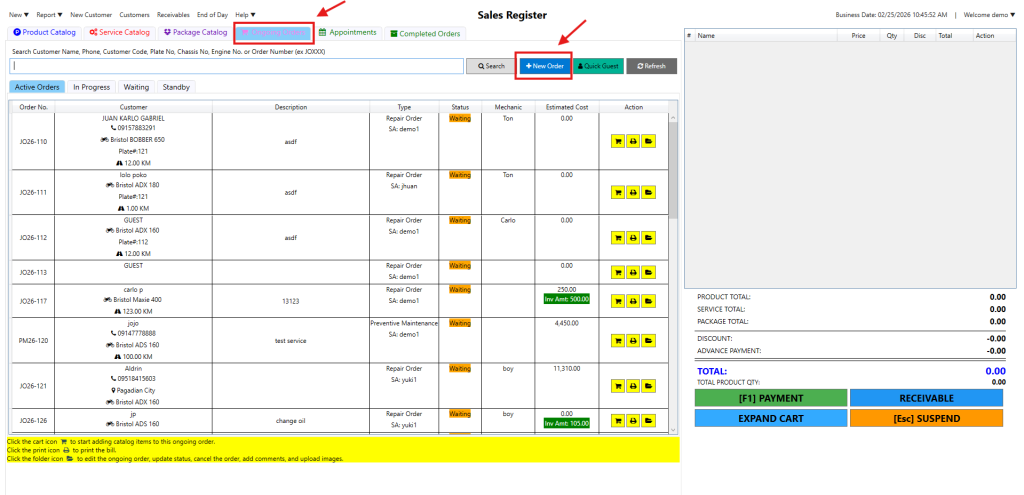
Step 1: Select the Service Catalog tab and click the blue + New Order button.
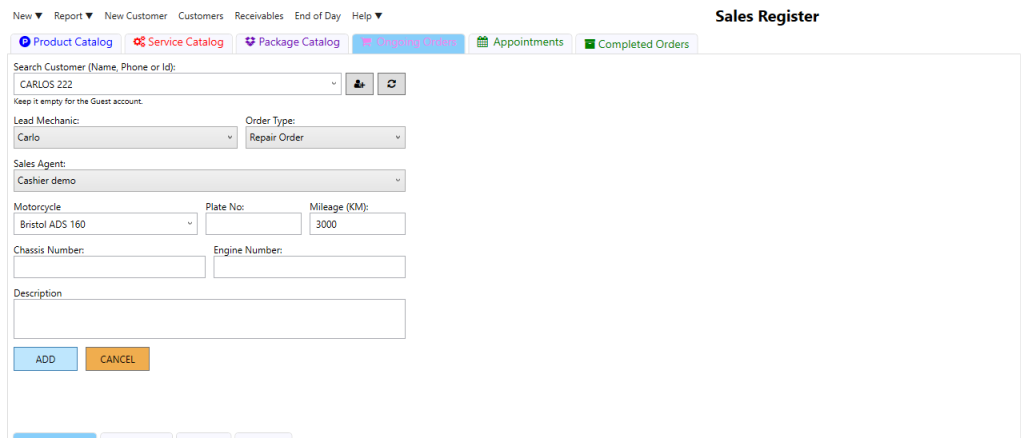
Step 2: Enter the customer/vehicle info and click the green ADD button to save.
Video: Create a Job Order

Step 1: Select the Service Catalog tab and click the blue + New Order button.
Step 2: Enter the customer/vehicle info and click the green ADD button to save.
Video: Create a Job Order