
- Go to https://portal.motodisk.com and log in
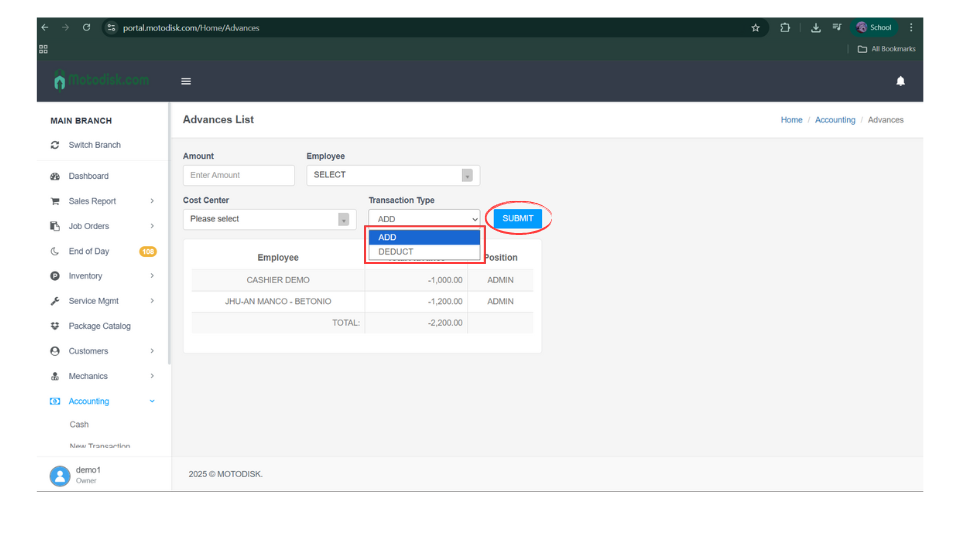
- In the side bar, select Accounting > Advances
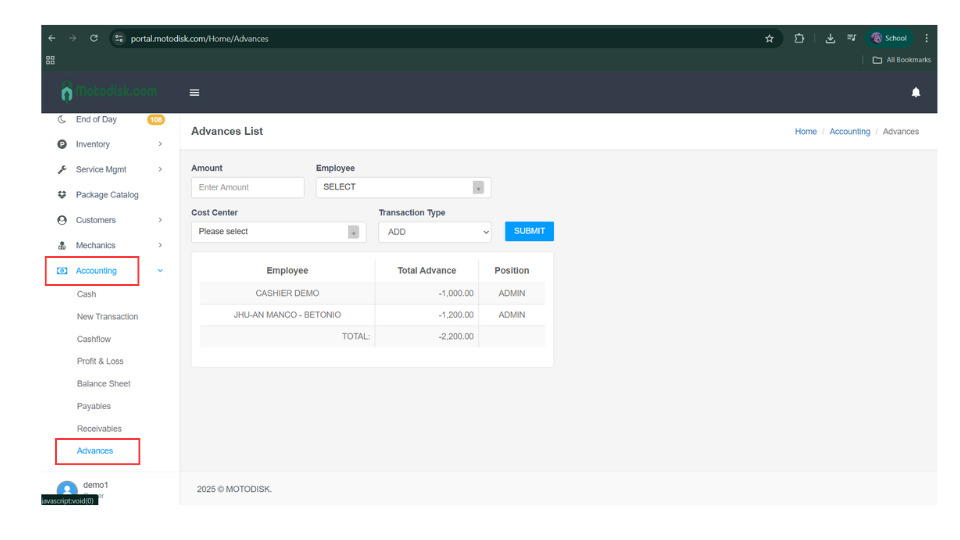
3. Enter the amount first
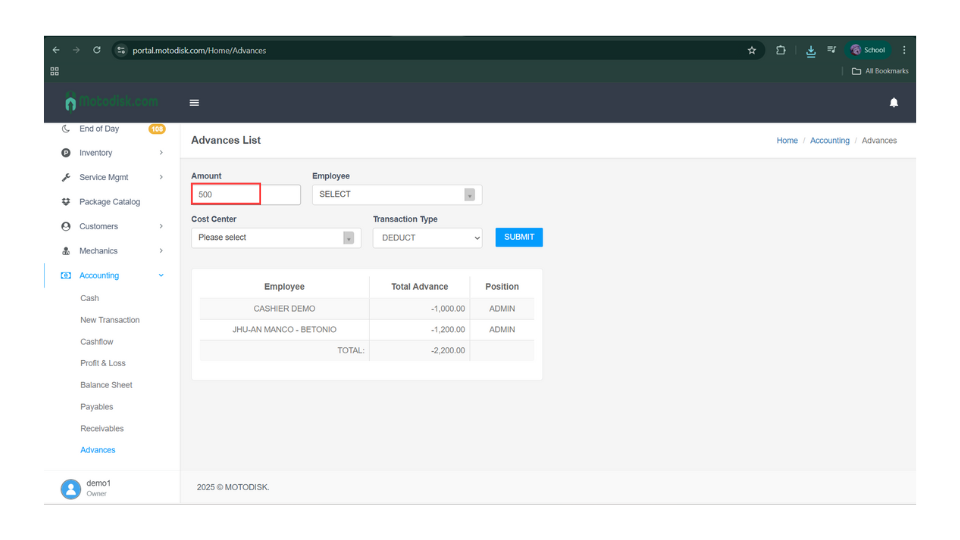
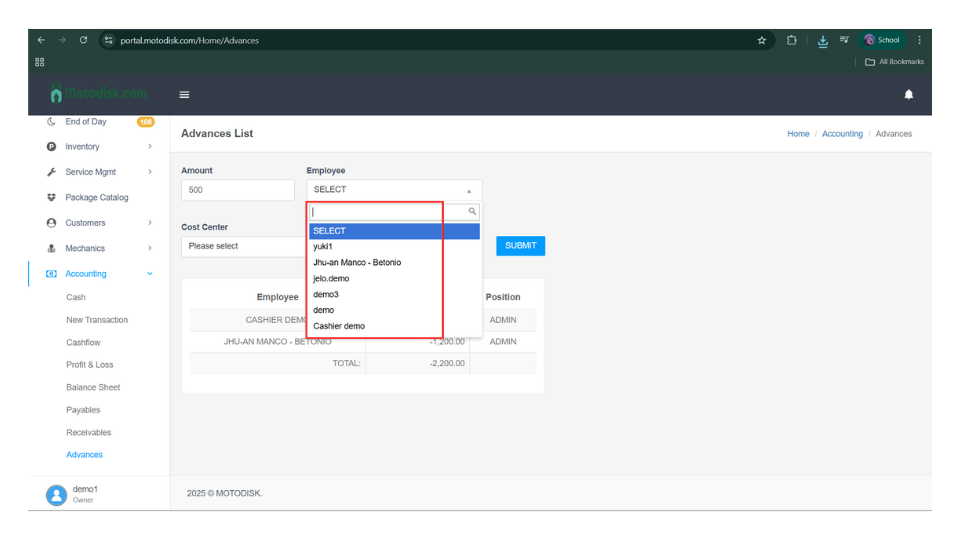
4. Select a Employee
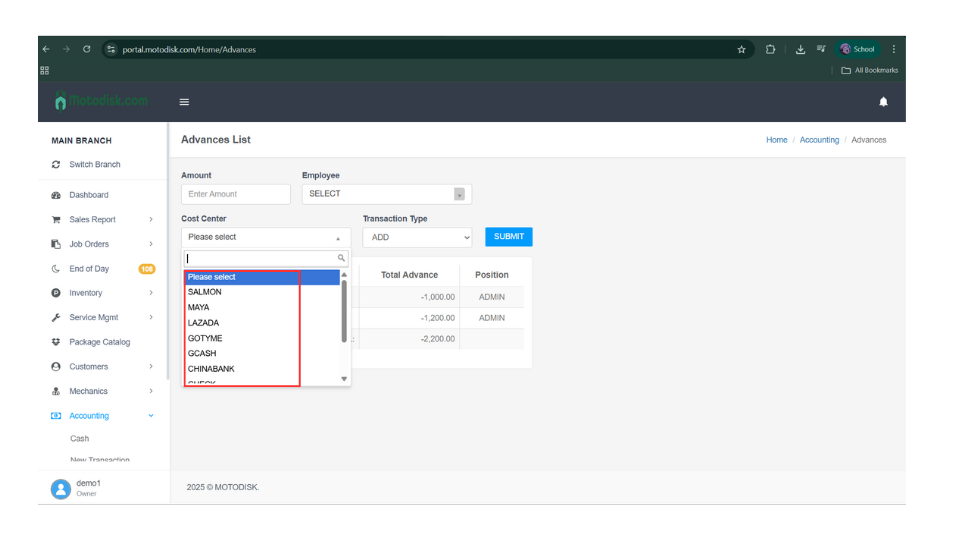
5. Select a Cost Center
6. Select the transaction type (Add or Deduct), then click Submit.
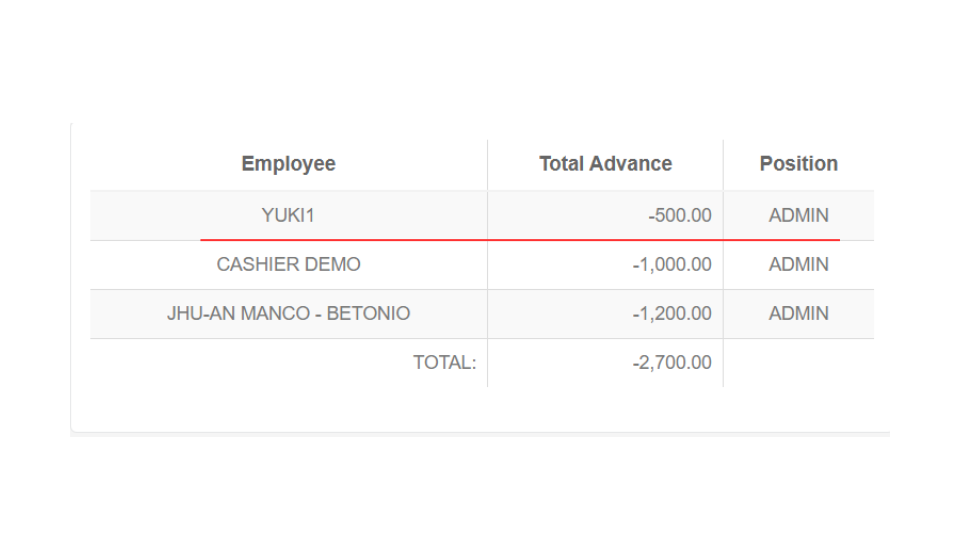
After entering all the required information, it will be displayed here.
Here’s the video guide