Step 1: Click Ongoing Orders (the pink tab at the top of the Sales Register).

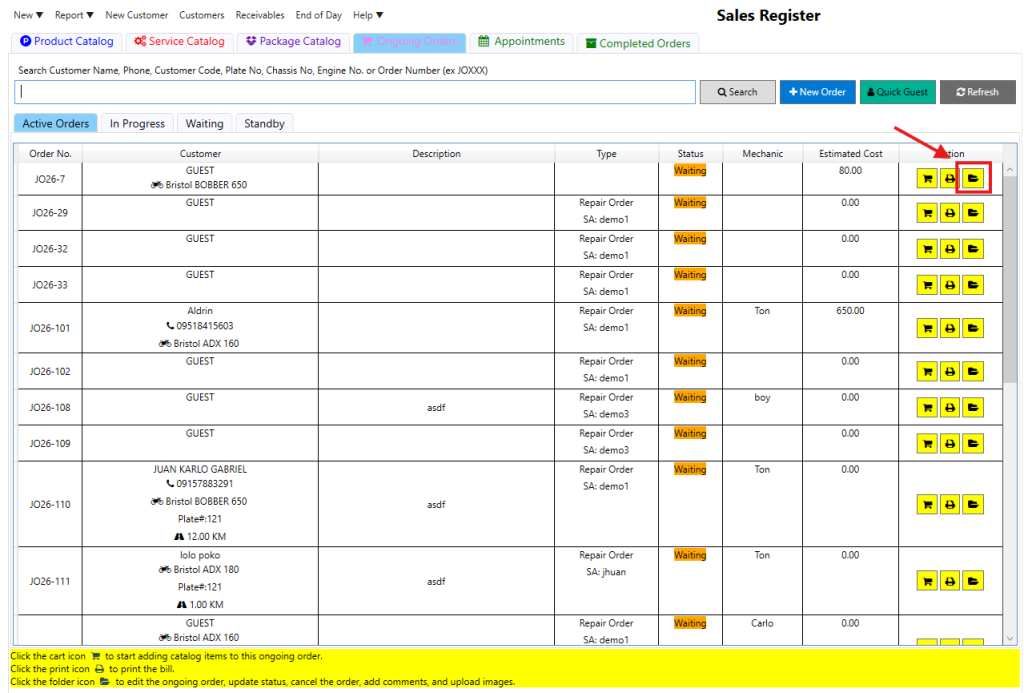
Step 2: Click the folder icon next to the specific order you want to cancel.
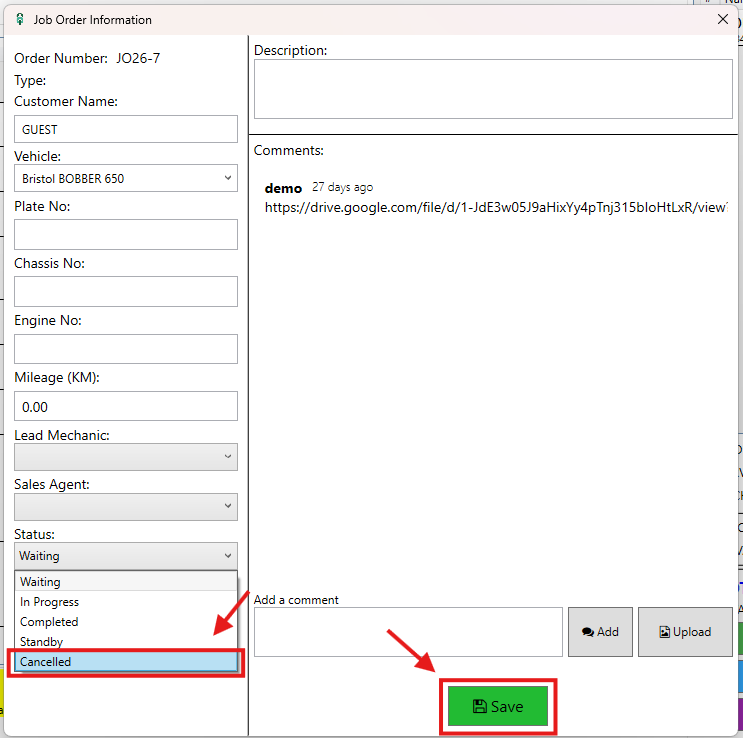
Step 3: Change the Status to “Cancelled” and click Save.
Video: Managing Order Cancellations

Step 1: Click Ongoing Orders (the pink tab at the top of the Sales Register).
Step 2: Click the folder icon next to the specific order you want to cancel.
Step 3: Change the Status to “Cancelled” and click Save.
Video: Managing Order Cancellations