One Service, One Mechanic
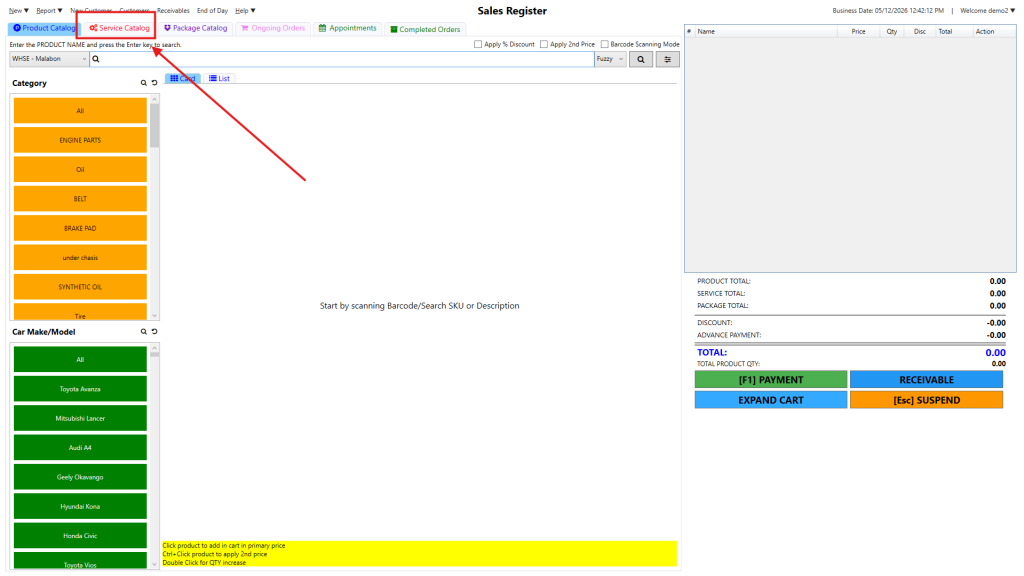
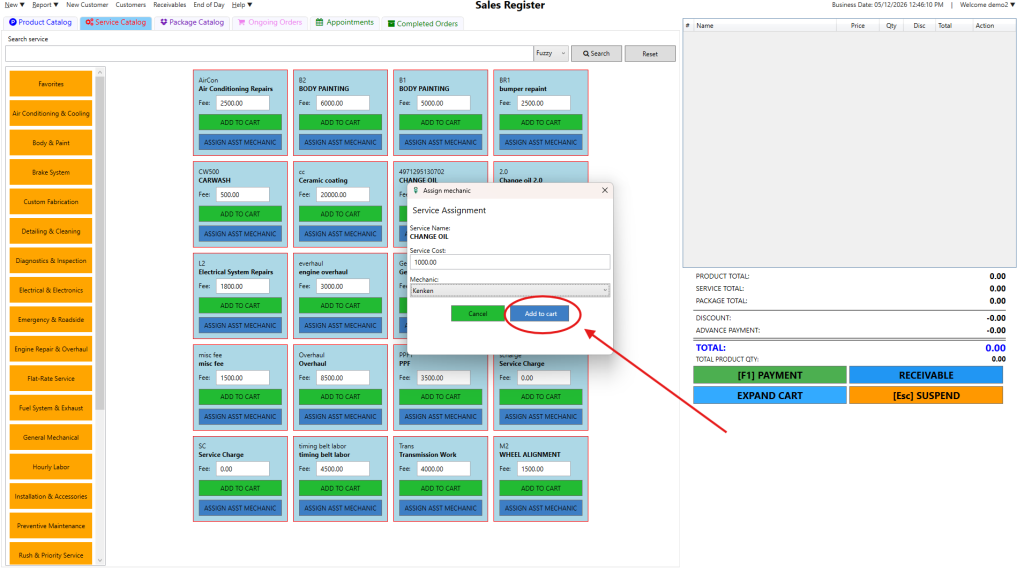
Step 1: Select the Service Catalog tab at the top of the Sales Register.
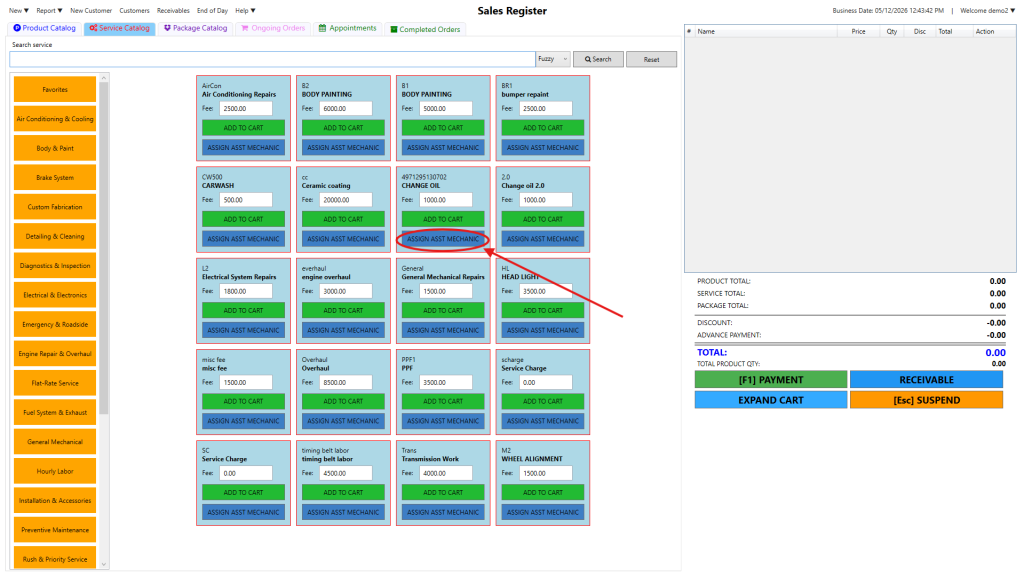
Step 2: Find the desired service and click the blue ASSIGN ASST MECHANIC button.
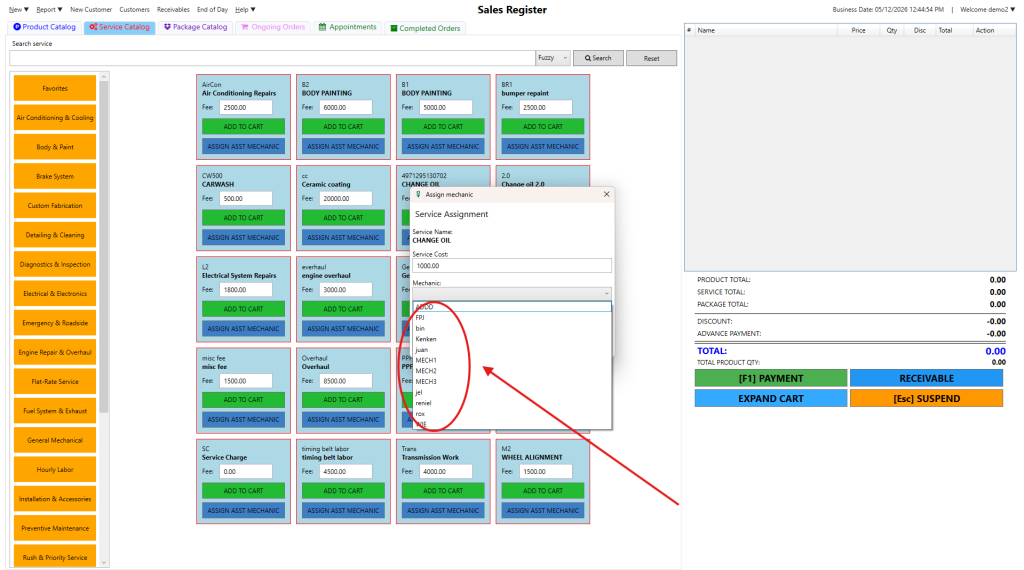
Step 3:Select the mechanic from the dropdown menu in the pop-up and click Add to cart.
One Service, Multiple Mechanic
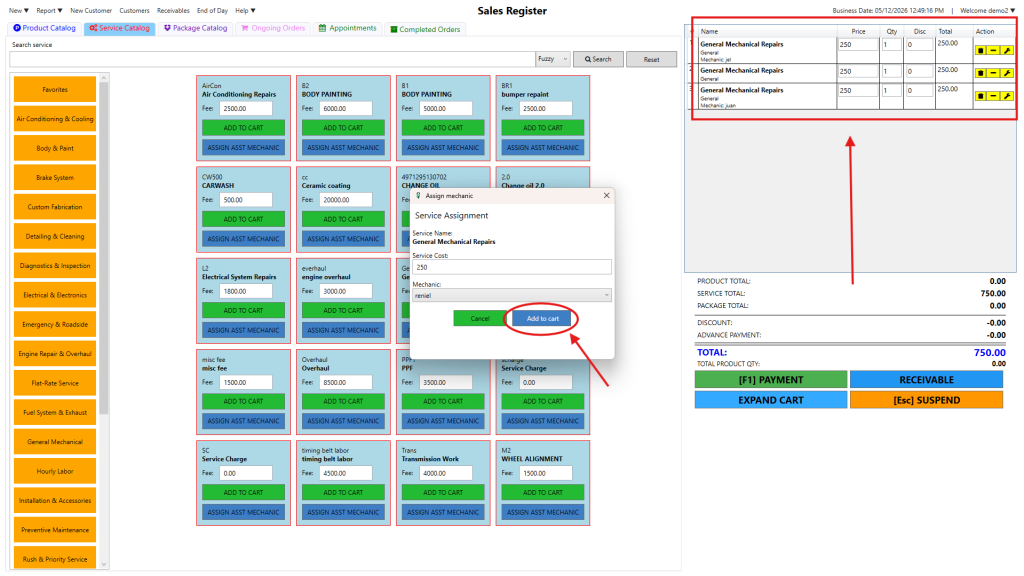
Step 1: In the Service Assignment pop-up, change the Service Cost to the partial amount (e.g., if the total is 100 for 4 mechanics, enter 250).
Step 2:Choose the first mechanic from the dropdown and click Add to cart.
Step 3:Repeat the process for the remaining mechanics until the full service price is reached.
Step 4: Ensure the cart shows the service listed multiple times with different mechanic names.