
- Go to https://portal.motodisk.com and log in.
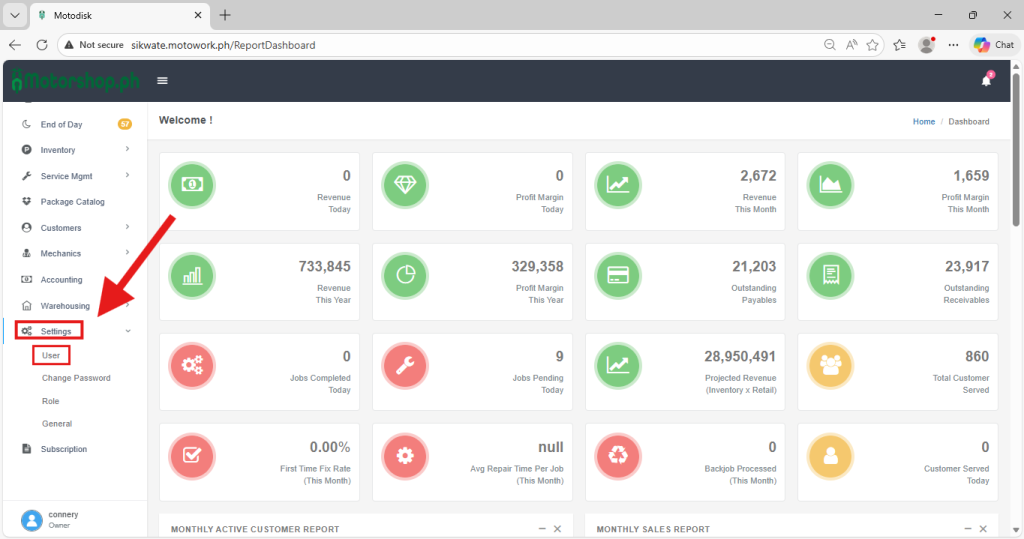
- In the side bar, select Settings> User
3. Click the Add User button
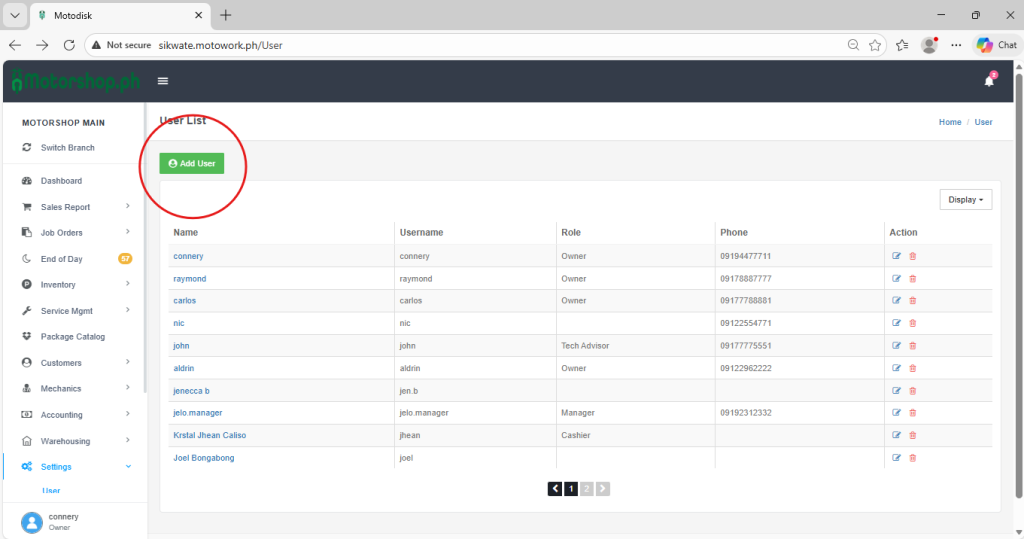
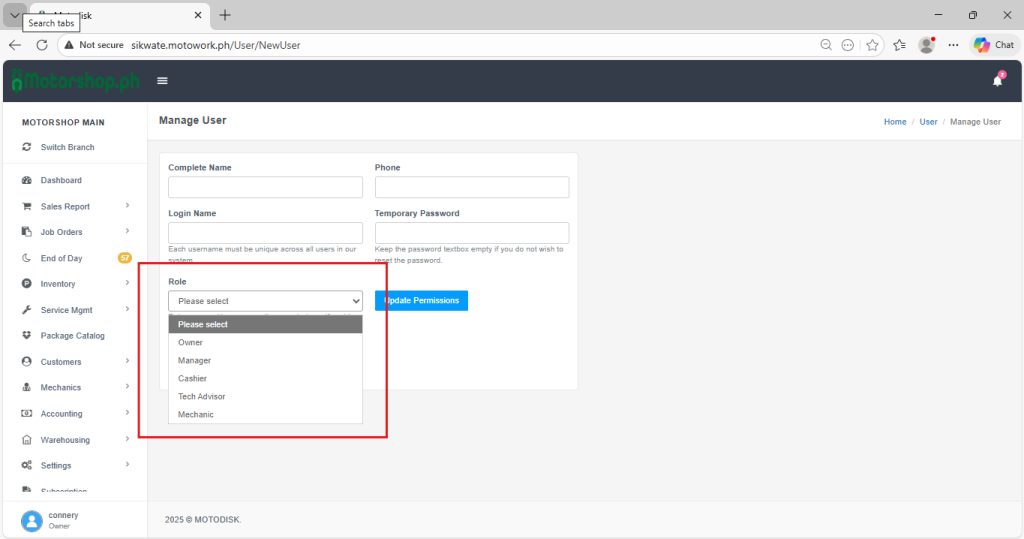
4. After clicking the Add User button you can fill in the following:
(i) Complete Name – The Complete name of the user.
(ii) Phone – The phone number of the user.
(iii) Login Name – The Username that the user will use to login.
(iv) Temporary Password – The temporary password for the user to login.
(v) Role – select assigned role for the user

5. After filling up the information, click the Role and select a role to assign the user.
the following roles are:
- Owner
- Manager
- Cashier
- Tech Advisor
- Mechanic
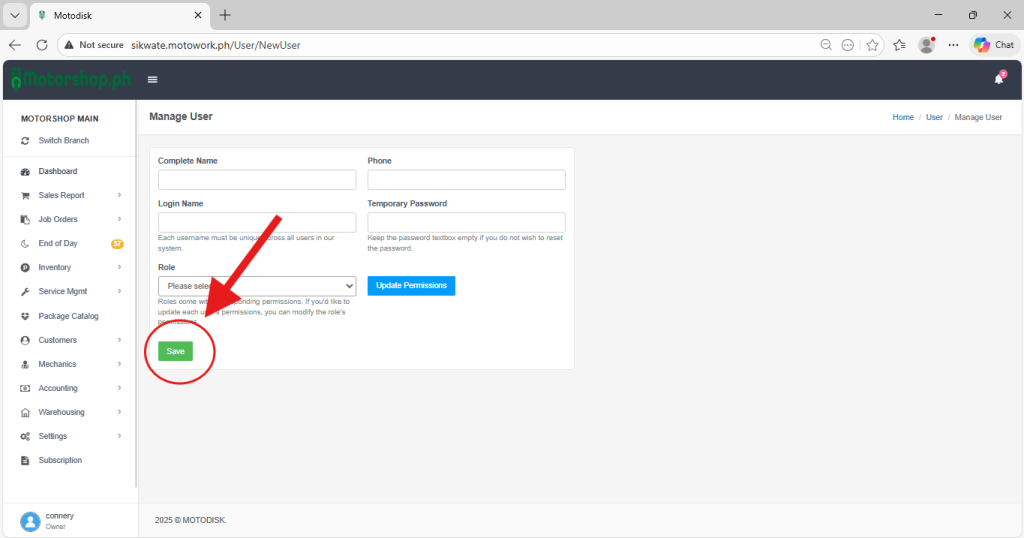
6.After selecting roles for the user. click Save
7: Here’s the video guide: