
- Go to https://portal.motodisk.com and log in.
- In the side bar, select Service Management> Service Catalog
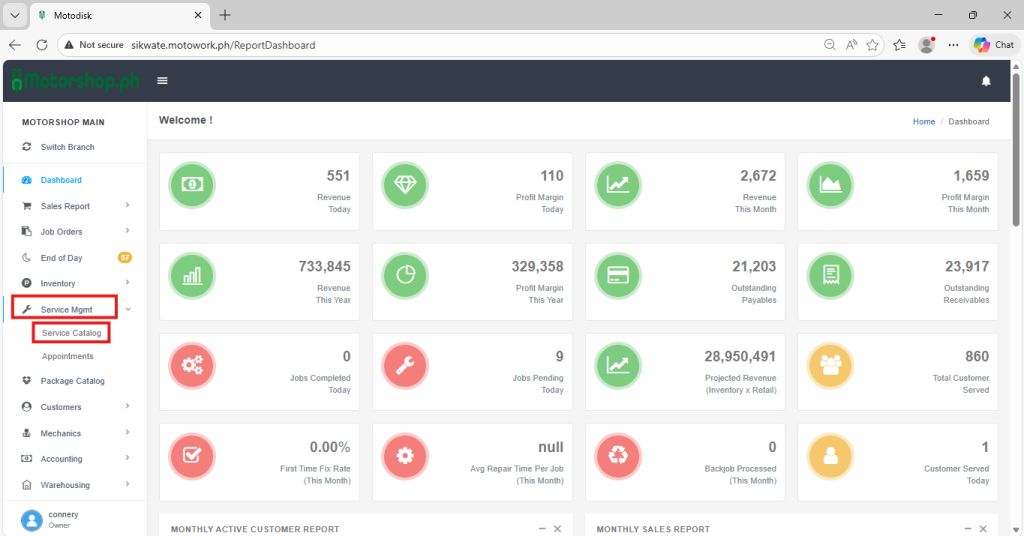
3.Click the add button.
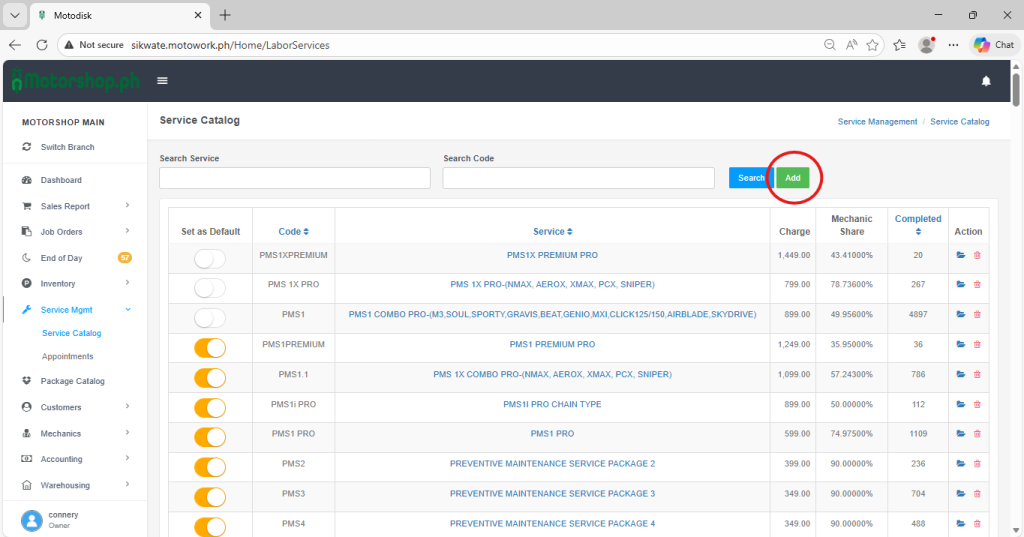
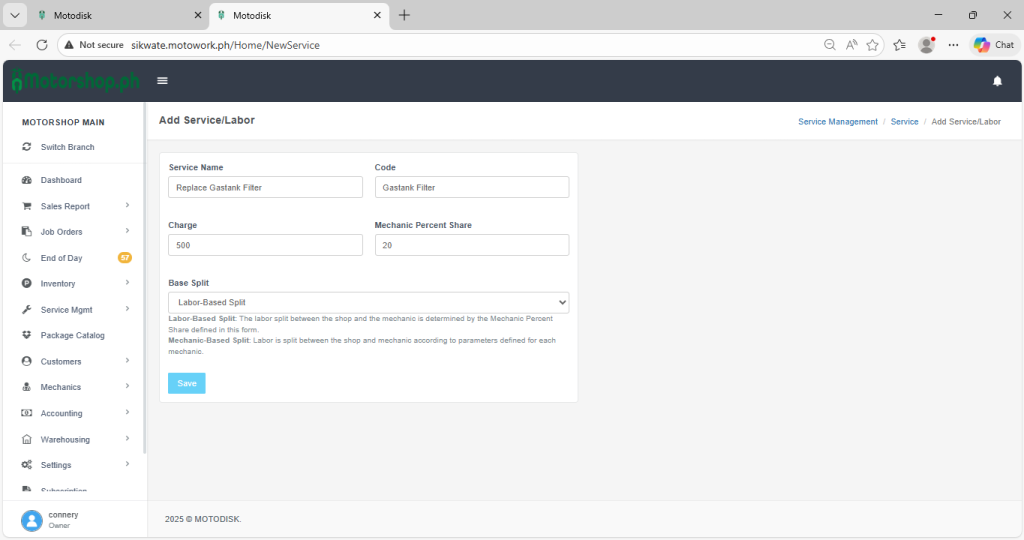
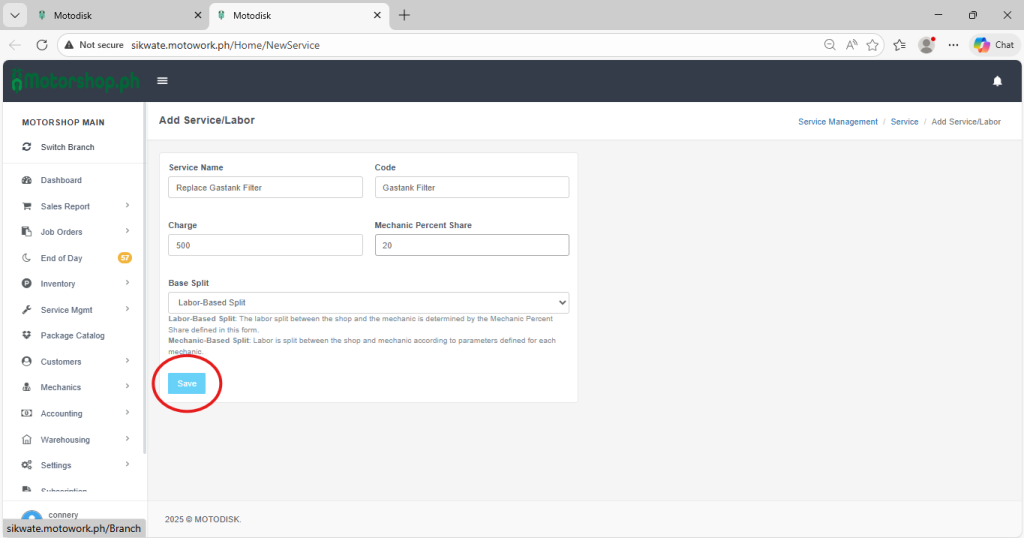
4. After clicking the add button you can see a textbox and here you can fill up the following:
(i) Service name – The name of the service.
(ii) code – The code of the service. (e.g., “Change Clutch Bell(CCB)”)
(iii)charge – The amount you charge for the service.
(iv) Mechanic Percent Share – The comission of the mechanic from the service.
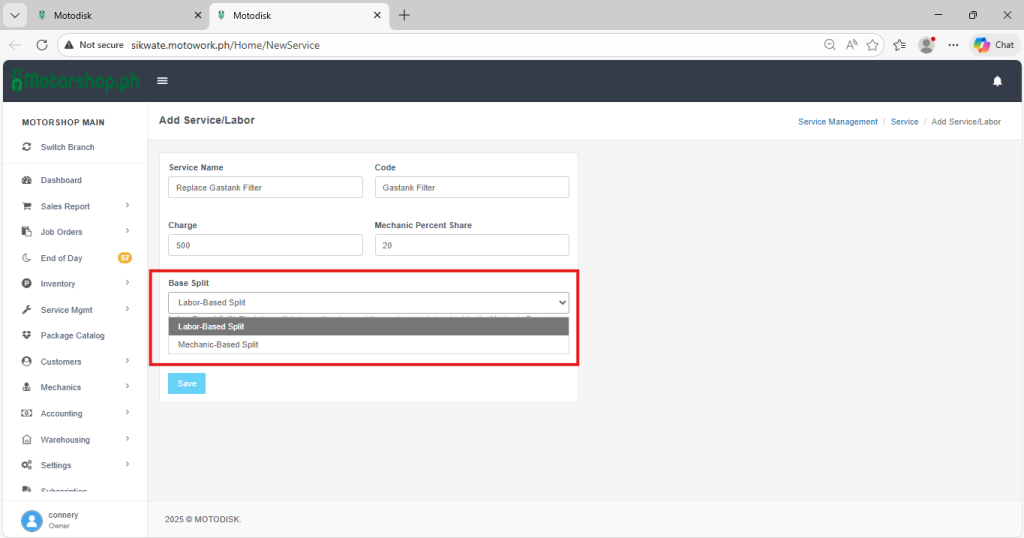
5.Click the BASE SPLIT and choose the following:
(i) Labor-Based-Split
(ii) Mechanic-Based-Split
6. When you finish filling up all the needed information, click save
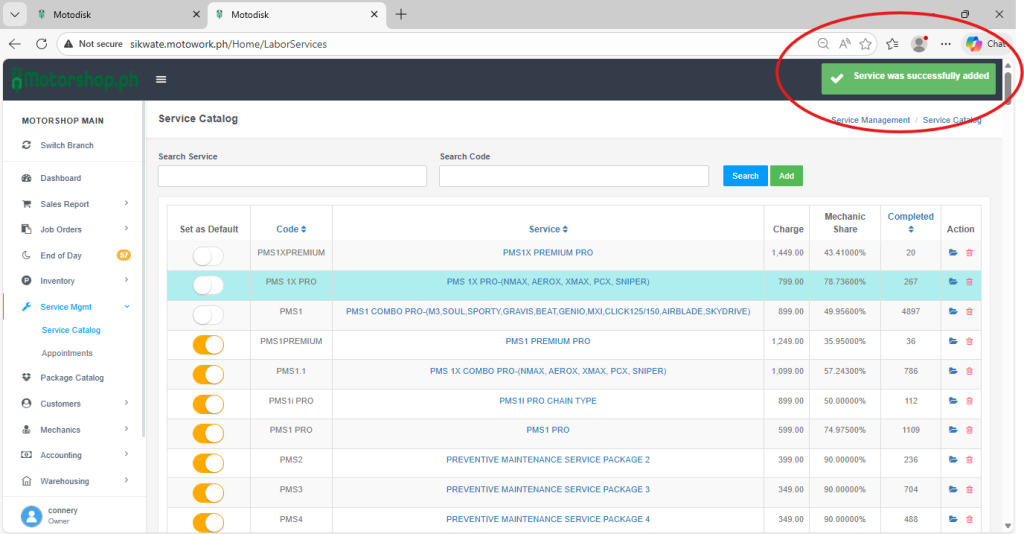
7. After saving, the notification will pop up from the upper right corner. it indicates that the service is successfully added.
8. Here’s the video guide: