
Step 1: Log in to your Motodisk account at https://portal.motodisk.com.
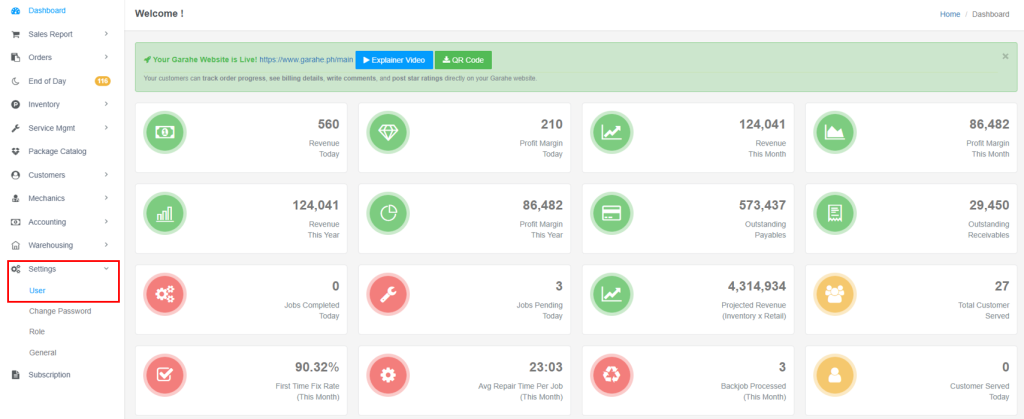
Step 2: Go to Settings and click User from the sidebar menu.
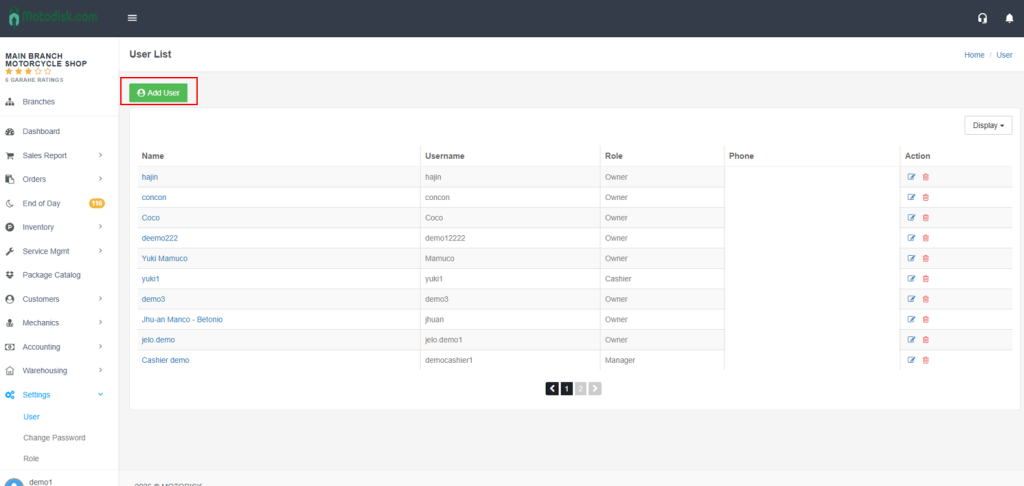
Step 3:Click Add User.
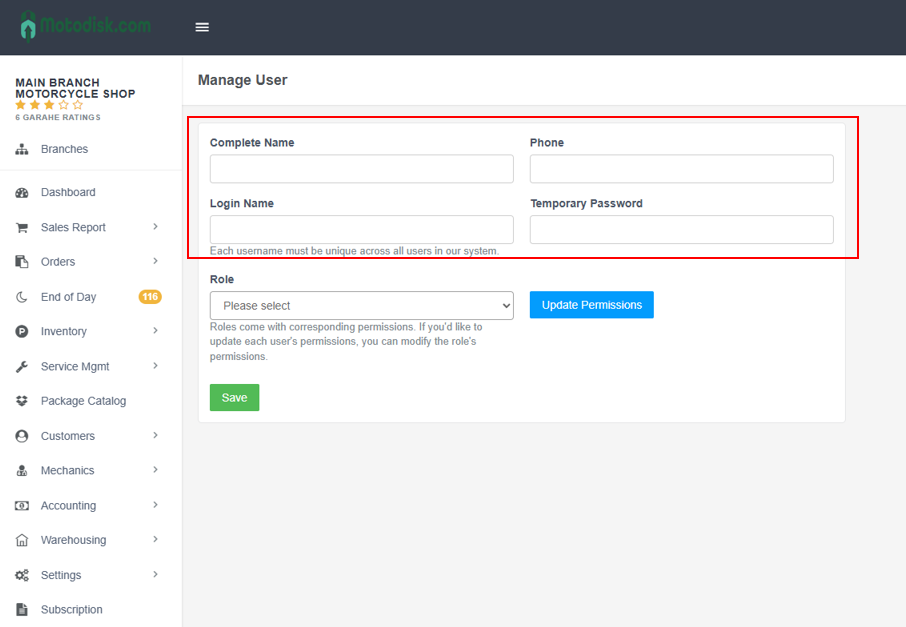
Step 4:Fill in all required fields:
- Complete Name
- Phone
- Log in name
- Password
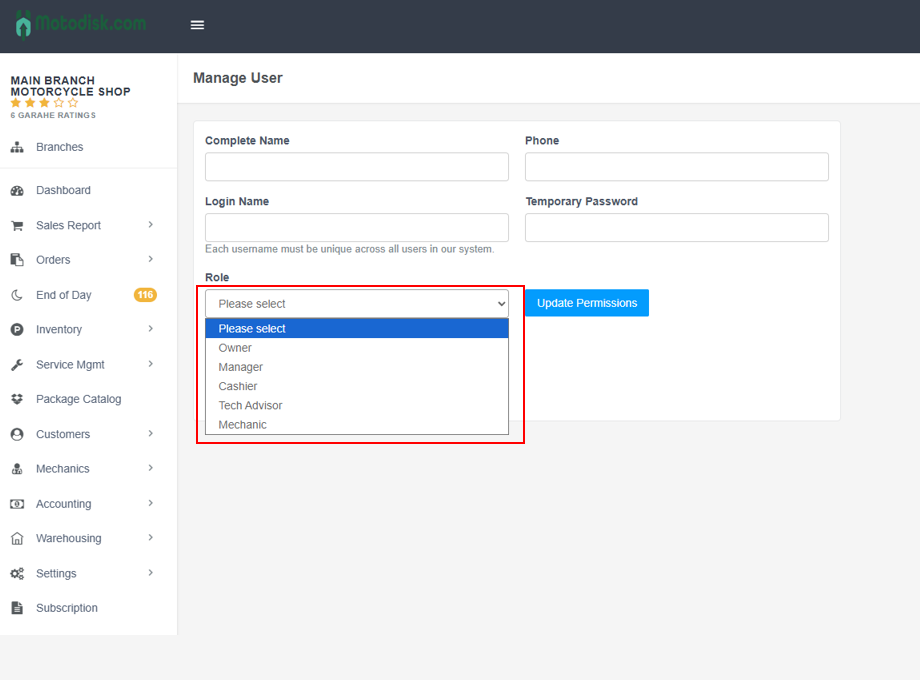
Step 5: Under Role, select Cashier.
Step 6: Click Save.
Step 7: Select a user role, then click Update Permission to change the user’s role.
✅ Your cashier account is now active and ready to use.