
- Go to https://portal.motodisk.com and log in
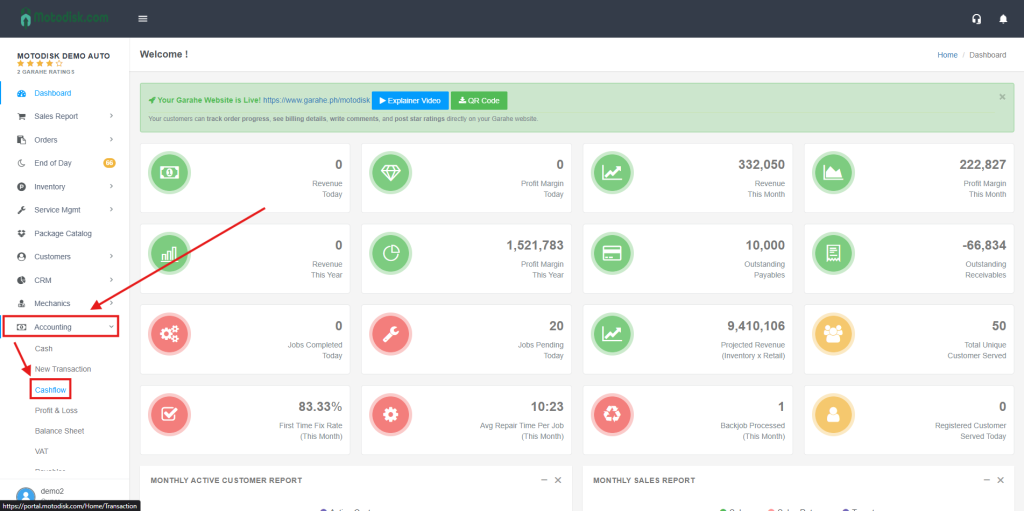
- In the side bar, select Accounting > Cashflow
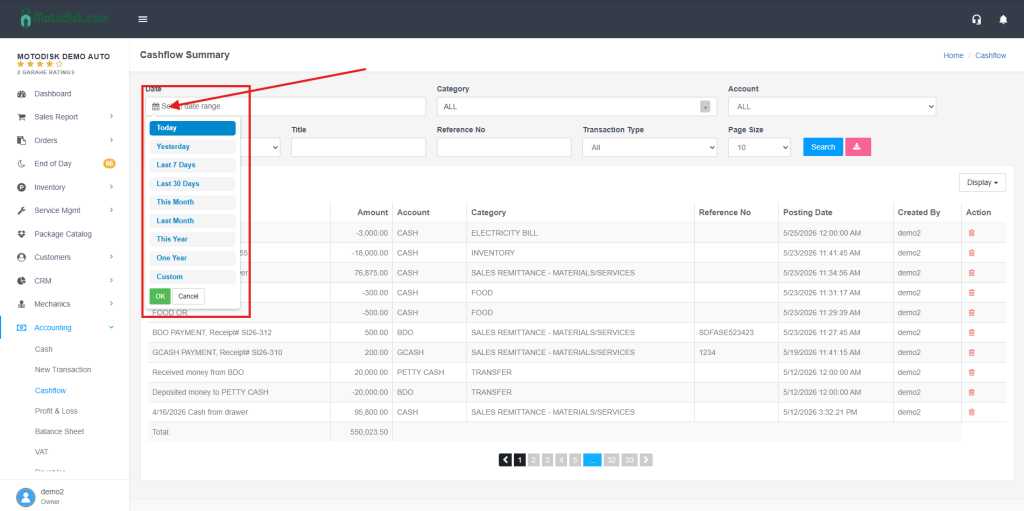
3 . Select a date first.
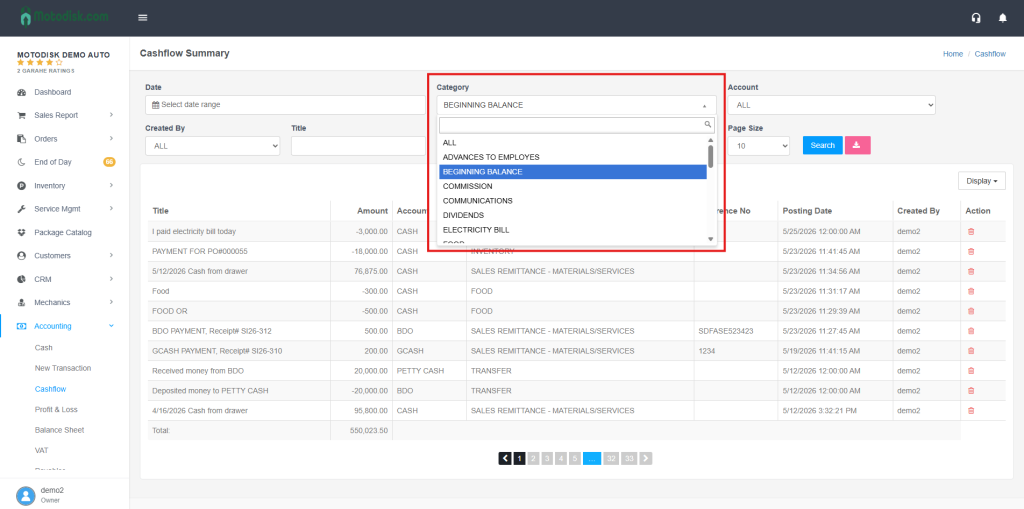
4. Select a Category
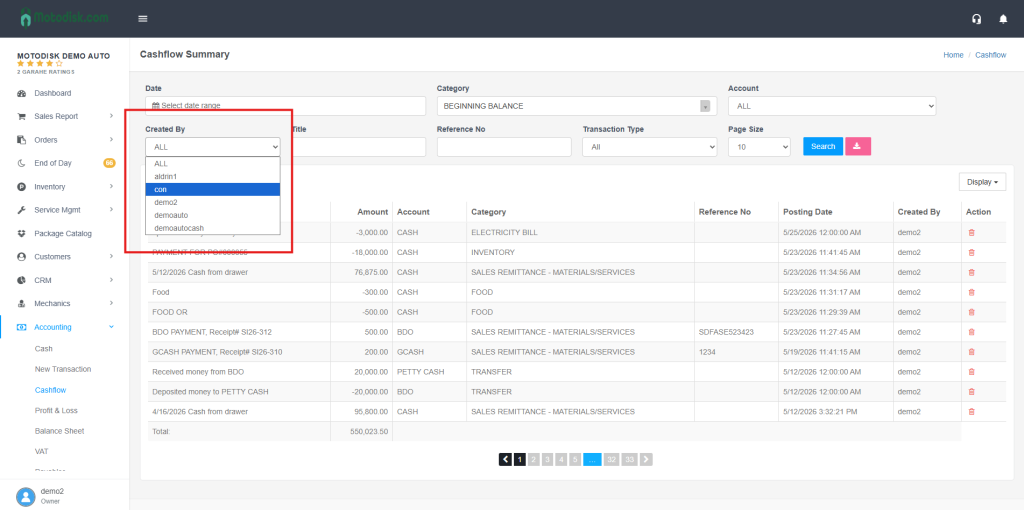
5. Select a Created By
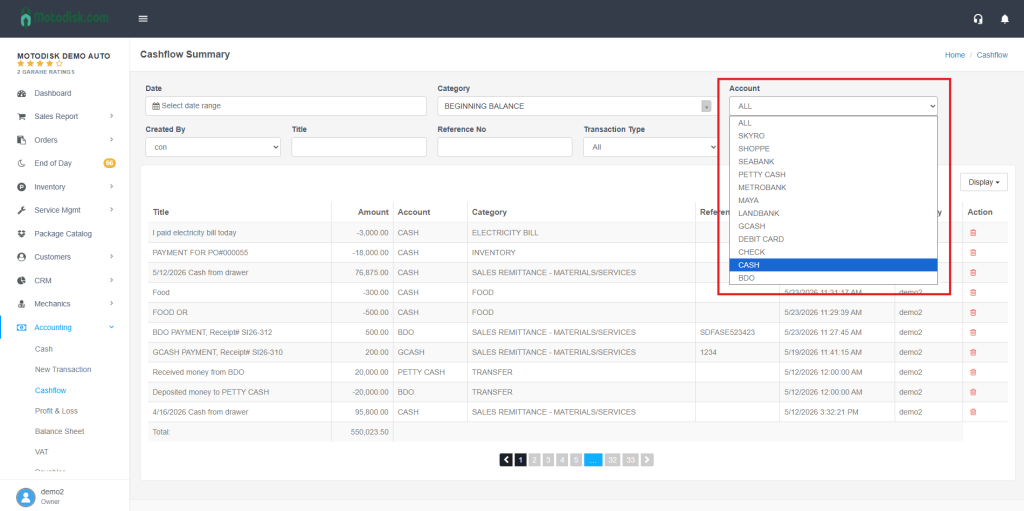
6. Select a Account
7. Enter the title
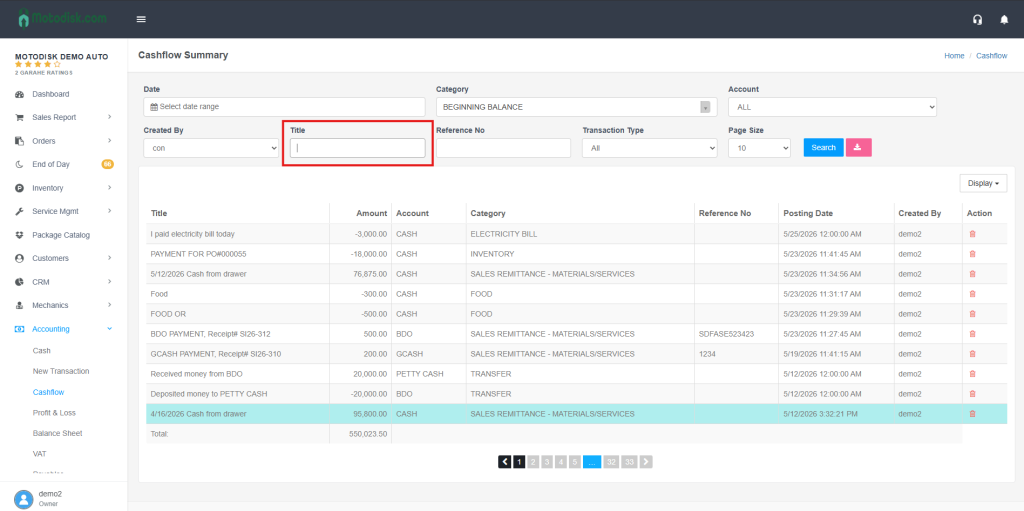
8. After clicking the title, click the Search button to display what you are looking for