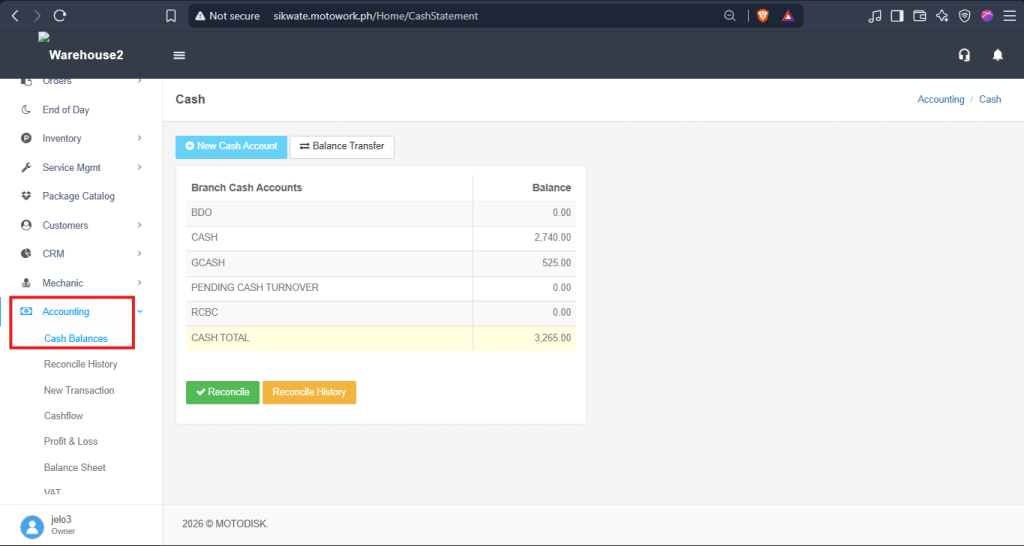
- Go to https://portal.motodisk.com and log in.
- In the side bar, select Accounting > Cash Balances
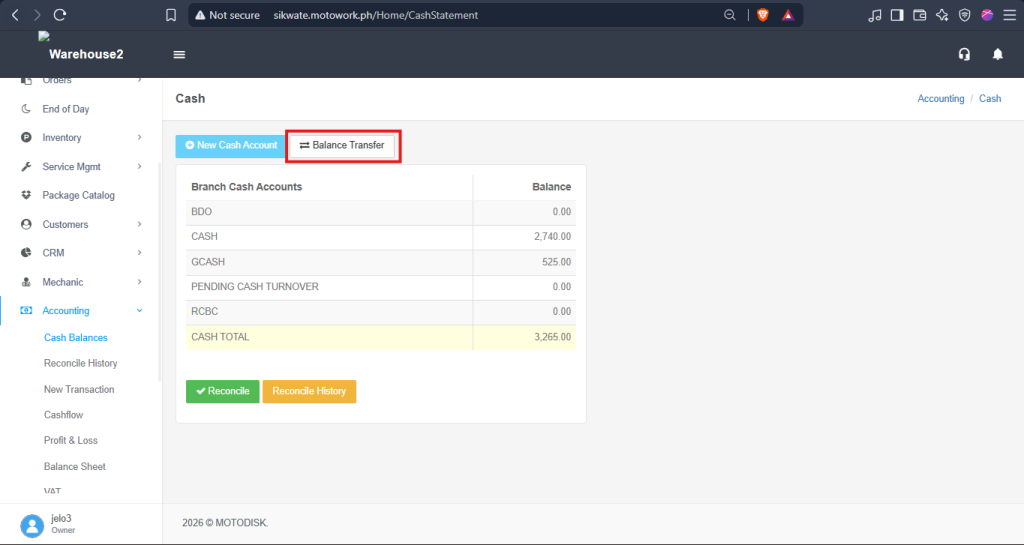
3. Click Balance Transfer.
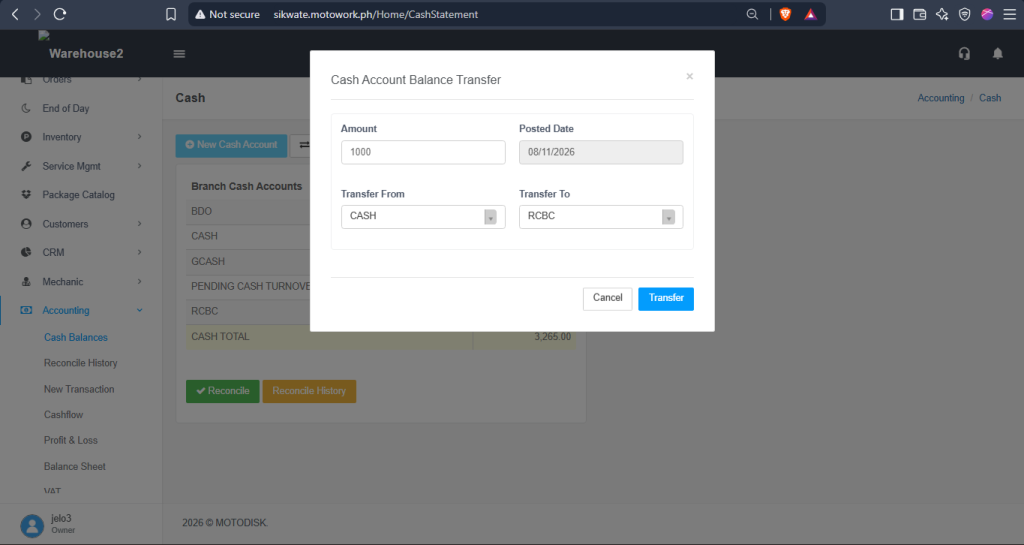
3. Enter the amount you want to transfer
4. Select a Posted Date
5. Select a Transfer From
6. Select a Transfer To, then click Transfer to transfer the cash.
Before:
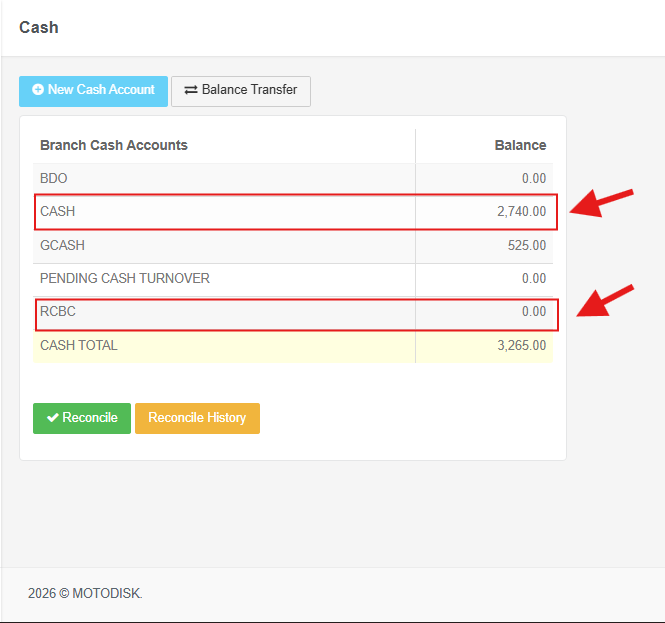
After:
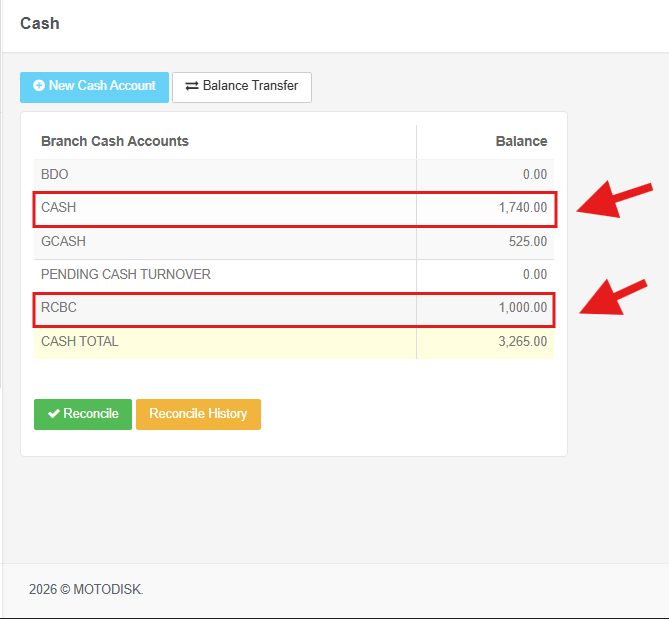
Additional Information:
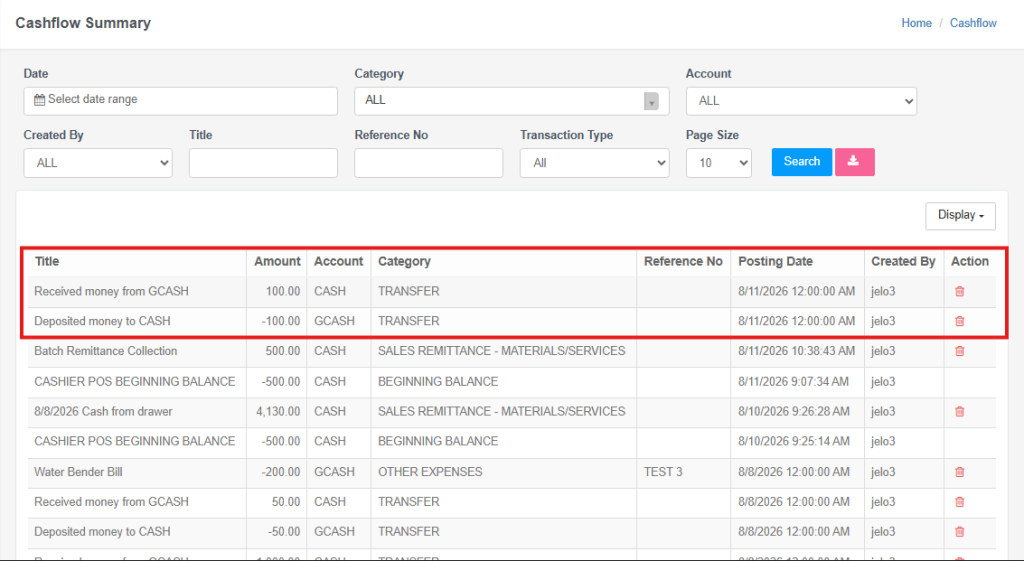
If you want to view your transaction records or are unsure whether a transfer was successful due to a large number of transactions, check your Cash Flow Summary to review the movement of funds.
In the side bar, select Accounting > Cash Flow
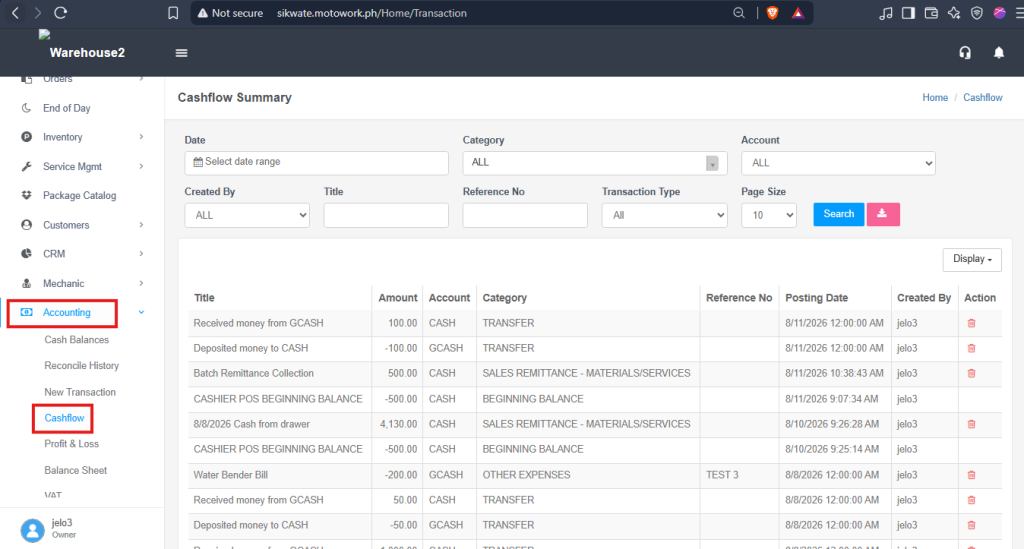
Check the Title, Amount, Account, Category, and Posting Date.