
- Go to https://portal.motodisk.com and log in
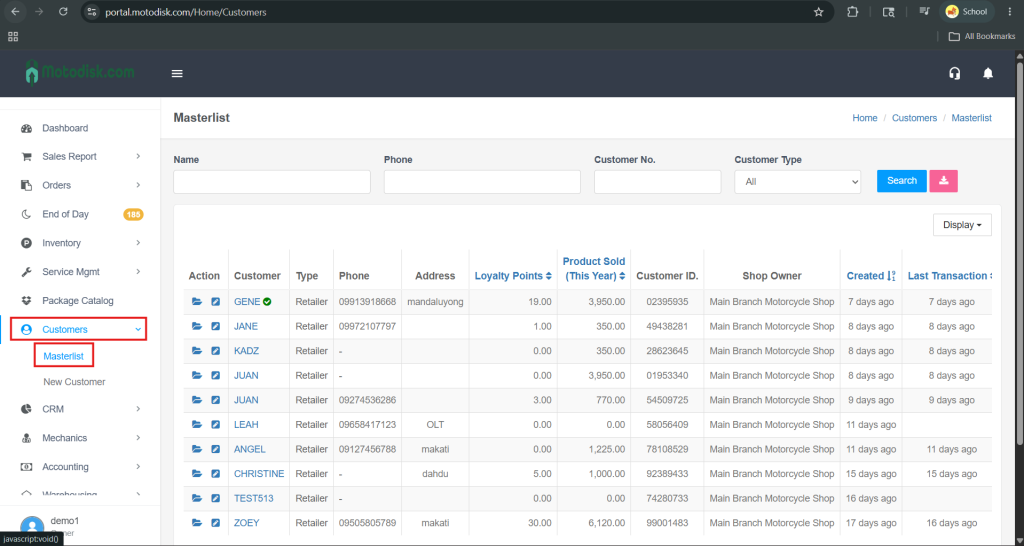
- In the side bar, select Customers > Master list
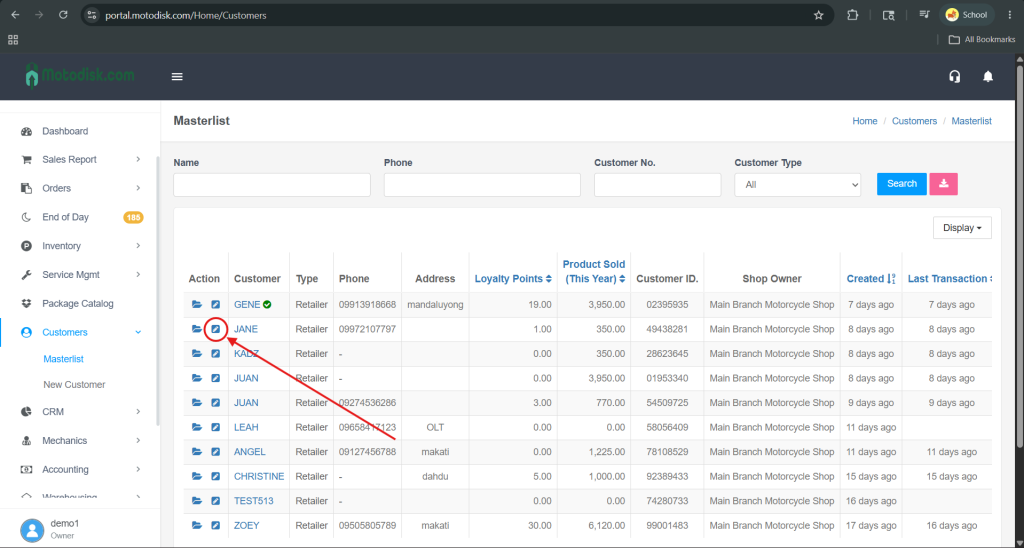
3. In the Action column, click the pencil icon to edit the customer details.
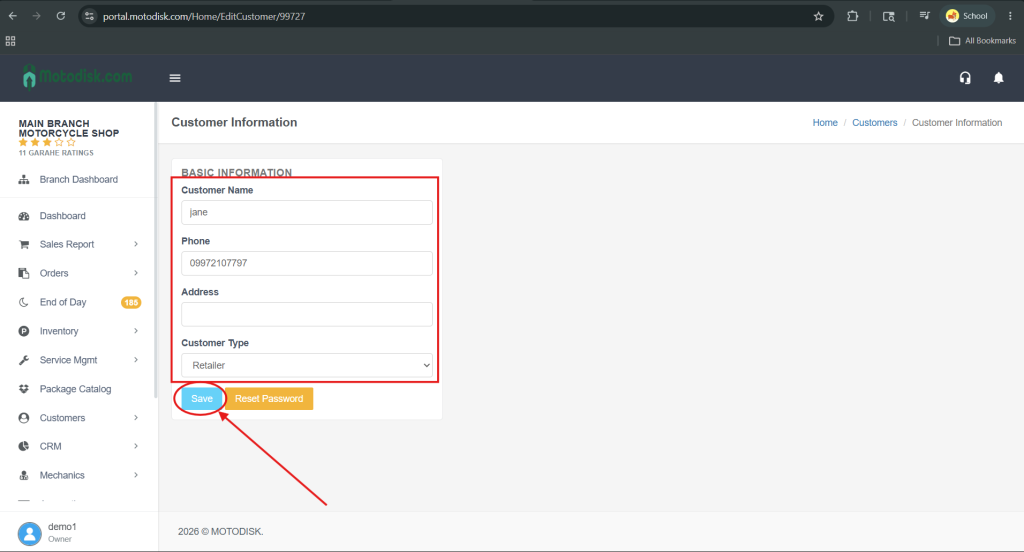
4. After editing the customer details, click Save to apply the changes.
3. In the Action column, click the pencil icon to edit the customer details.
4. After editing the customer details, click Save to apply the changes.