HOW TO USE POS
Back Office
Patch Notes
Go to
https://portal.motodisk.com
and log in
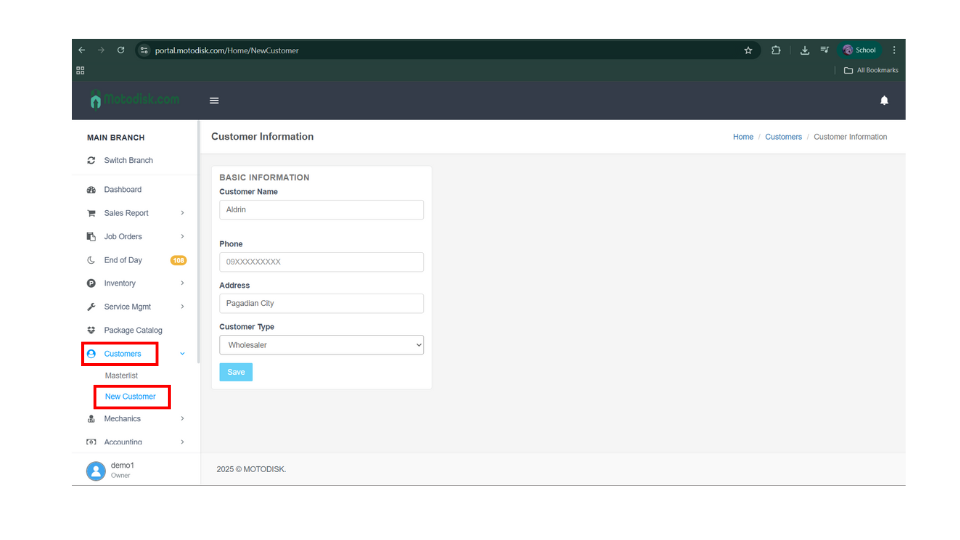
In the side bar, select
Customers
>
New Customer
After entering the customer details and selecting the customer type, click
Save
.