
Step 1: Go to https://portal.motodisk.com
Step 2: Enter your credentials to log in.
Step 3: From the sidebar, go to Accounting> New Transaction
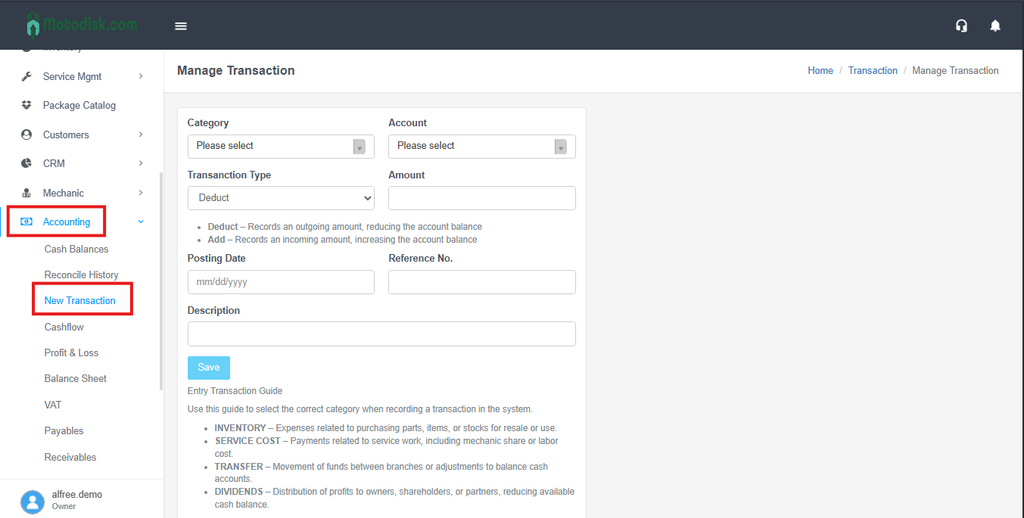
Step 4: In Manage Transaction.
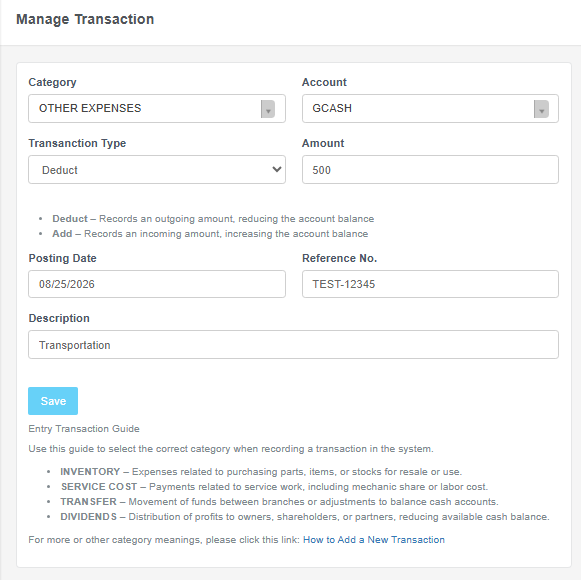
Select the Category for the expense.
Select the Account the payment was made through (Cash or Credit Card).
Choose the Transaction Type — Deduct (money going out).
Enter the Amount. Click Save to record the transaction.
After Saving, the transaction will show in Cashflow.