
Step 1: Go to https://portal.motodisk.com
Step 1: Enter your credentials to log in.
Step 1: From the sidebar, go to Warehousing> Cross-Branch Stock Availability
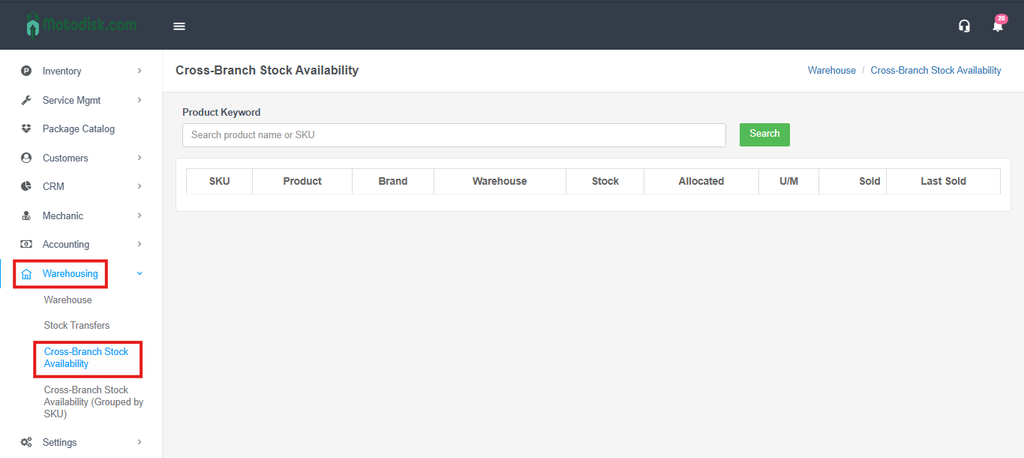
Step 4: Search the Keyword of the Product. For example, Oil.
It will show different kinds of Products and Brands of Oil.
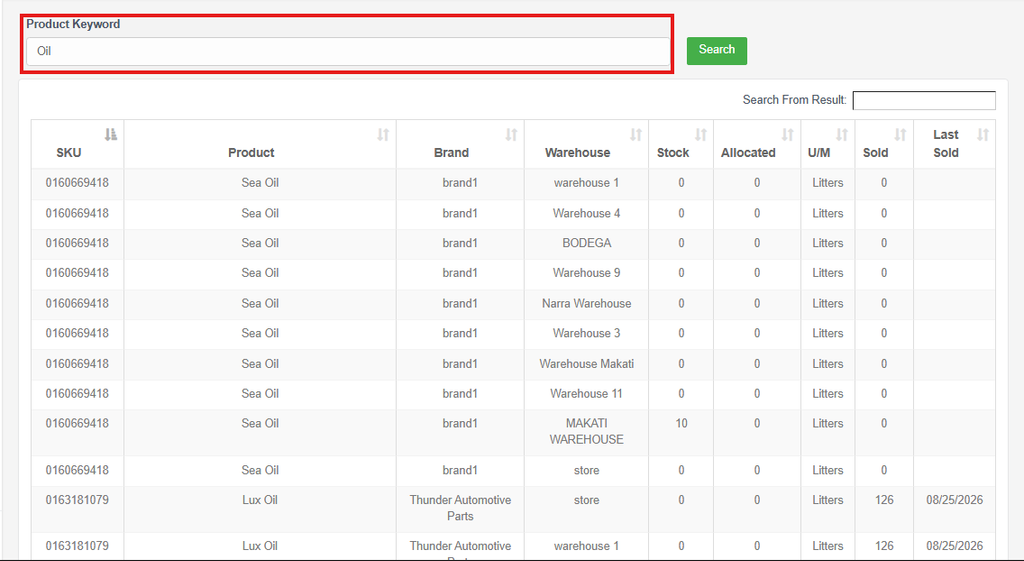
Cross Branch Stock Availability means being able to check the stock/inventory levels of a product across all your branches — not just the one you’re currently in.
Instead of checking stock branch-by-branch, the system shows you all branches’ stock for that item in one view.