
Record Payment – This is when you record that money has actually been paid out against an existing payable — it reduces or fully settles the amount owed.
Step 1: Go to https://portal.motodisk.com
Step 2: Enter your credentials to log in.
Step 3: From the sidebar, go to Accounting> Payables
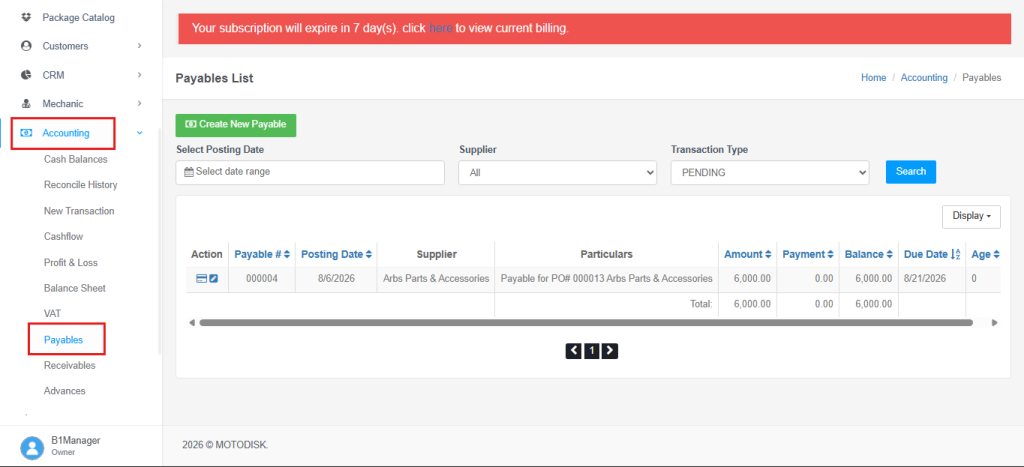
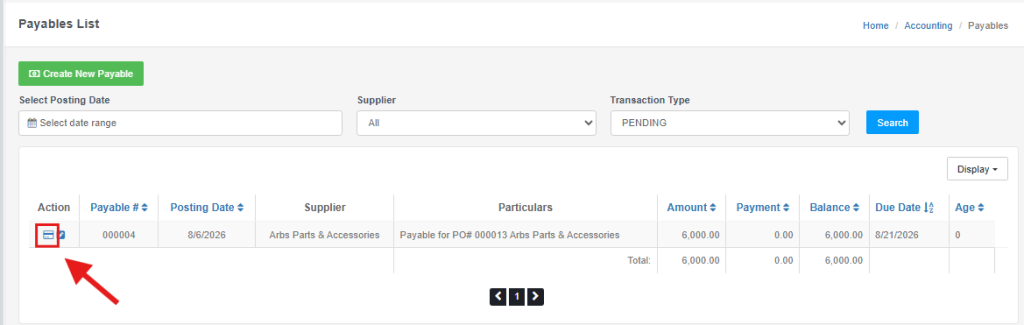
Step 4: Click the Card icon on the existing payable.
Step 5: Fill in the Manage Transaction Form then, Click SAVE to record the payment and to settle the payable.
Category — indicates the transaction type, whether it deducts from or adds to the balance.
Account — the payment method or account used for the transaction, such as GCash, bank account, or cash.
Transaction Type — Deduct (outgoing) or Add (incoming).
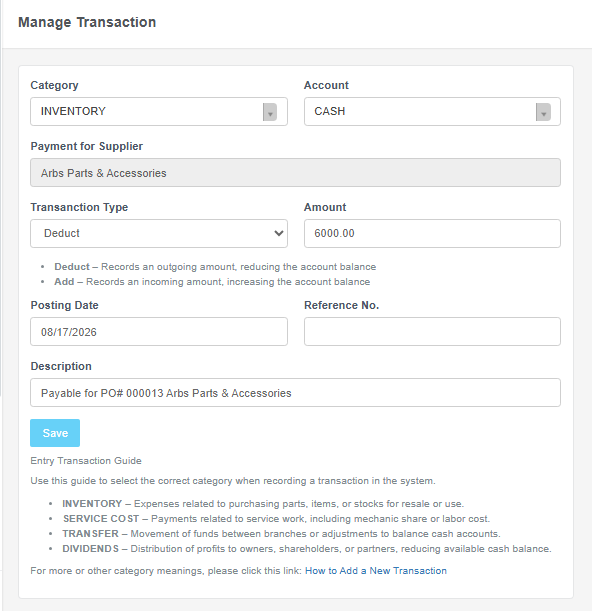
NOTE: Always read the Transaction Guide to avoid misunderstanding or misapplying the selected category (unless other categories apply).