
Step 1: Go to https://portal.motodisk.com
Step 2: Enter your credentials to log in.
Step 3: From the sidebar, go to Settings> General
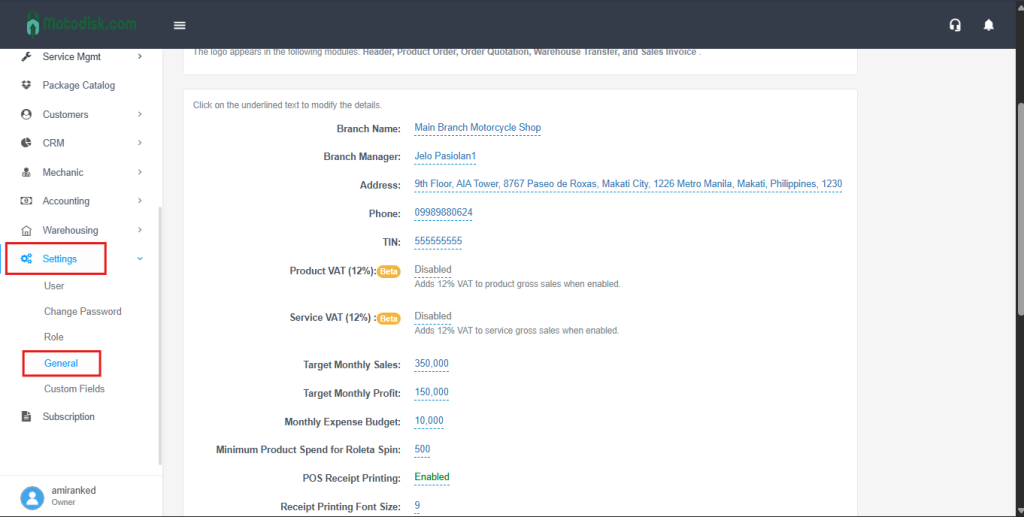
Step 4: Locate Product VAT (12%) and Service VAT (12%), then toggle both to Enabled.
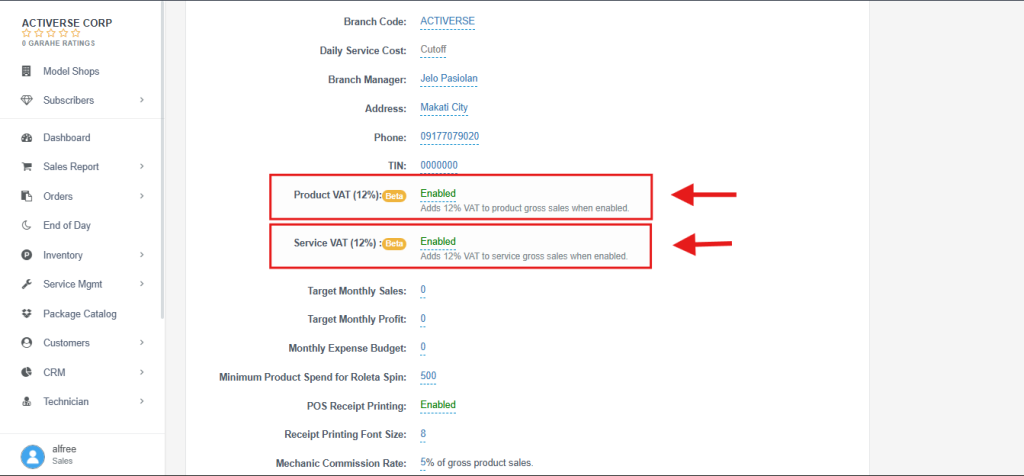
If the business is VAT-registered, this should be enabled to comply. with BIR requirements.
Enable Product VAT and Service VAT if your business is VAT-registered. This will automatically apply a 12% VAT to product and service transactions.