Step 1:Go to https://portal.motodisk.com
Step 2:Enter your credentials to log in.
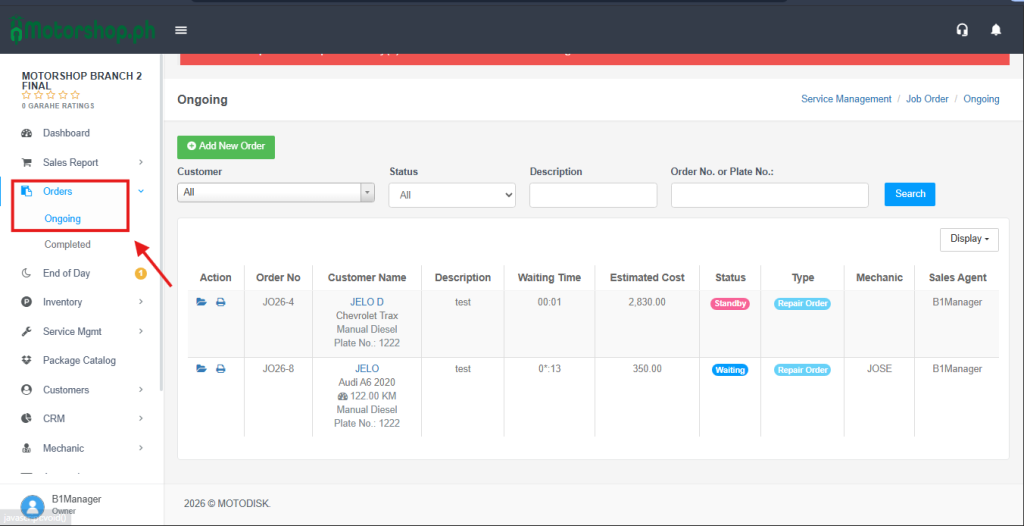
Step 3:From the sidebar, go to Orders > Ongoing
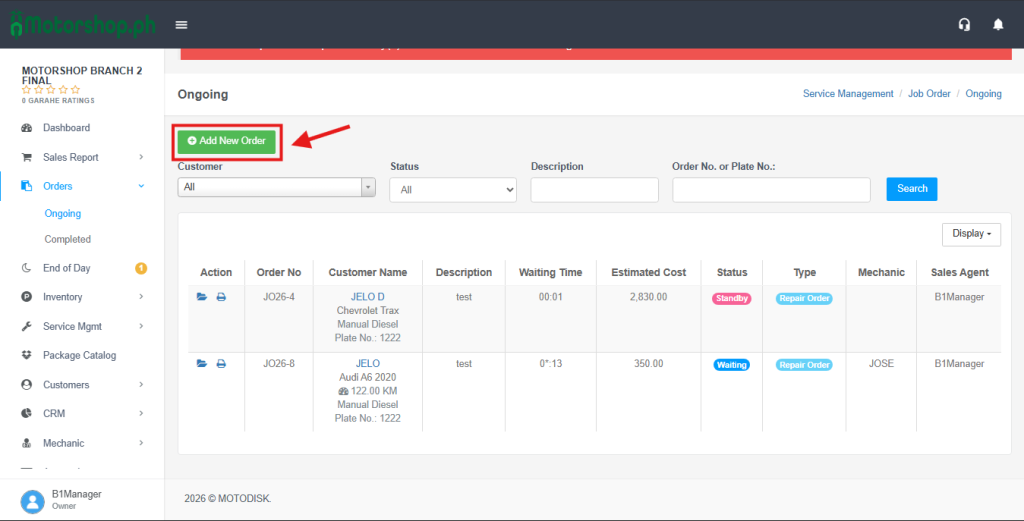
Step 4: Click Add New Order to create Job Order.
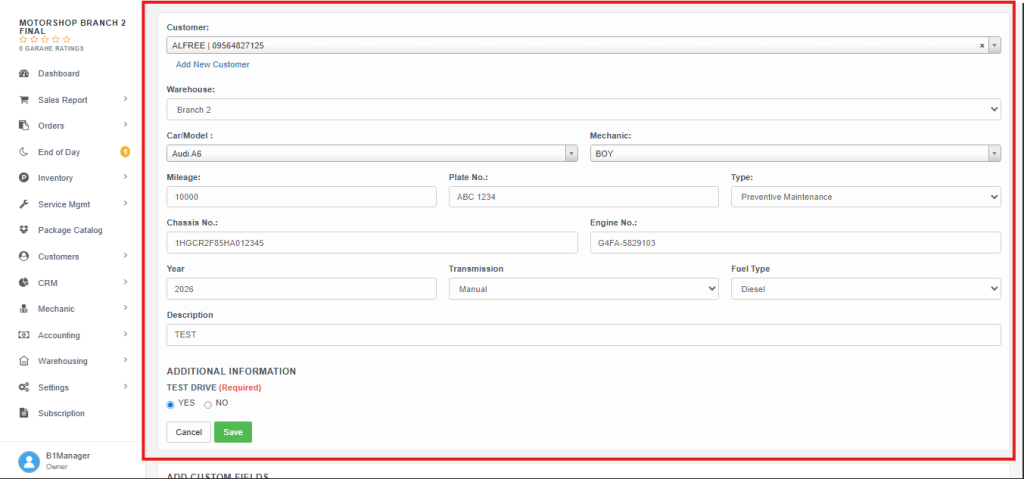
Step 5: Fill in the Input Fields and Select an option then, click Save.
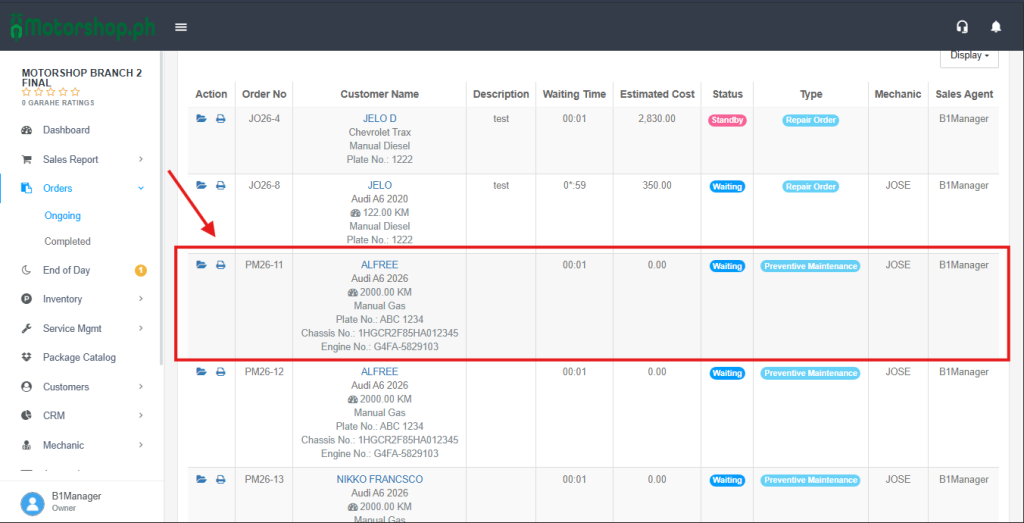
Step 6: Go back to the sidebar and navigate to Orders > Ongoing to check if the newly created order appears in the list.