
Step 1:Go to https://portal.motodisk.com
Step 2:Enter your credentials to log in.
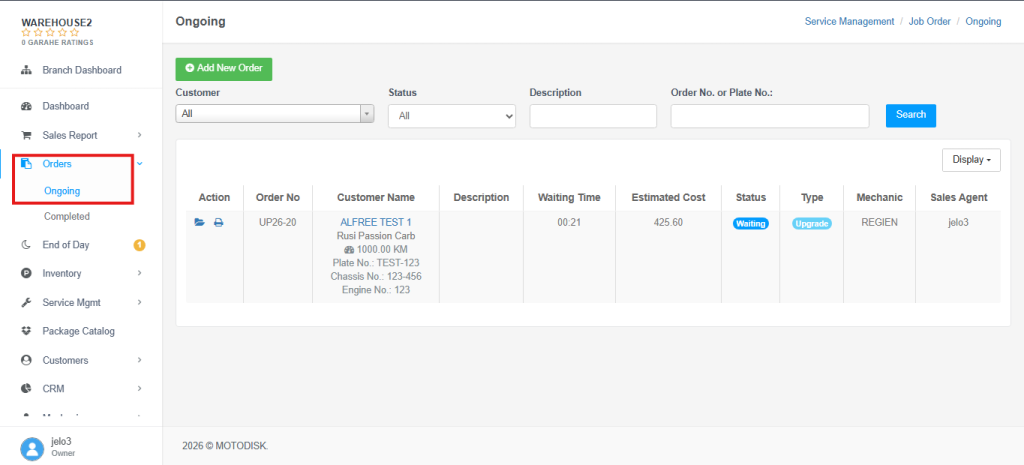
Step 3:From the sidebar, go to Orders > Ongoing
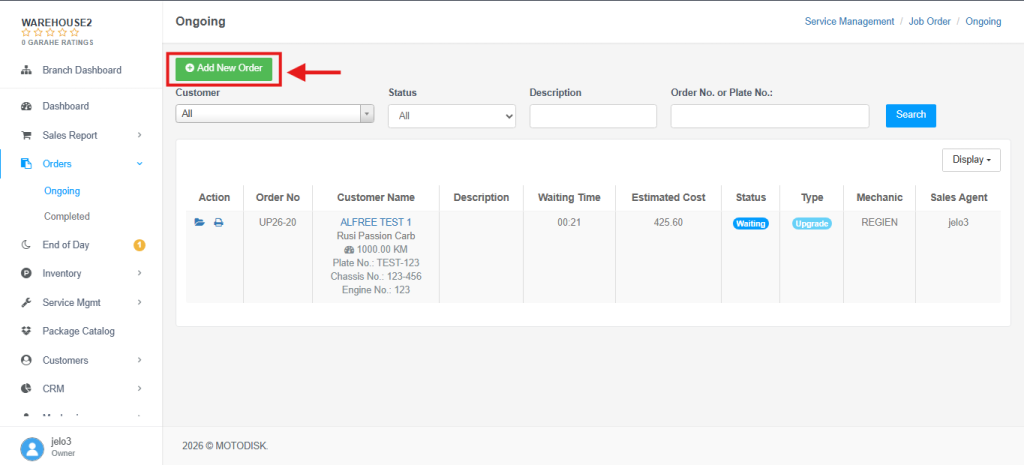
Step 4: Click Add New Order
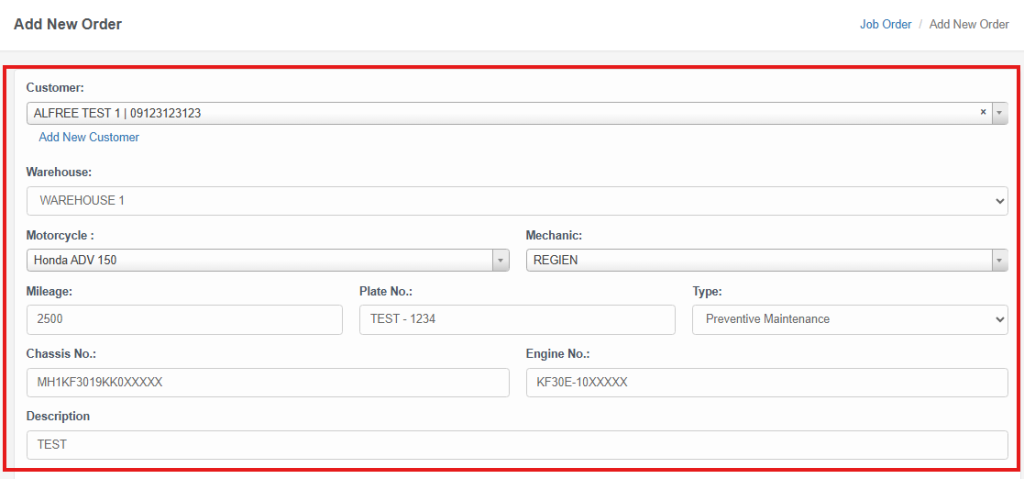
Step 5: Fill in the required order details and other relevant information in the form.
Step 6: Complete the Additional Information section. Make sure to fill in all fields marked as Required then Save.
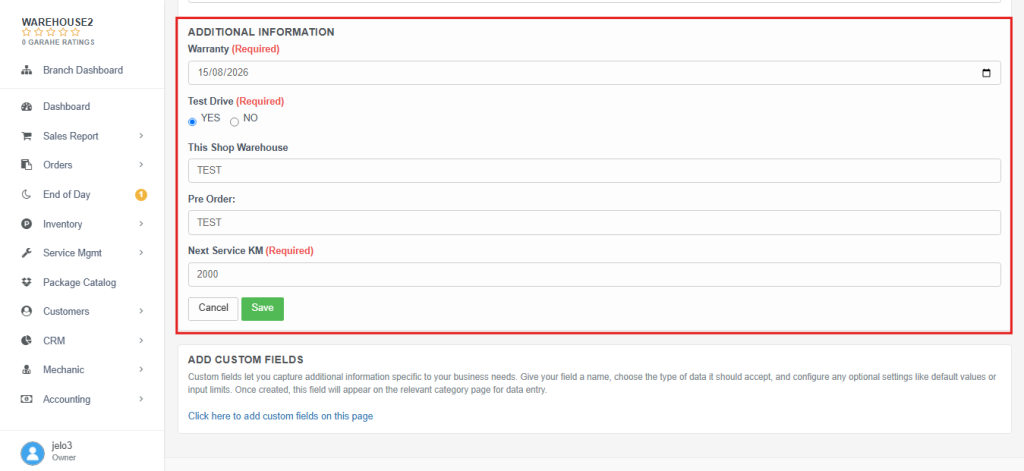
ADDITIONAL INFORMATION:
NOTE: Exclusive to Platinum Plan users.
If you want to add additional custom fields, click “Click here to add custom fields on this page.”
This will take you to the Custom Fields page, where you can create and configure additional fields for the Job Order form.