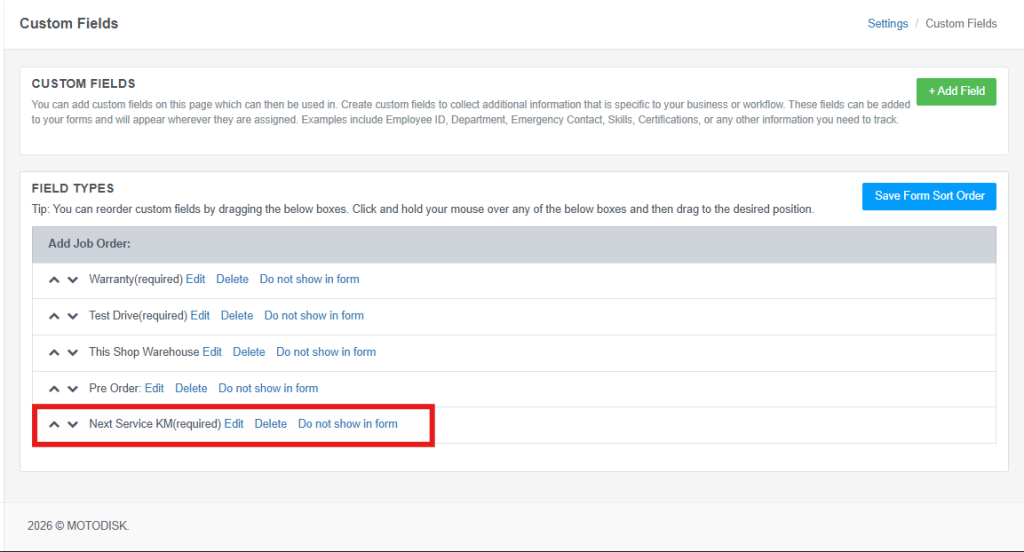
Create custom fields to collect additional information specific to your business or workflow
Shop owners can add these custom fields when creating an order through Create Order → Ongoing Orders.
Custom Fields are available exclusively to Platinum Plan users.
Step 1:Go to https://portal.motodisk.com
Step 2:Enter your credentials to log in.
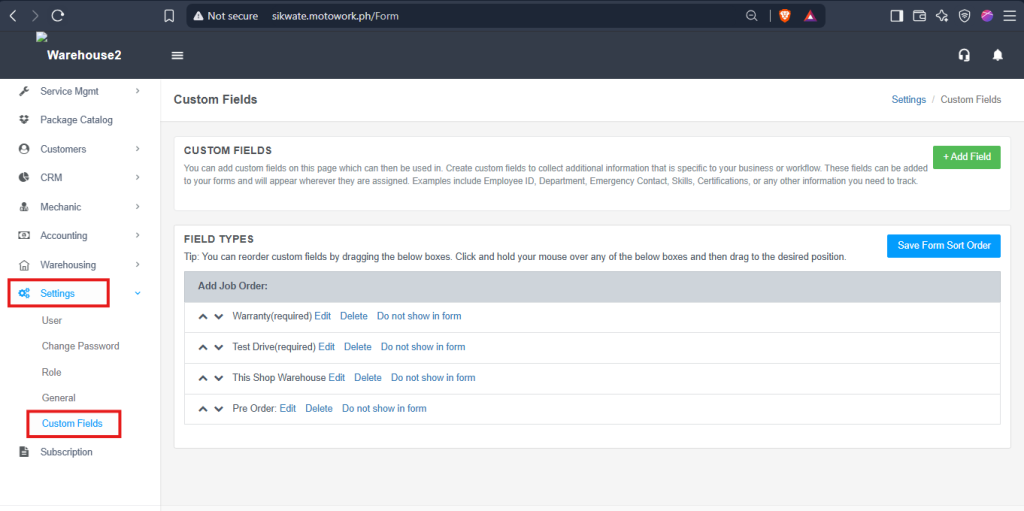
Step 3:From the sidebar, go to Settings > Custom Fields
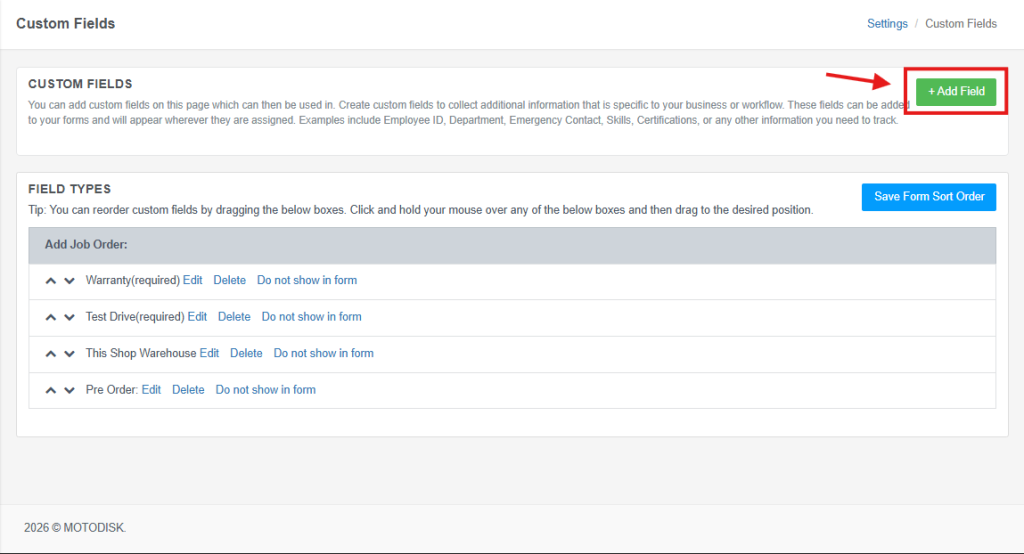
Step 4: Click Add Field button
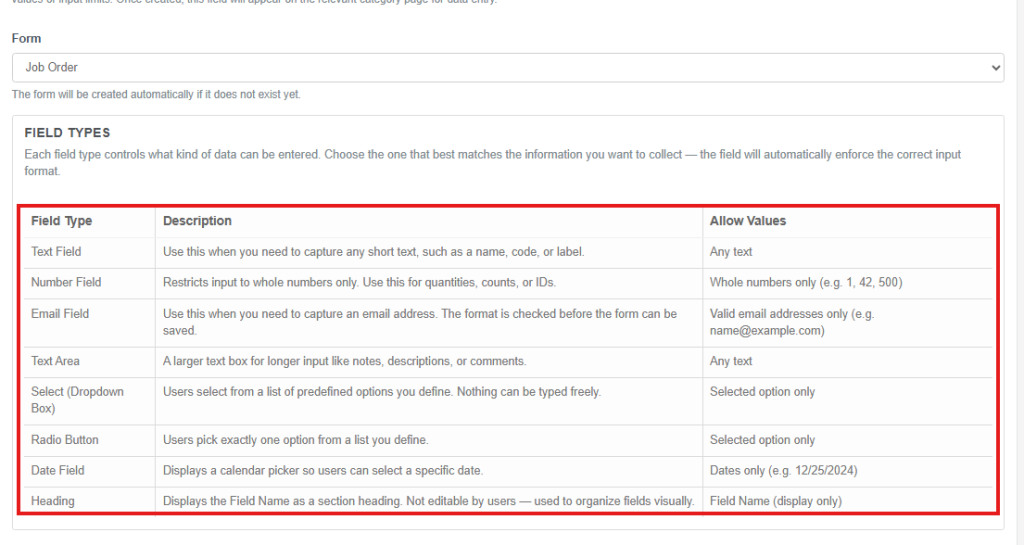
Step 5: Select your preference form. For example, Job Order form.
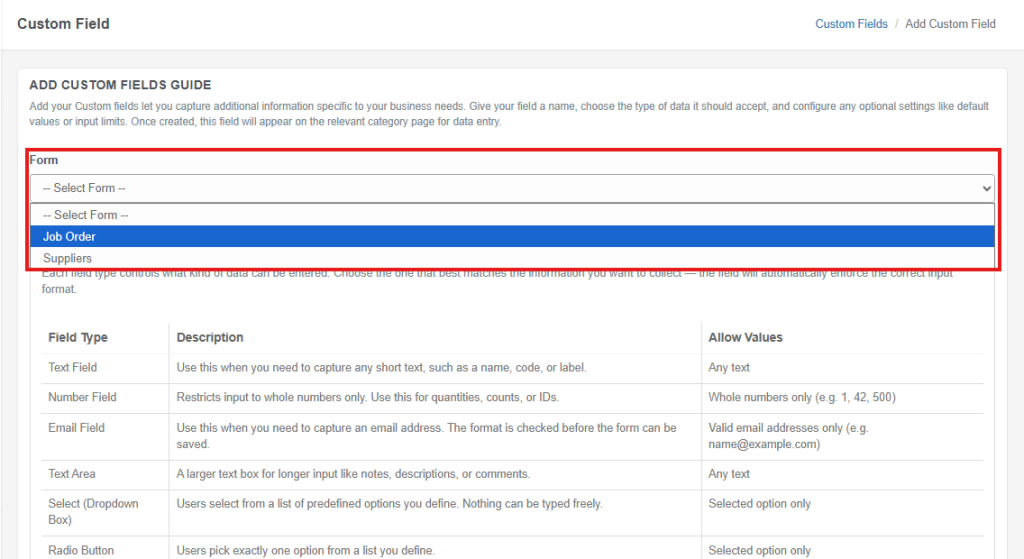
NOTE: Choose the Appropriate Field Type
Always review the available field types, their descriptions, and allowed values before creating a custom field. Choosing a field type randomly may cause confusion information for customer/employee.
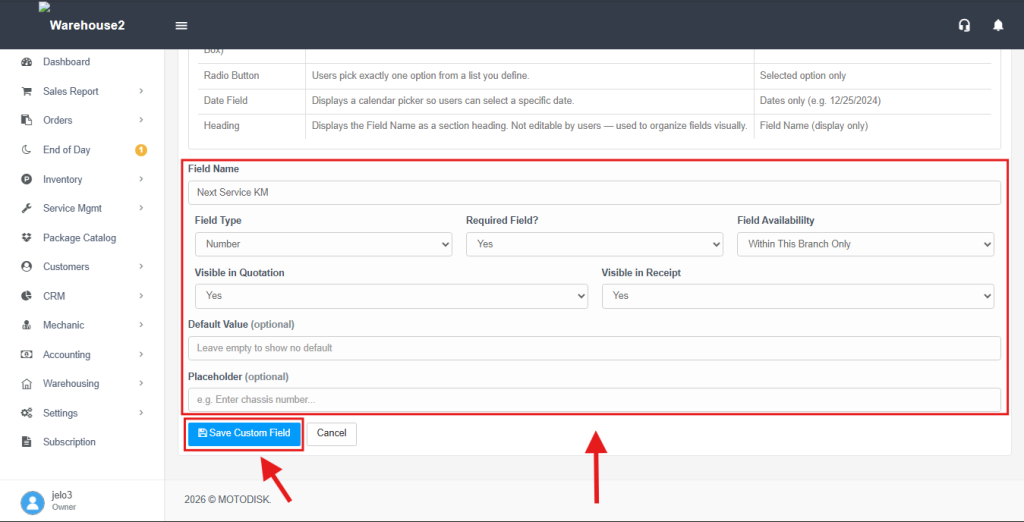
Step 6: Fill in the Fields and select the appropriate Field Type, Availability, and visibility settings for Quotation and Receipt. You can also add an optional Default Value and Placeholder then, click Save Custom Field
The system will automatically display the added custom fields based on their selected field types. You can edit, delete, or hide custom fields from the form as needed.