
Step 1: Go to https://portal.motodisk.com and log in credentials.
Step 2:In the side bar, select Settings -> General
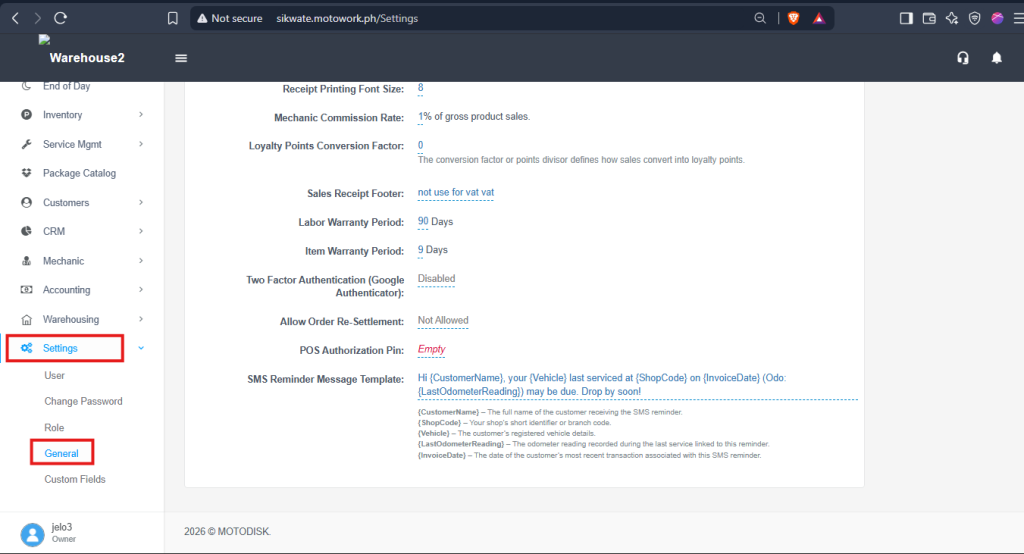
Step 2: Find and Set POS Authorization Pin.
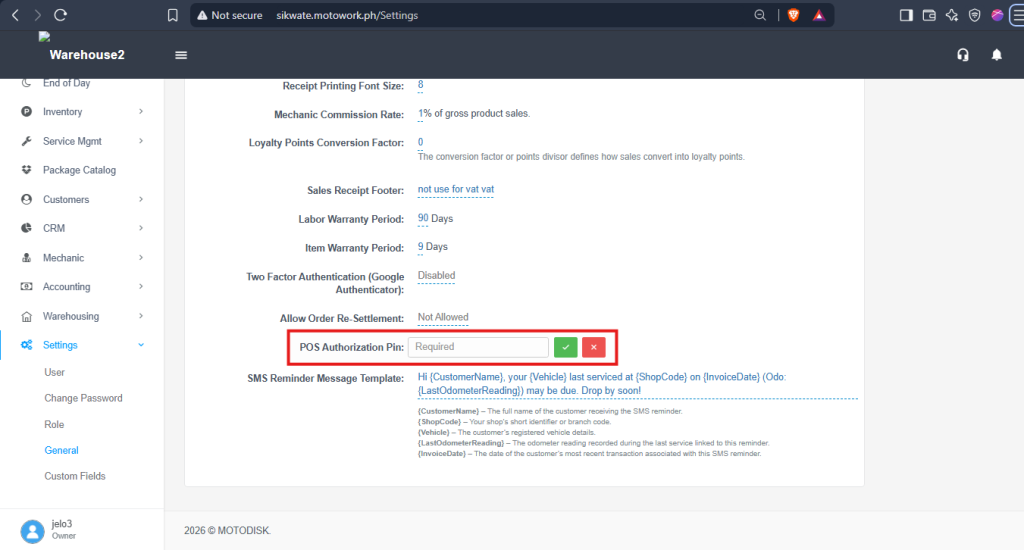
Additional Information:
The Authorization PIN adds an extra layer of security by requiring approval from an authorized user, such as an owner or manager, before performing restricted actions.
The Authorization PIN may be required for the following actions:
- Void Products or Transactions
- Delete Transactions
- Process Sales Returns or Refunds
- Reverse Service Transactions
- Deduct Advance Payments
- Deduct Receivable Payments
- Make Cash Adjustments
Only authorized users should have access to the Authorization PIN. Cashiers should request approval from the owner or manager when an action requires authorization.