
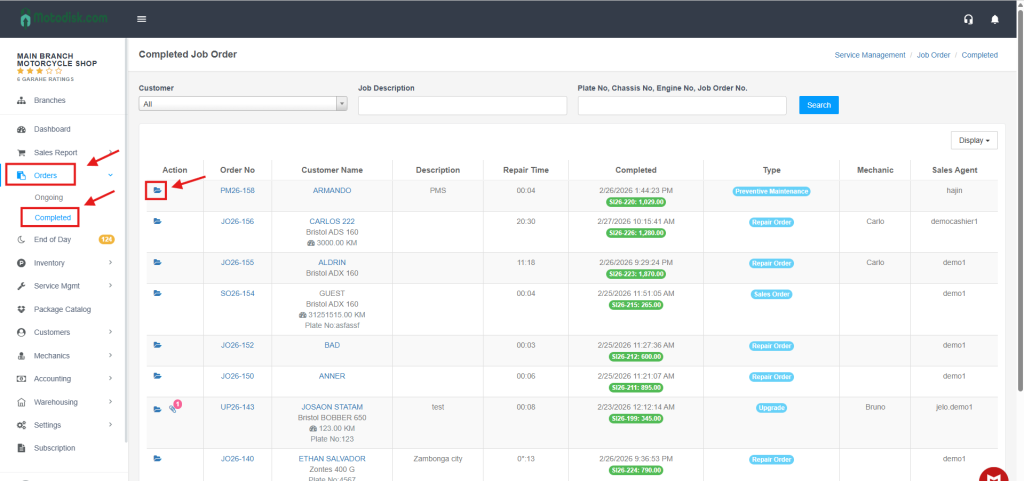
Step 1: Navigate to the Orders section in the side menu and select the Completed tab to view your finished orders.
Step 2: Locate the specific Job Order you wish to change and click the Folder icon under the Action column to open the details.
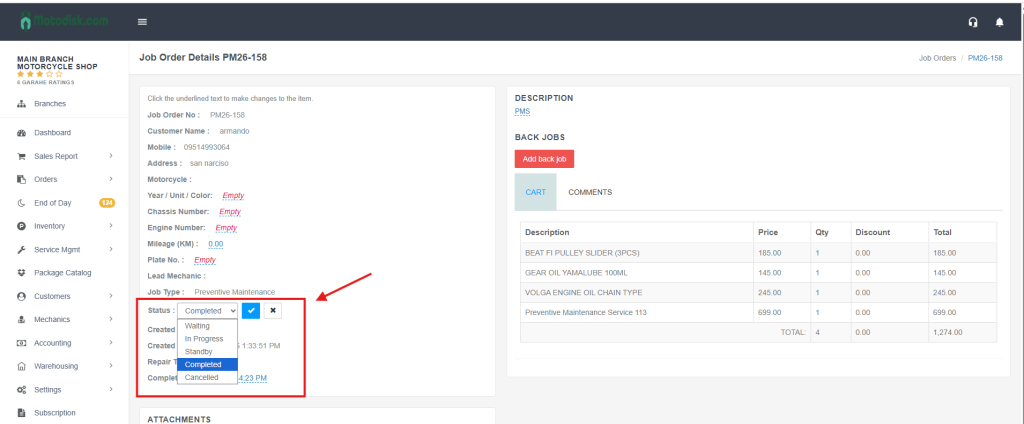
Step 3: In the Status dropdown menu, change the selection from “Completed” to In Progress and click the Checkmark button to save the update.
Video : Revert Job Order Status from ‘Completed’ to ‘In Progress’