
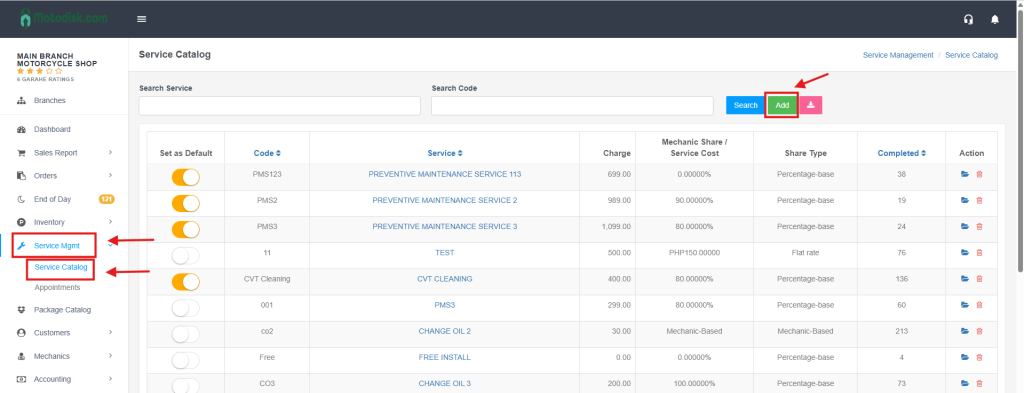
Step 1: In the Service Mgmt menu, select Service Catalog and click the green Add button.
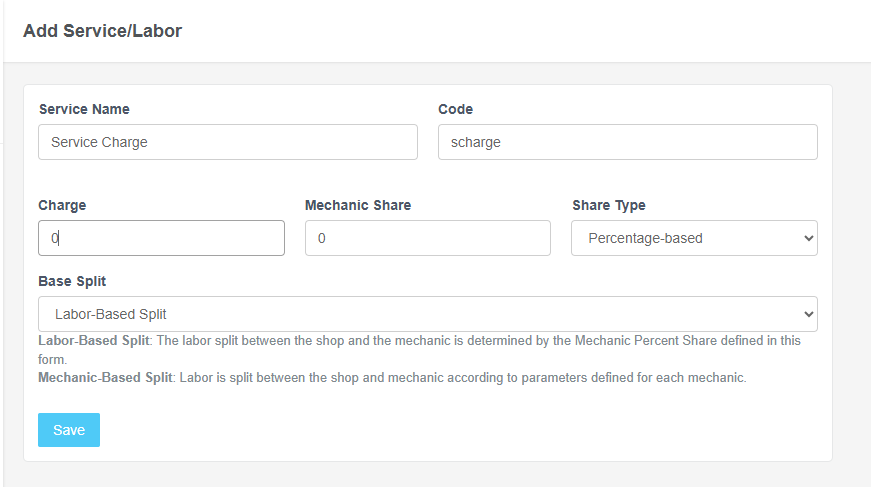
Step 2: Fill in the Service Name and Code, set the Charge and Mechanic Share to zero, and then click Save.
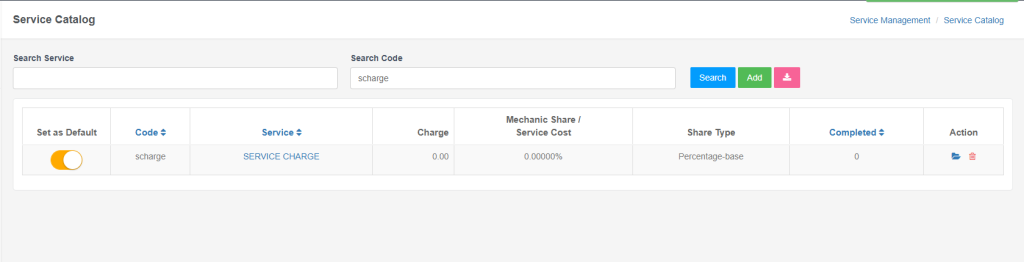
Step 3: You need to activate the service charge by toggling the switch under the Set as Default column so it will be put in the POS.
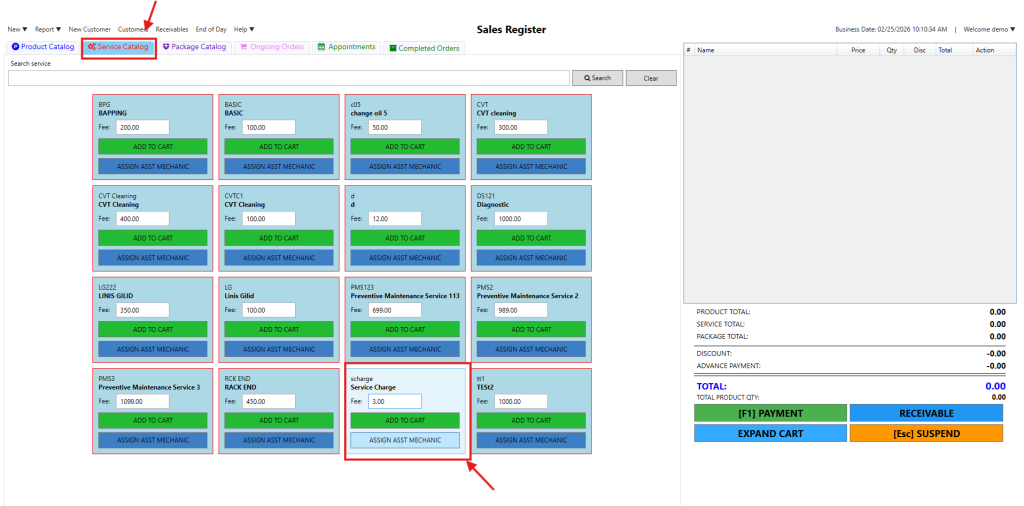
Step 4: Go to the POS and click the Service Catalog; you will see the active service charge there, where you can manually put the charge you want, such as 3 pesos.
Video : Add Service Charge