
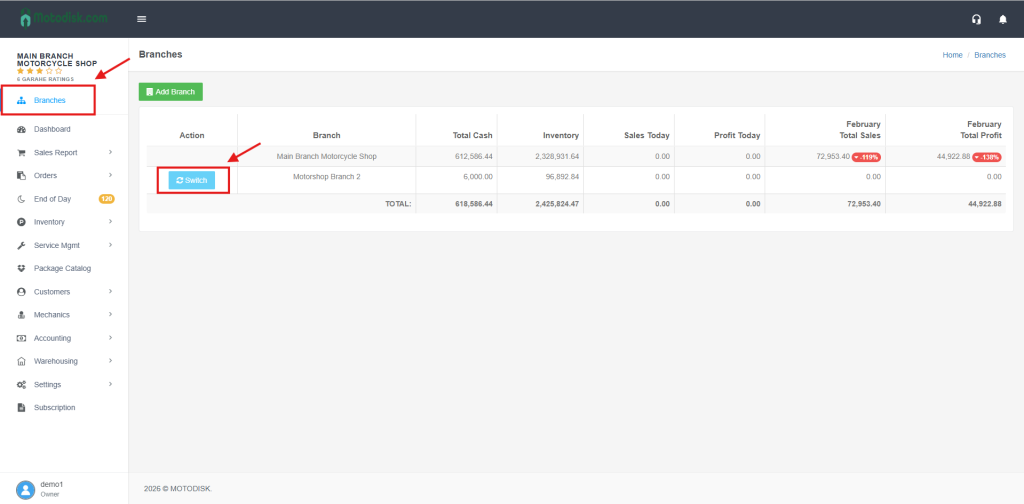
Step 1: Go to Branches in the sidebar and click the blue Switch button for your target branch.
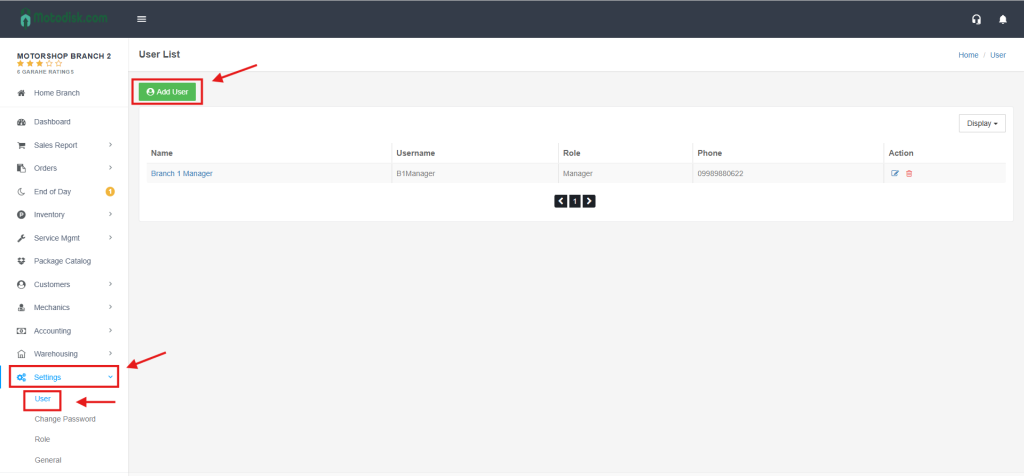
Step 2: Select Settings > User, then click the green + Add User button.
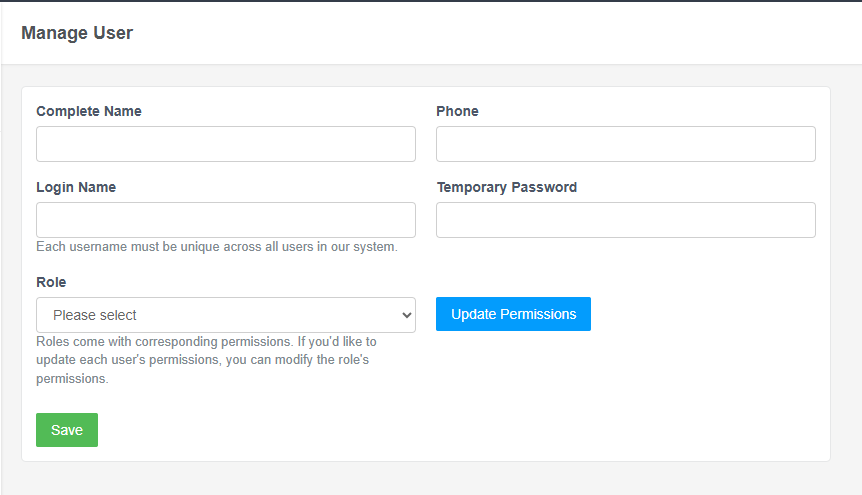
Step 3: Enter the Name, Login, Password, and Role, then click Save to finalize the account creation.
Video: Add a New User to a Specific Branch