
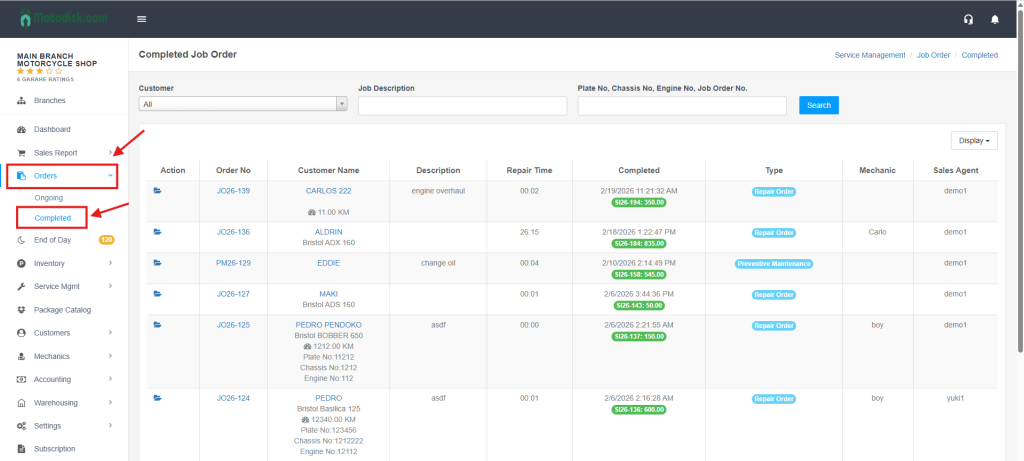
Step 1: On the left-hand sidebar, click Orders and then select Completed.
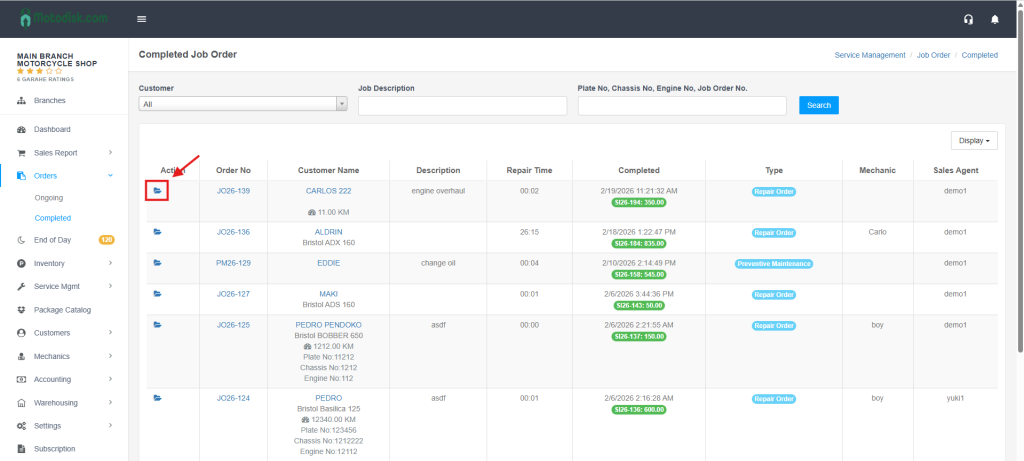
Step 2: Locate the specific job you want to change and click the Folder Icon under the Action column.
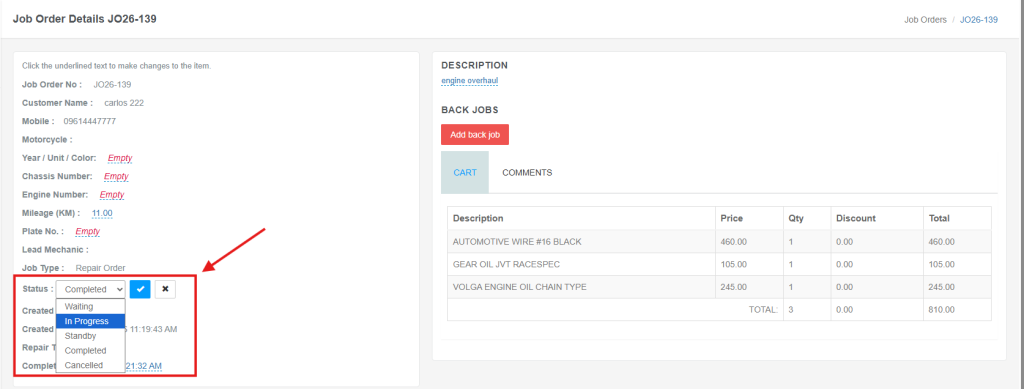
Step 3: In the Job Order Details page, find the Status dropdown at the bottom left, select In Progress (or your preferred status), and click the Blue Checkmark to save.
Video: To Change the Status of a Completed Job Order