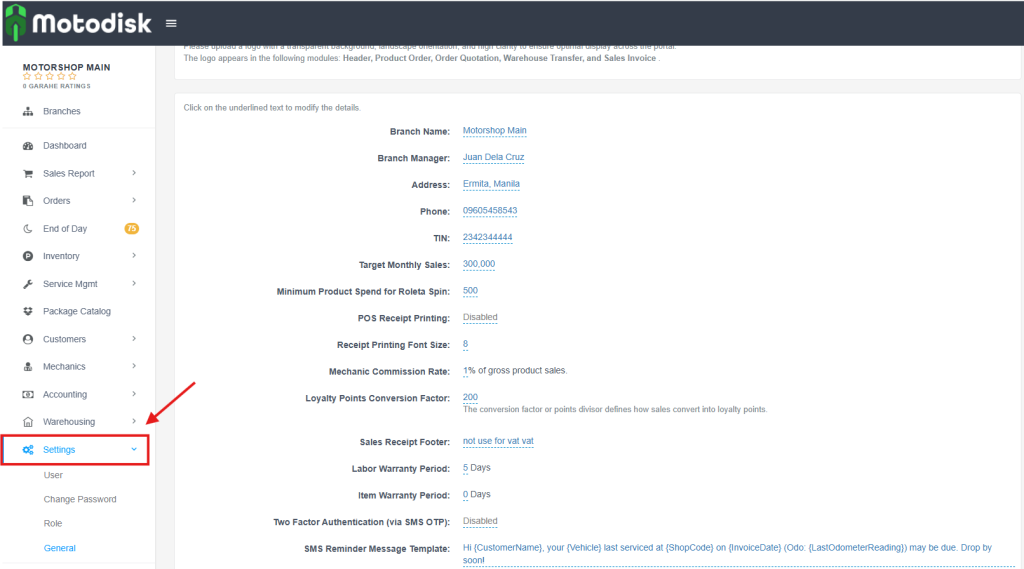
Step 1: Click Settings (on the left sidebar).
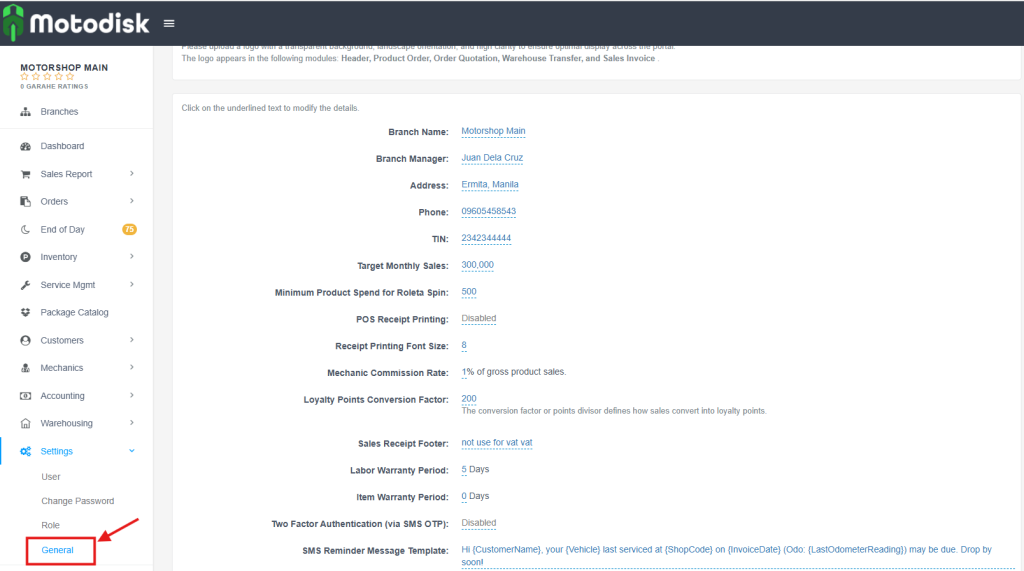
Step 2: Click General (the submenu under Settings).
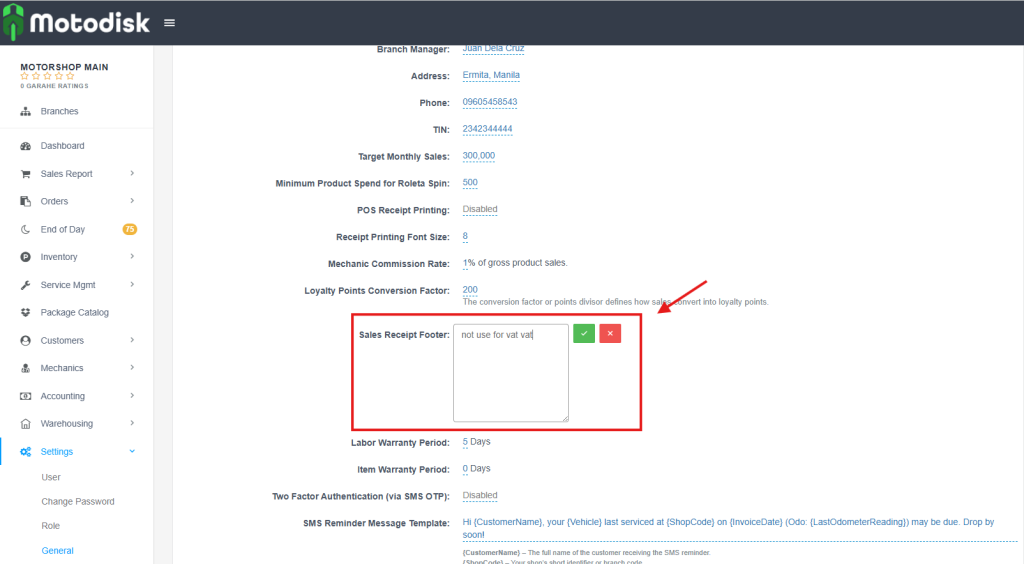
Step 3: Click Sales Receipt Footer, type your new message, and click the green checkmark to save.
Video: Change Footer Receipt

Step 1: Click Settings (on the left sidebar).
Step 2: Click General (the submenu under Settings).
Step 3: Click Sales Receipt Footer, type your new message, and click the green checkmark to save.
Video: Change Footer Receipt