Record expenses , track and manage spending in the back office
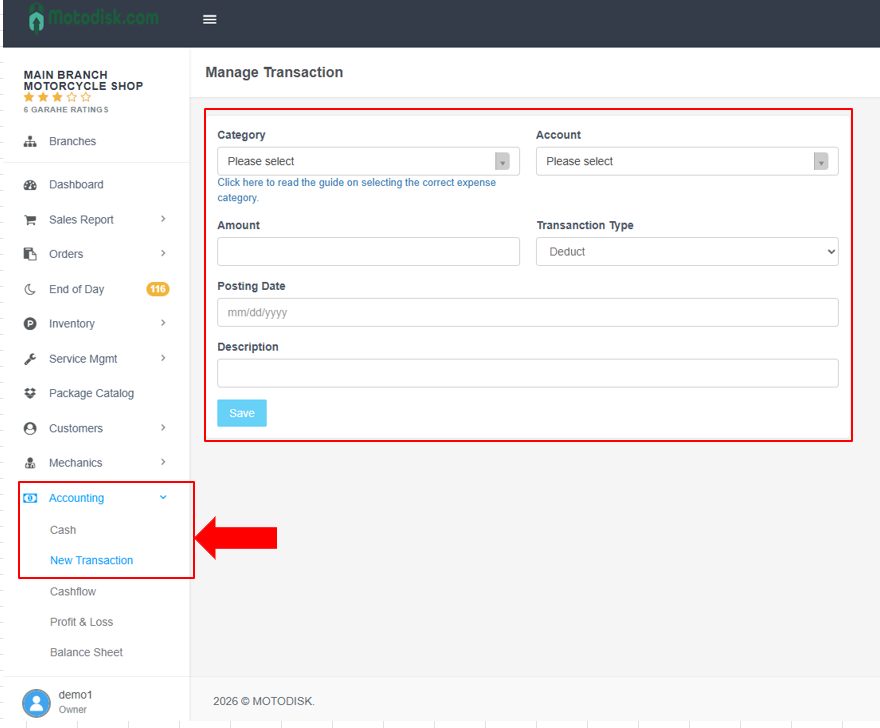
Step 1. Go to Accounting and Click New Transaction to add an Expenses
- Select the Category (e.g., Utilities, Supplies)
- Choose the correct Account
- Pick the Posting Date
- Type a short Description of the expense
- Click Save
This will record the transaction in the system.
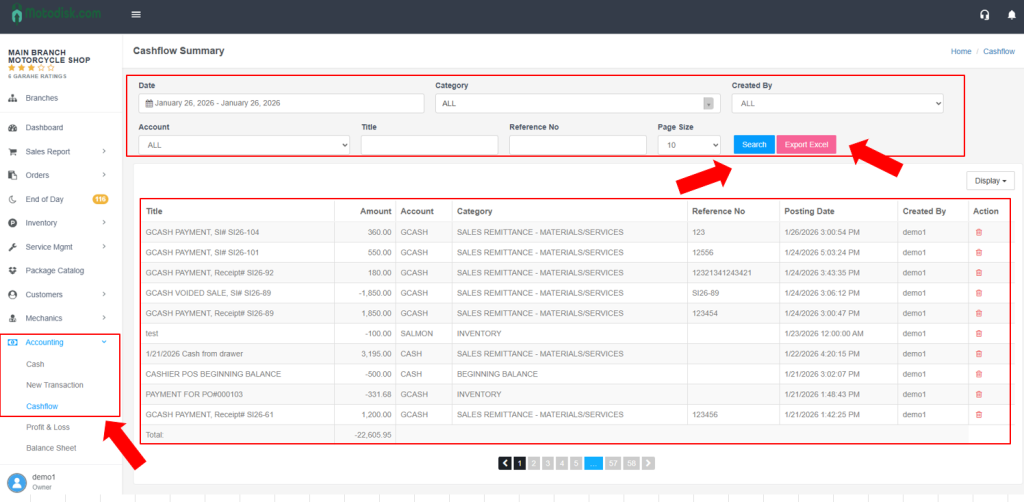
Step 2. Track and Manage your Expenses in the Back Office
- Enter the Date Range
- Select Category