Step 1:Go to https://portal.motodisk.com and log in
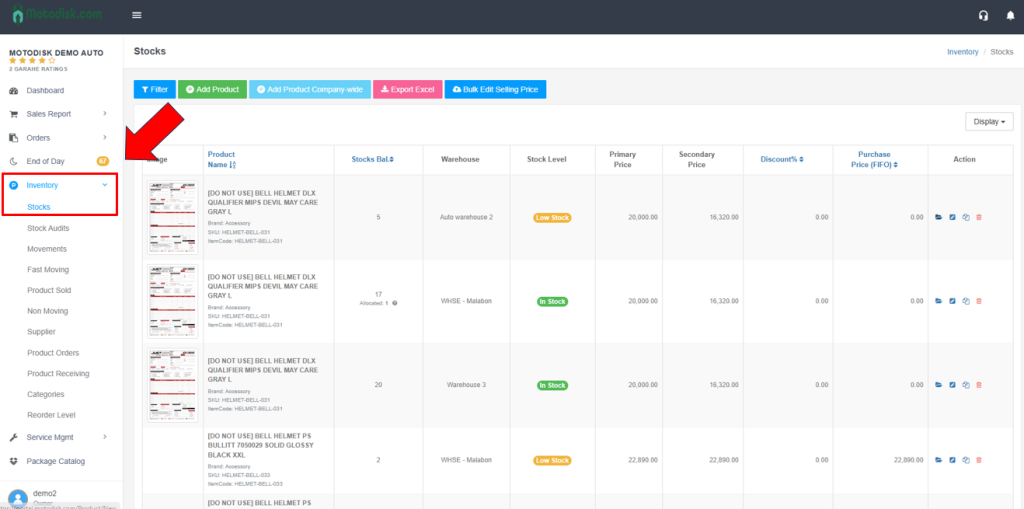
Step 2:In the side bar, select Inventory > Stocks
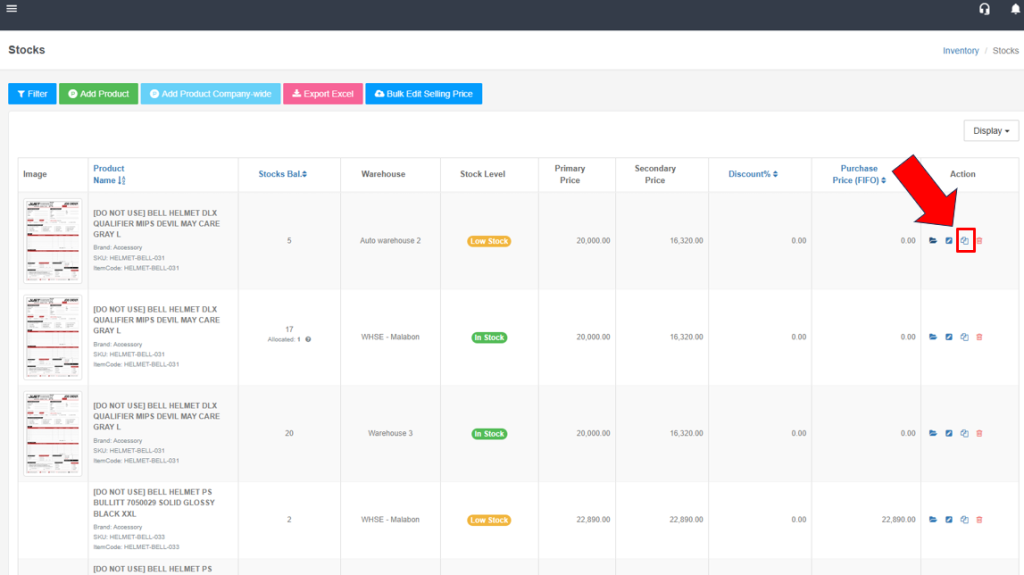
Step 3: Click Copy button
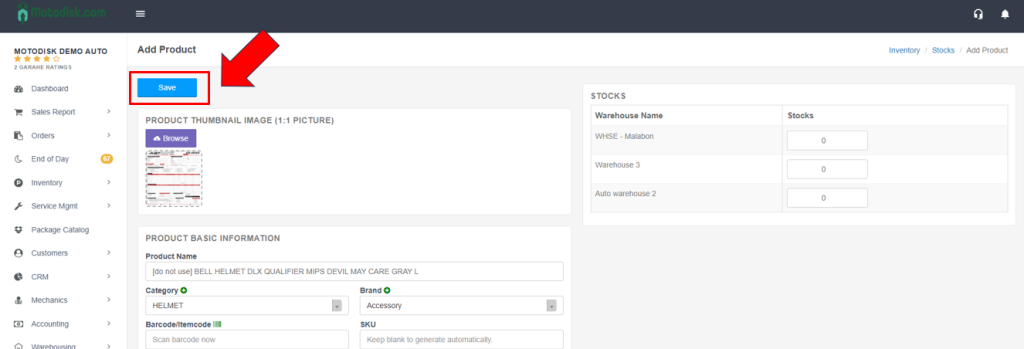
Step 4: The Copy button automatically duplicates the data. Simply click Save to keep it, or edit any information if you want to make changes.
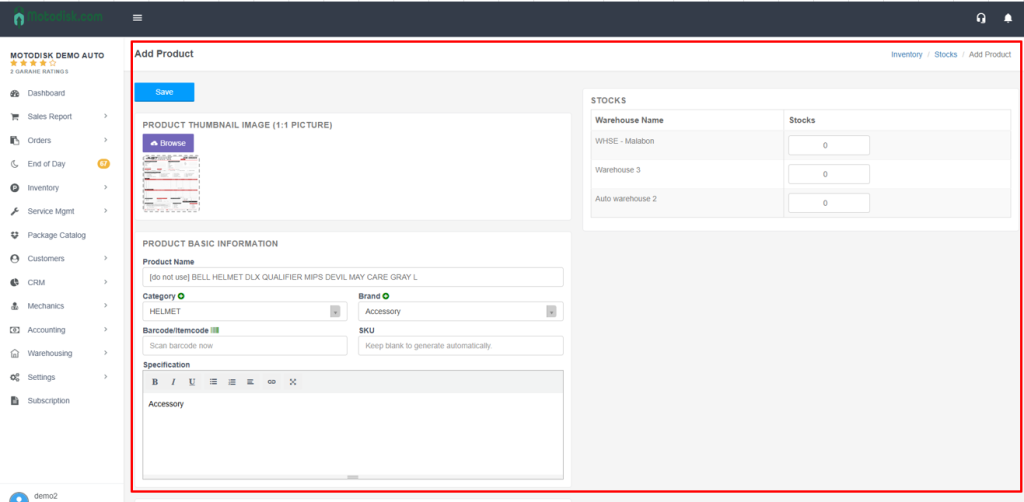
Step 5:. The green plus (+) button allows you to add a new item Category/Brand that is not yet available in the dropdown list. Click the button to manually enter the information.
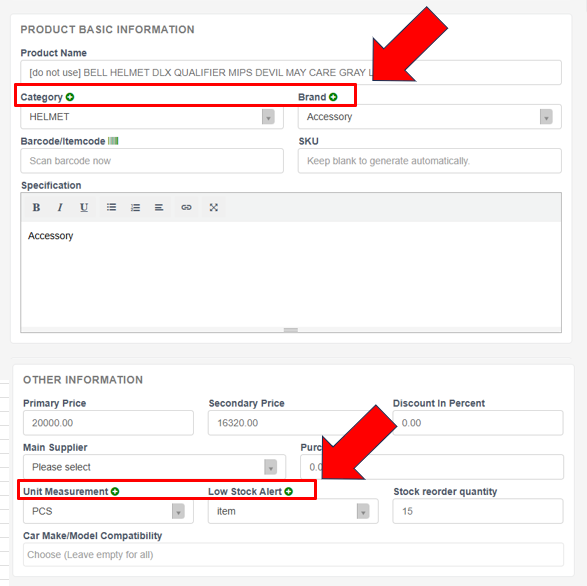
Step 6:Select a Main Supplier to proceed and add stocks quantity.
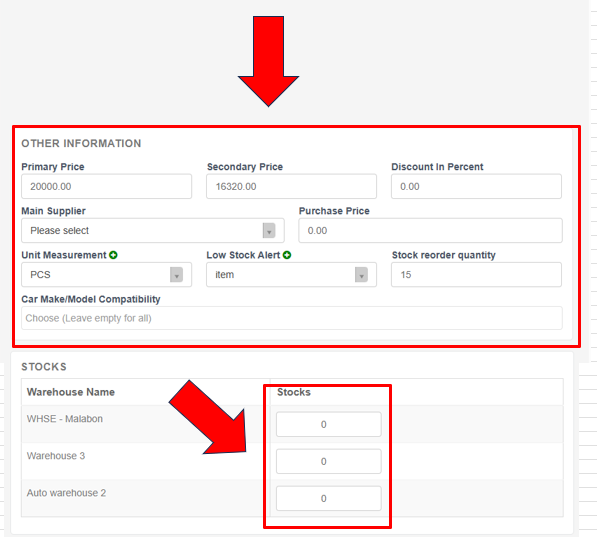
Step 7: click Save to save and add the item.