
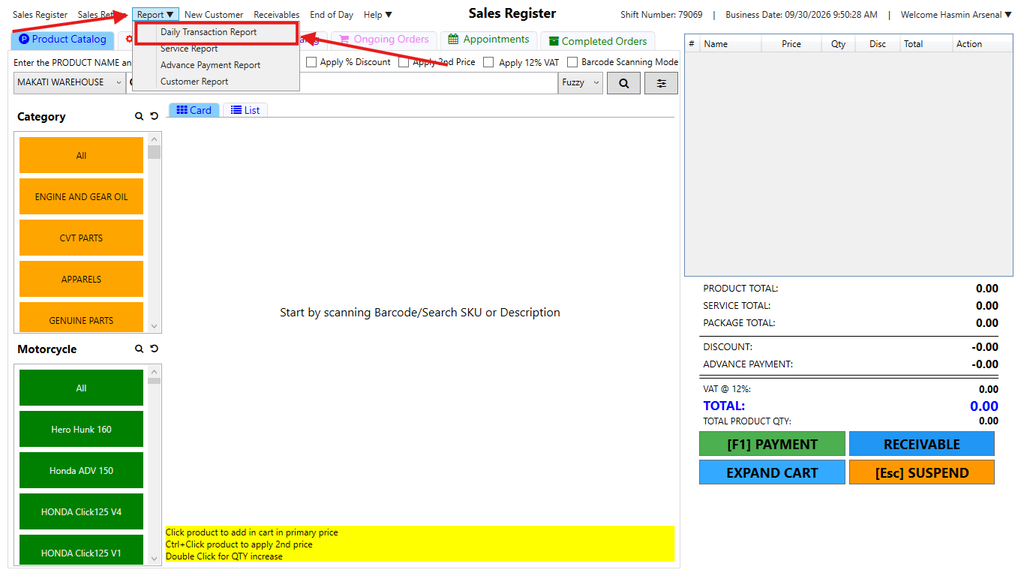
Step 1: Go to Report > Daily Transaction Report
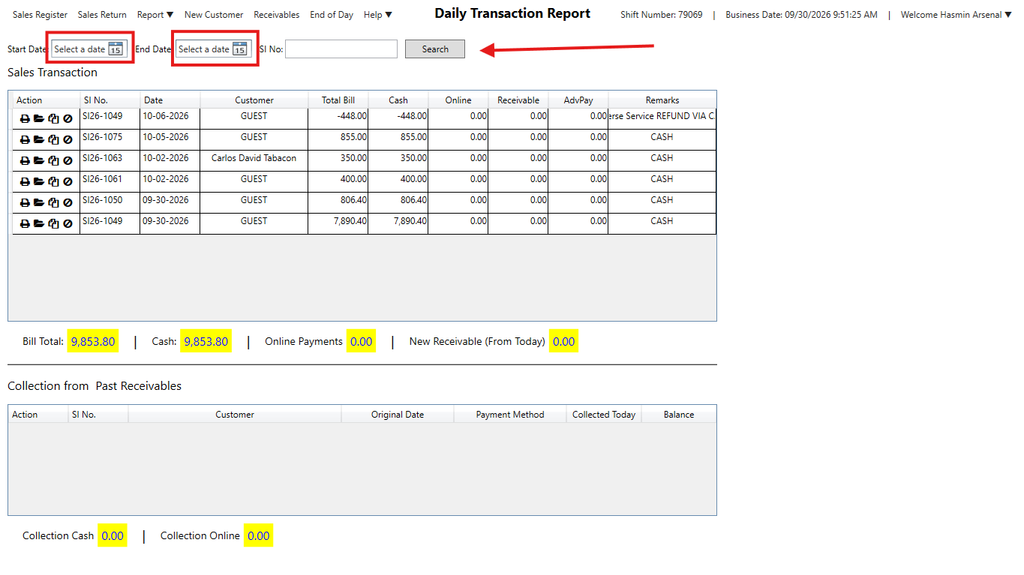
Step 2: You’ll see today’s sales by default. To check past transactions, just choose the date you want and click Search.
Notes:
Printer icon – lets you print or reprint the receipt
Folder icon – opens the e-receipt
Double document icon – copies the sales invoice number
Void Icon – to void sales transactions

Here’s the video guide: