
How to Record Sales without Job Order
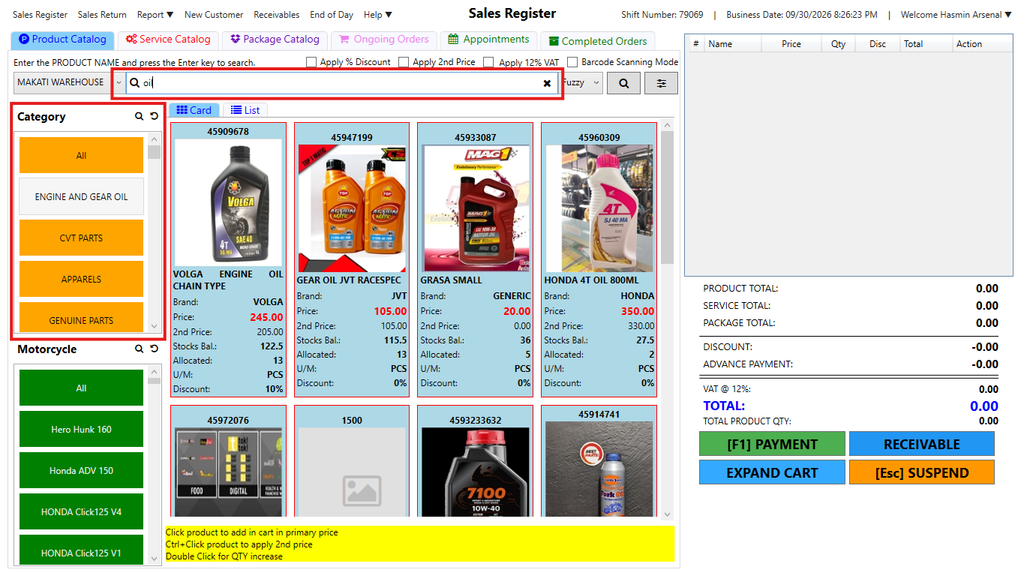
Step 1: There are two ways to find products in the Product Catalog:
- Click ALL or select the appropriate Category tab
- Use the Search bar to quickly search by product name or code
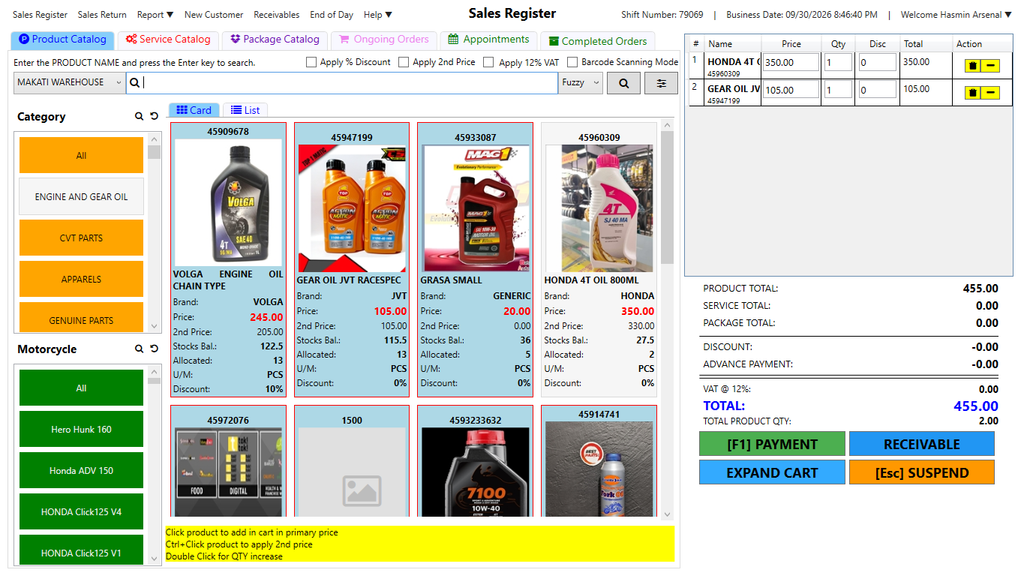
Step 2: Click a product once to add 1 quantity, click again to add more. Review and Edit Cart. You can adjust quantity, discount, or remove items if needed.
On the right side, check the list of items added.
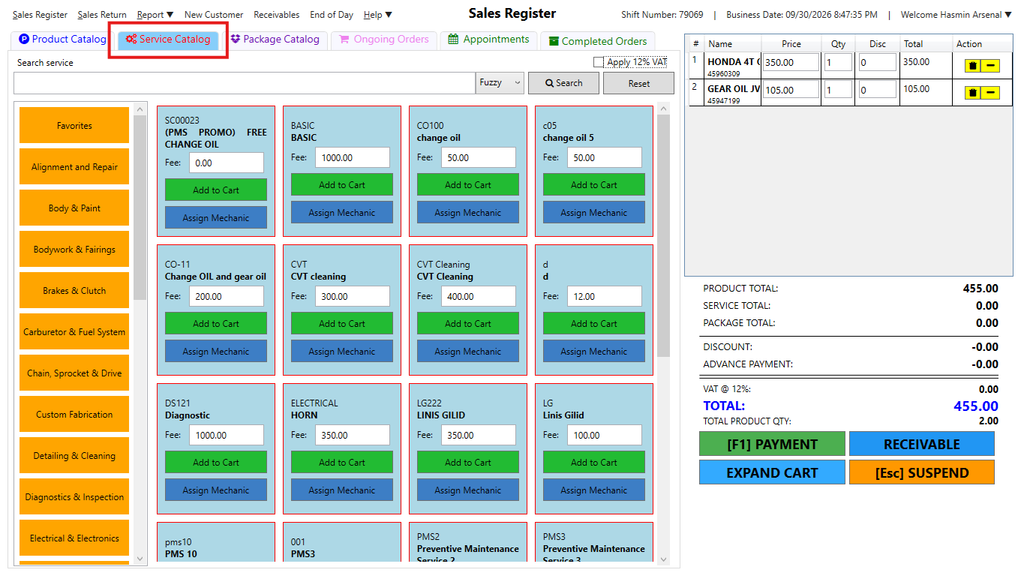
Step 3: If you want to add Services, go to Service Catalog. And click the Service that you’d like to add.
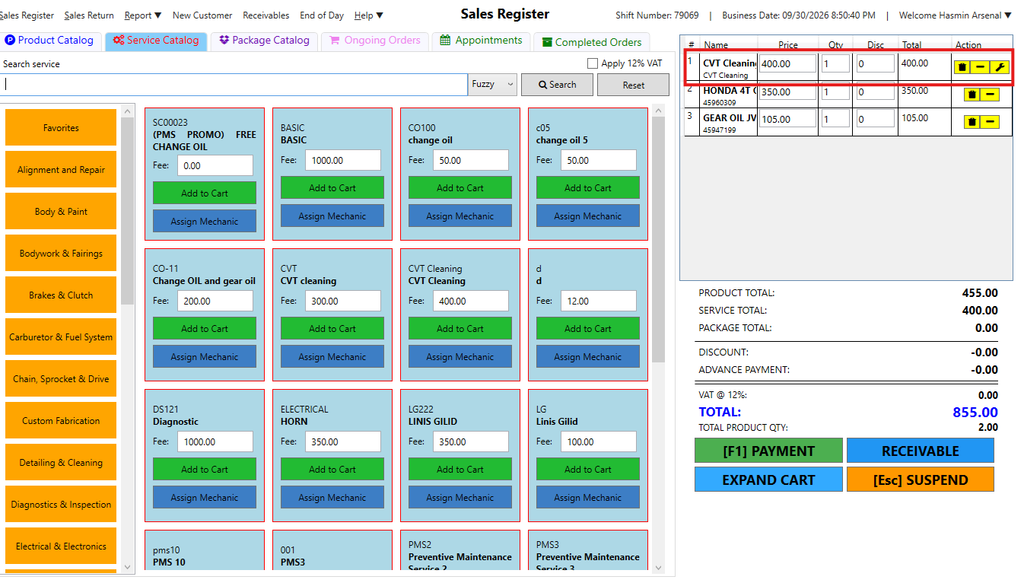
On the right side, check the list of services added. You will easily notice it since it has wrench icon.
Step 4: Click Payment.
- Choose the customer’s payment method
- Enter the amount received
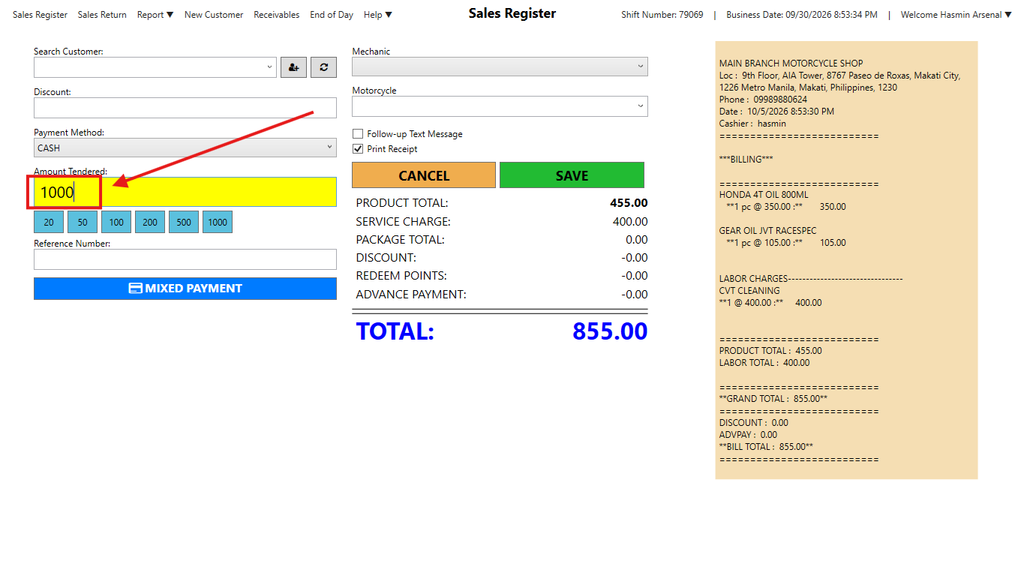
- When there is Service, you will be required to select a Mechanic in the drop down list.
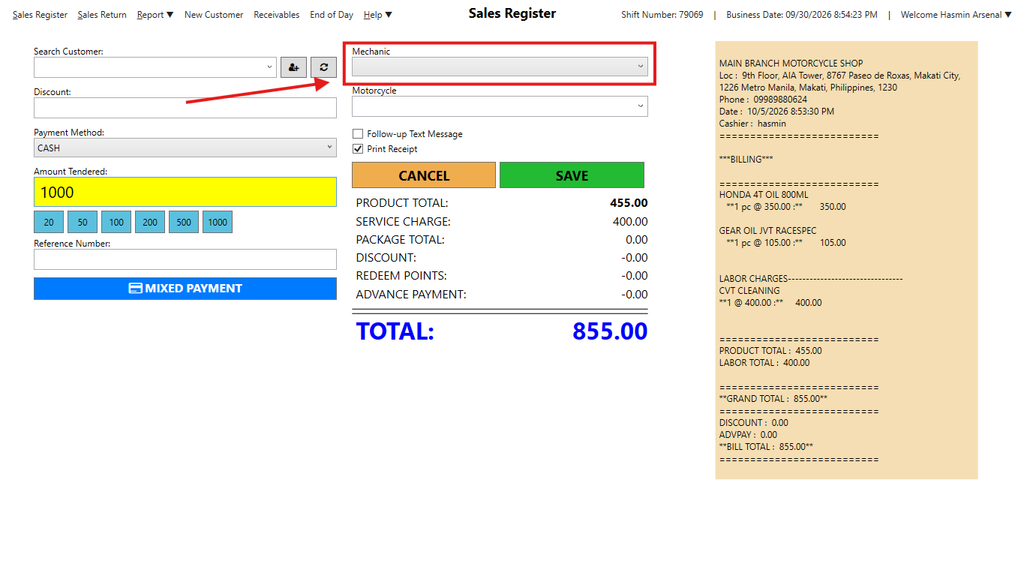
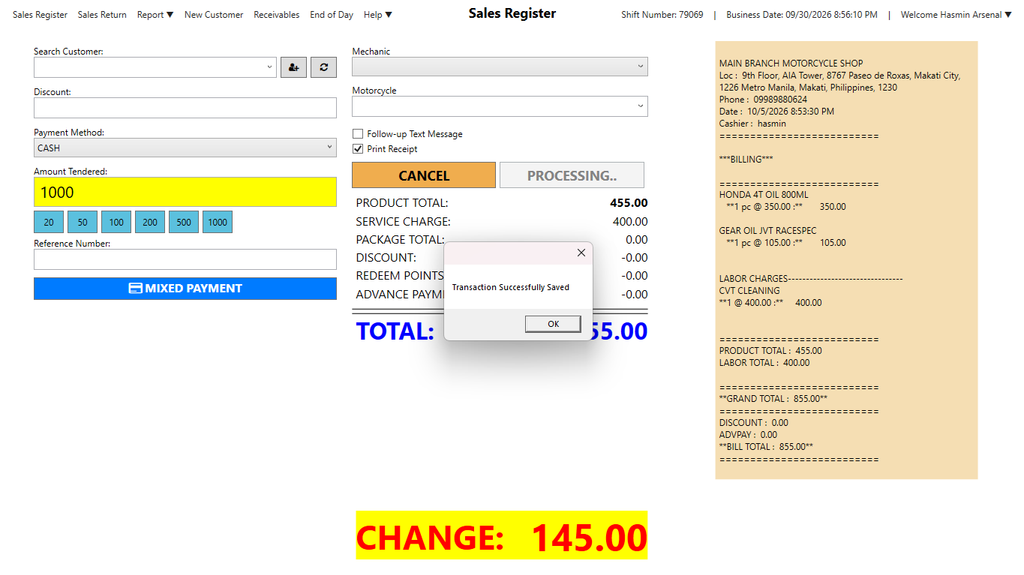
Step 5: Click Save.
- If you choose Cash as the payment method, the system will automatically show the change.
- For GCash or other online payments, you can only enter the exact amount due.
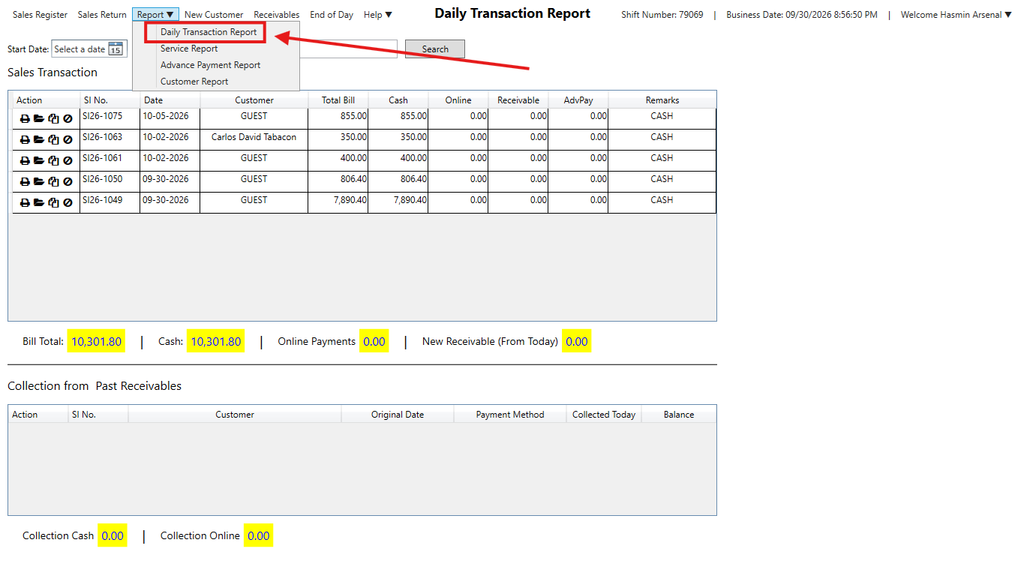
Step 6: Check the transaction in the Daily Sales Report
Here’s the video guide.