
- Go to https://portal.motodisk.com and log in
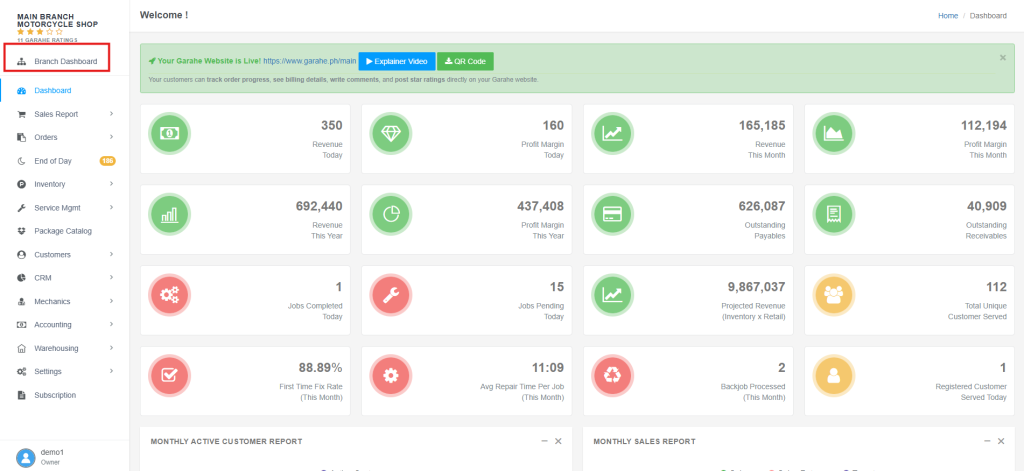
- In the side bar, select Branch Dashboard
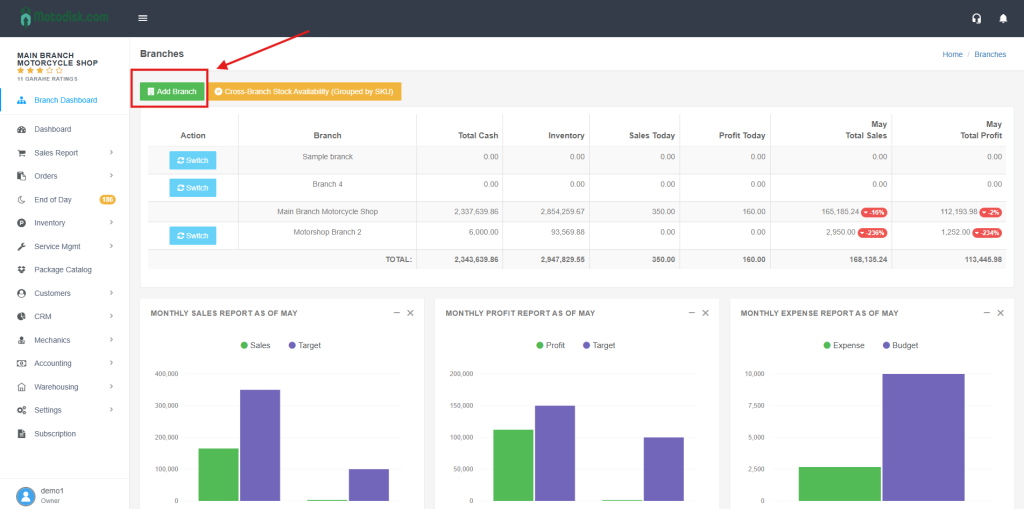
3. Click the Add Branch
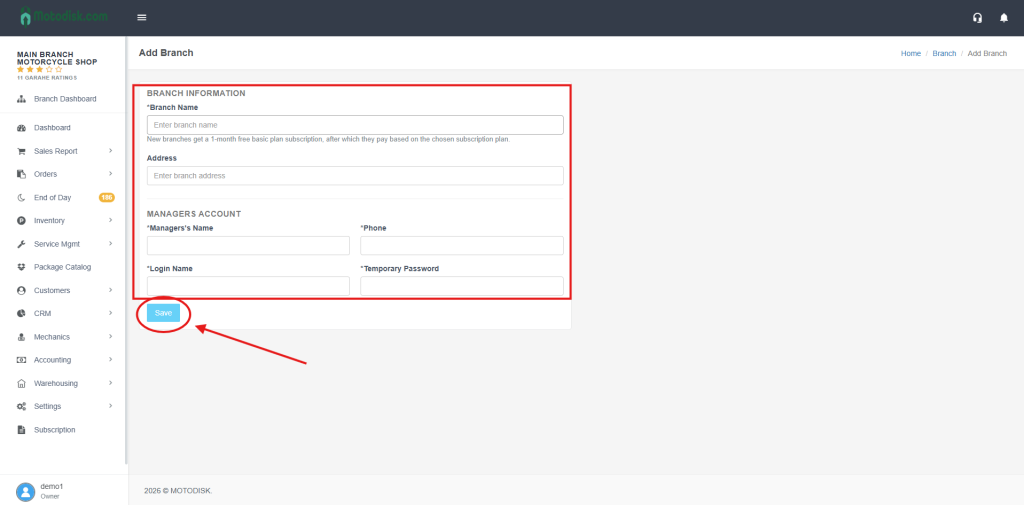
4. First, enter the branch name and branch address.
then
* Enter the manager’s name
*phone number
*login name
*temporary password,
and click Save to add the branch.
After you add a branch, it will be displayed here.