- Go to https://portal.motodisk.com and log in.
- In the side bar, select End of Day
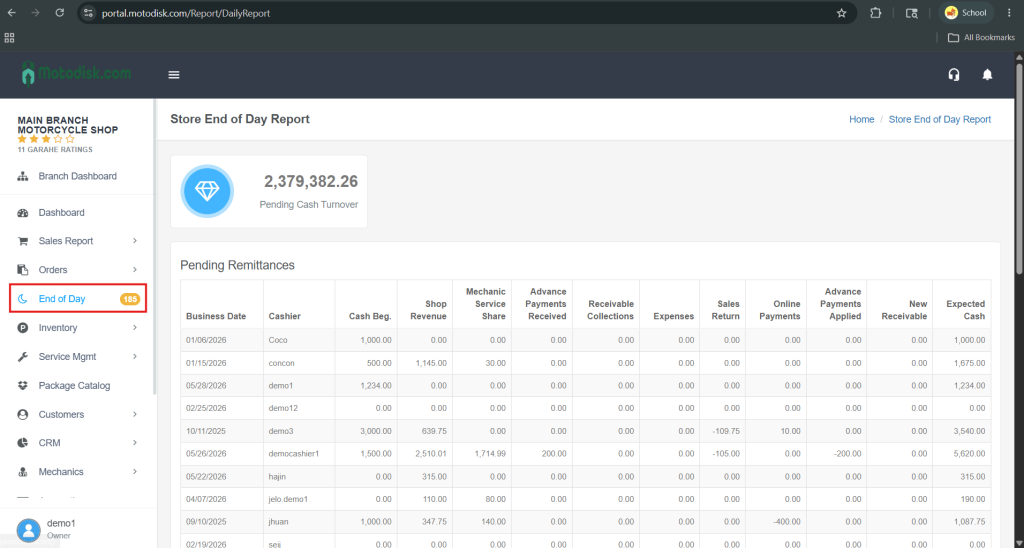
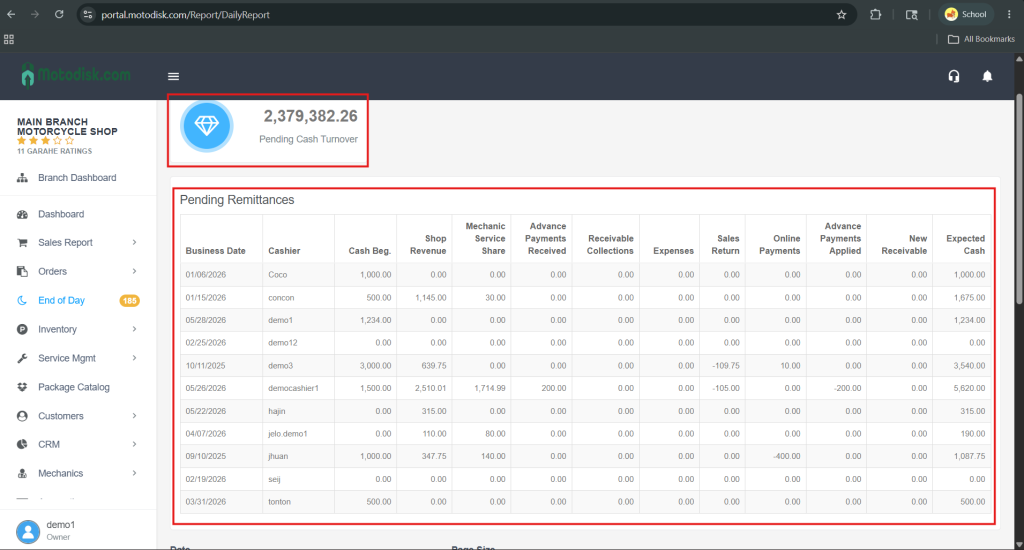
3. .After clicking the End of Day Icon, the Total Uncollected amount and Pending Remittances is visible.
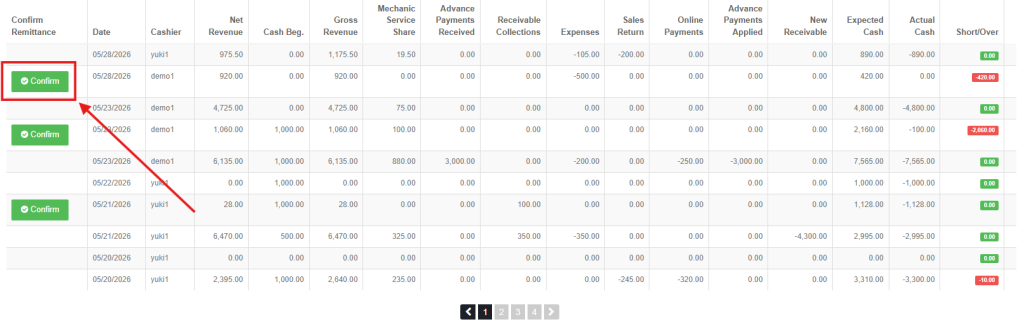
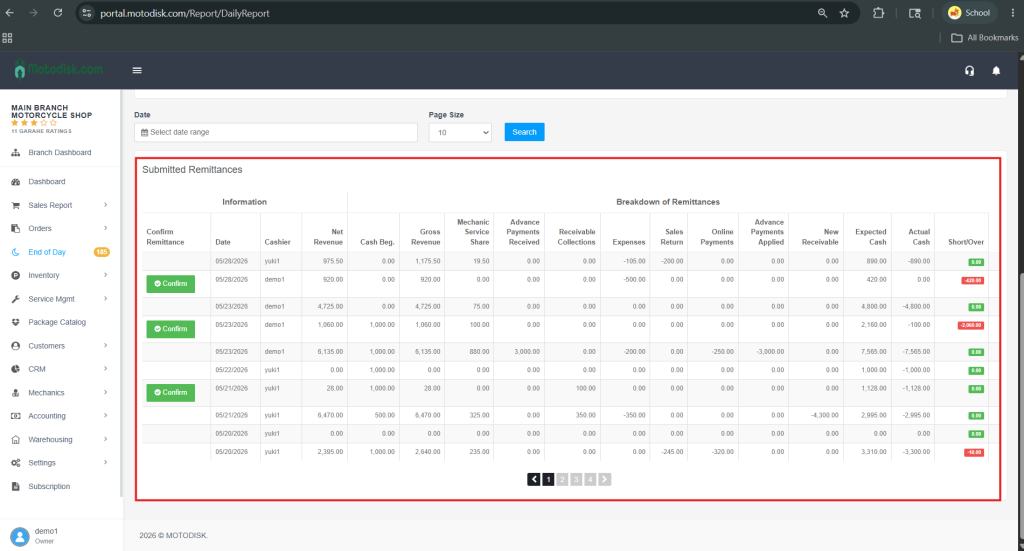
4. Scroll down to see the Submitted Remittances.
Important Note:
Expected Cash – The total amount that should be remitted by the cashier based on the recorded sales and transactions.
Actual Cash – The actual amount remitted by the cashier.
Color Indicators:
🟢 Green – The remitted amount matches the expected cash amount exactly.
🔵 Blue – The remitted amount is greater than the expected cash amount (over remittance).
🔴 Red – The remitted amount is less than the expected cash amount (short remittance).
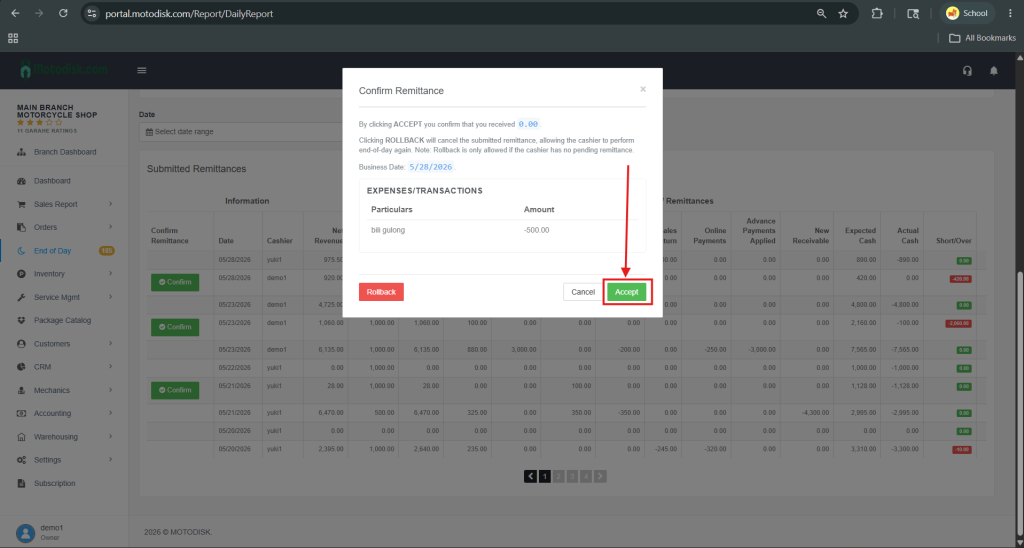
5. Click Confirm to confirm the Submitted remittances and Accept