
- Go to https://portal.motodisk.com and log in
- In the side bar, select Accounting > Advances
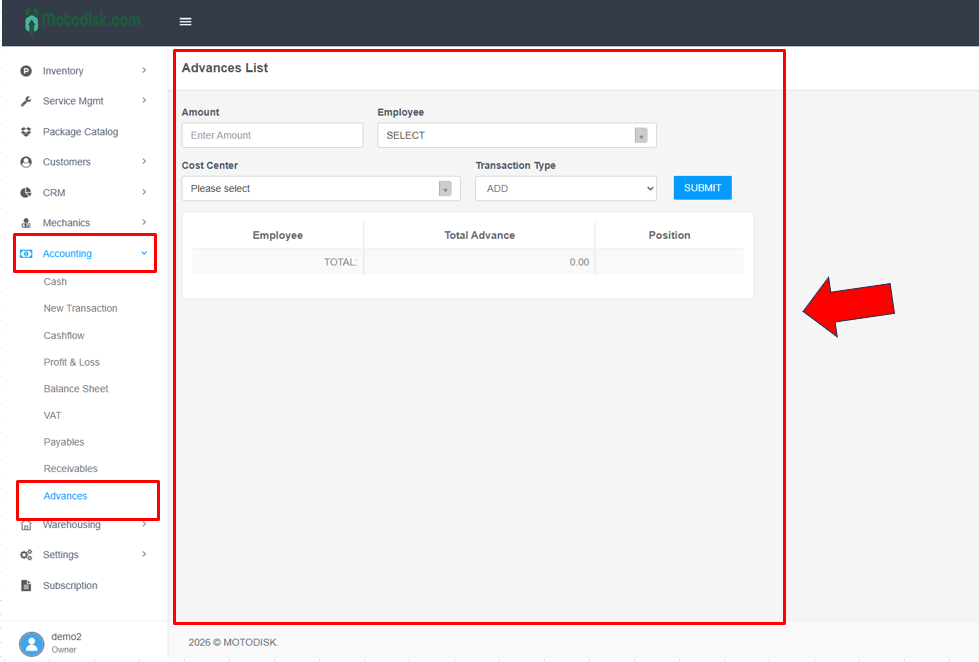
3. Enter the amount first
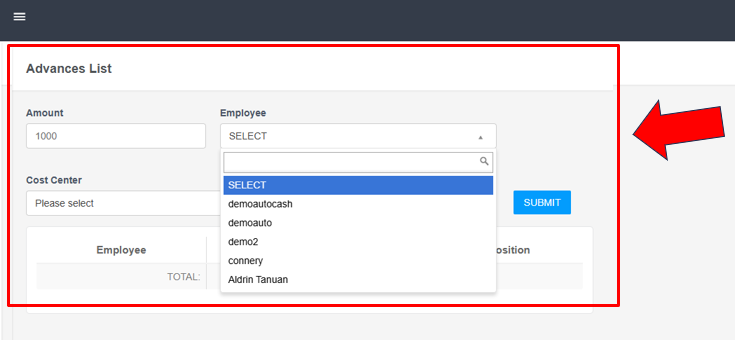
4. Select a Employee
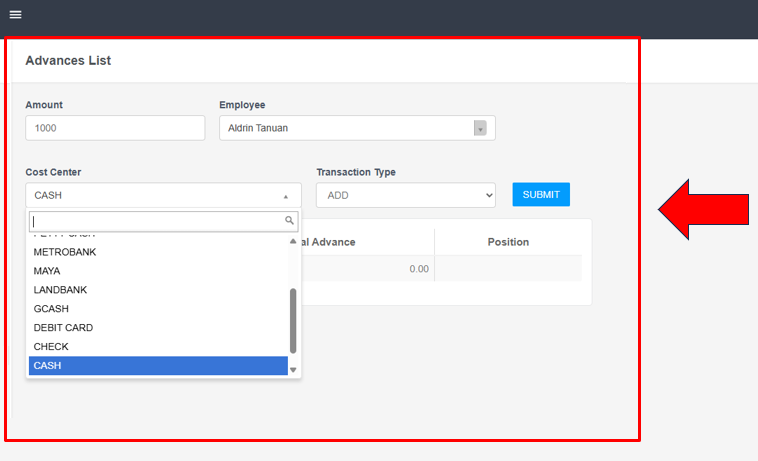
5. Select a Cost Center (Choose account where the amount will be deducted from or added to.)
6. Select the transaction type (Add or Deduct), then click Submit.
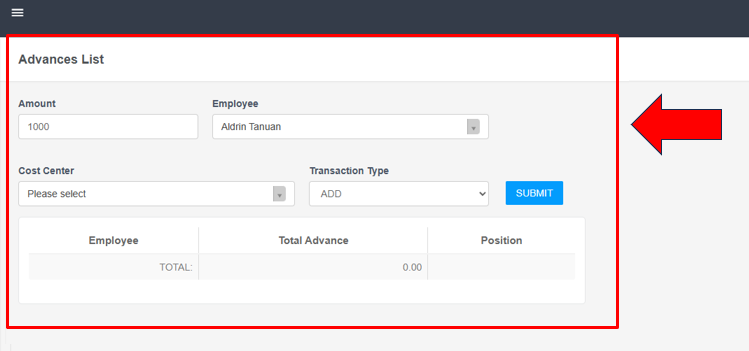
After entering all the required information, it will be displayed here.